> For the complete documentation index, see [llms.txt](https://docs.flosum.com/llms.txt). Markdown versions of documentation pages are available by appending `.md` to page URLs; this page is available as [Markdown](https://docs.flosum.com/backup-and-archive/backup-and-archive-docs-ja/she-ding/zu-zhi-she-ding/backup-and-archive-settings-general-settings.md).
# 一般設定の変更
{% hint style="success" %}
#### 必須ユーザー資格情報
\[**Flosumユーザー**] - **バックアップとアーカイブ** ライセンスと **アプリ設定** 権限
{% endhint %}
## 概要
各Salesforce組織にはそれぞれ独自の **設定** 個別に設定できるページがあります。 **設定** ページは3つのタブに分かれています: **一般**, **通知**、 **連携**。この記事では、以下の **一般** タブです。他のタブの手順については、次の記事を参照してください。
* [通知設定の変更](/backup-and-archive/backup-and-archive-docs-ja/she-ding/zu-zhi-she-ding/backup-and-archive-settings-notifications.md)
* [統合設定の変更](/backup-and-archive/backup-and-archive-docs-ja/she-ding/zu-zhi-she-ding/backup-and-archive-settings-integrations.md)
その **一般** [設定]タブでは、組織設定の確認、バックアップおよびアーカイブ操作の管理、APIクォータの設定ができます。
## 一般設定
{% stepper %}
{% step %}
### 一般設定にアクセスする
以下は、[一般設定]へのアクセス手順と各セクションの簡単な概要です。
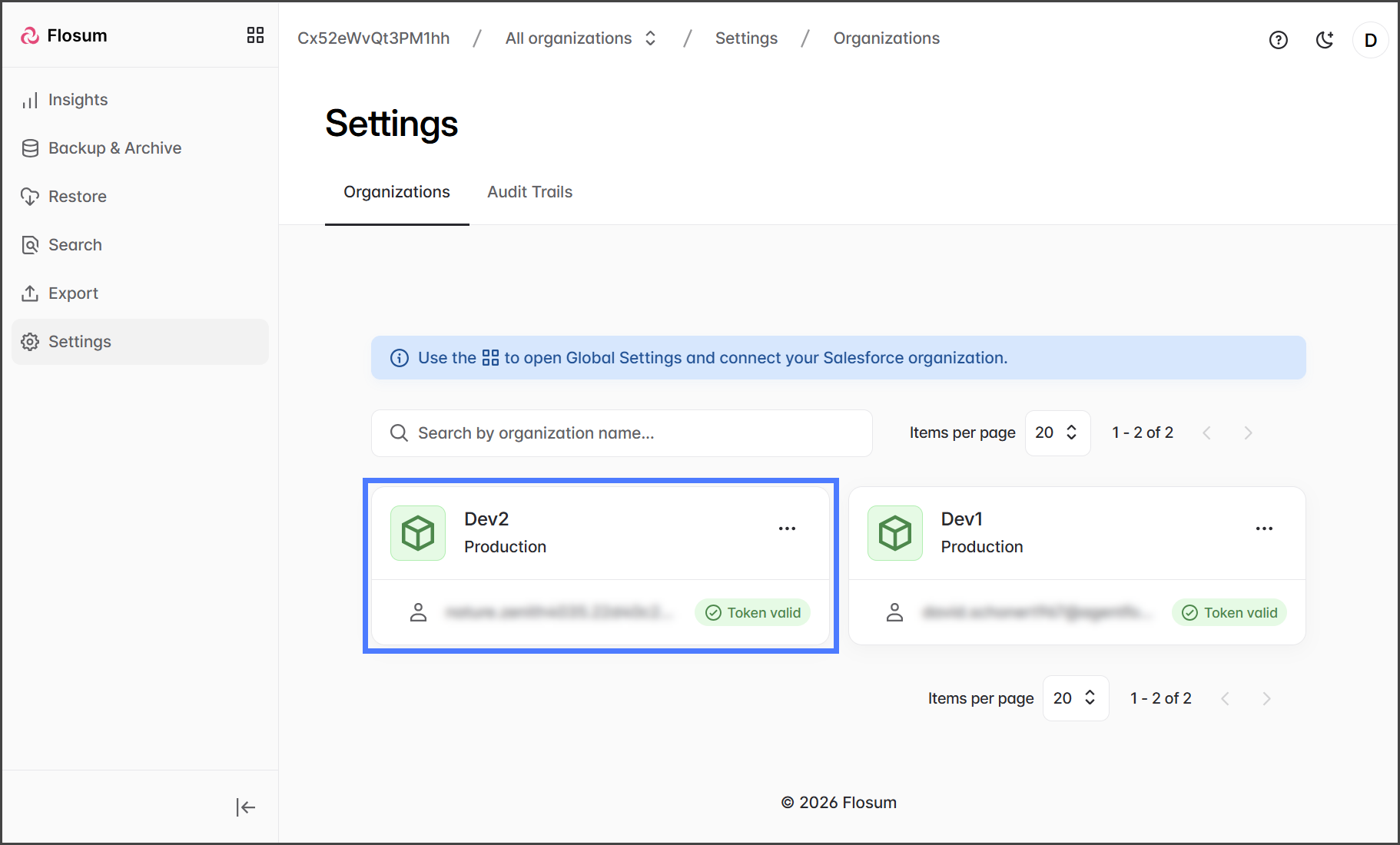
1. クリックします **設定** をサイドバーメニューから。
2. 次の **組織** 設定を変更する対象。
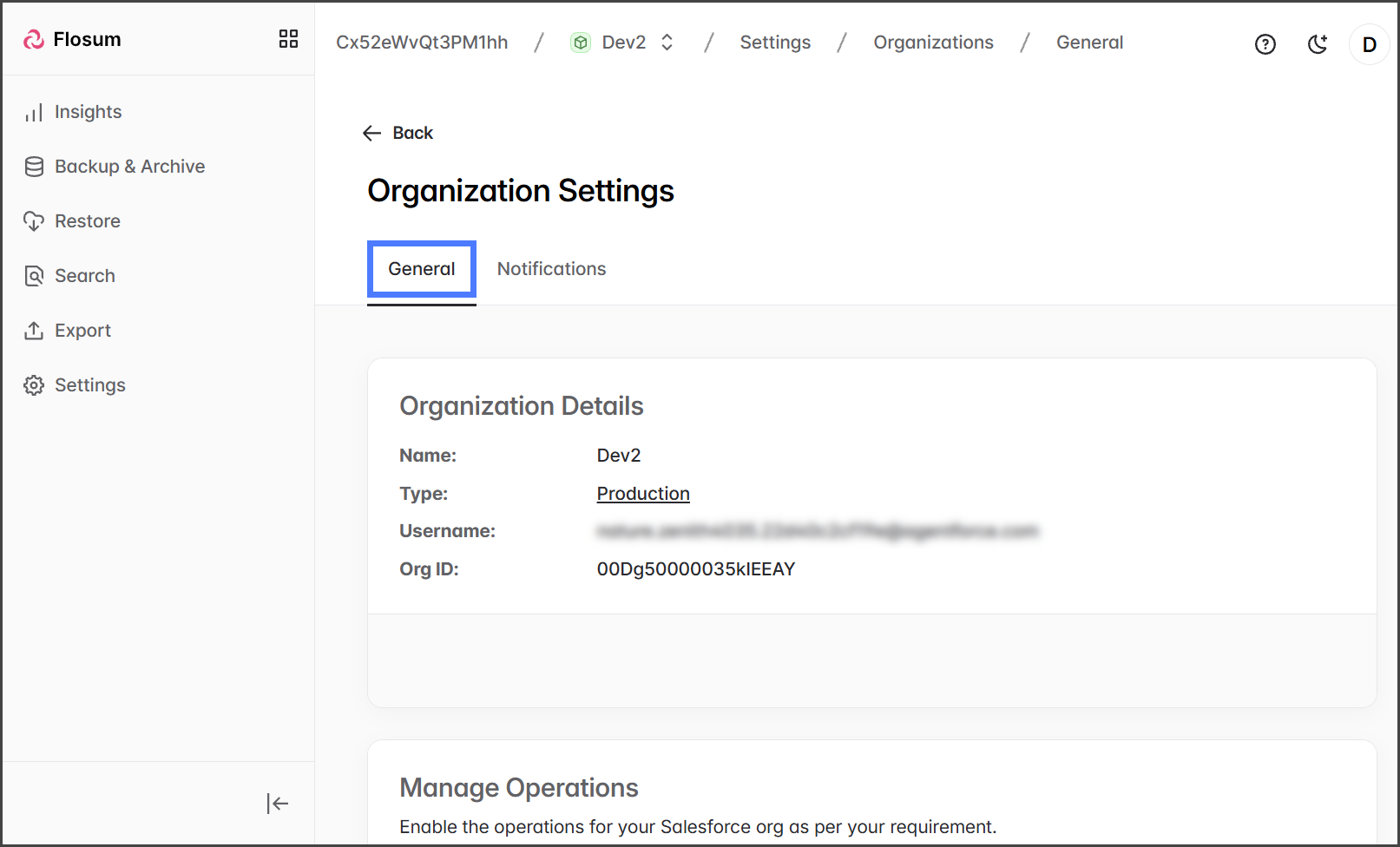
3. 次の **一般** タブをクリックします。
{% endstep %}
{% step %}
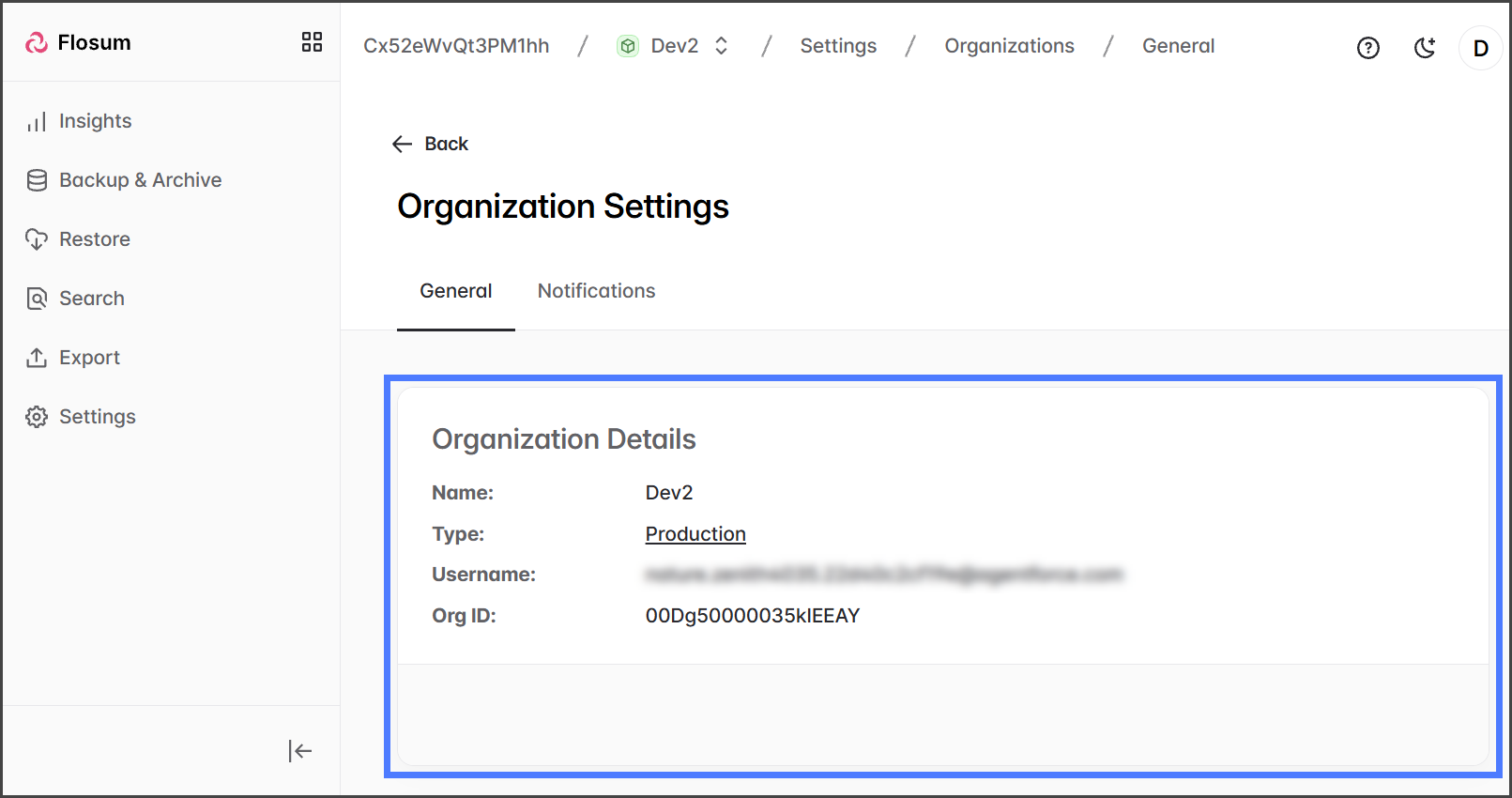
### 組織の詳細
その **組織の詳細** このセクションには、Flosum Backup & Archive テナントとSalesforce組織との接続に関する詳細が一覧表示されます。
{% endstep %}
{% step %}
### 操作の管理
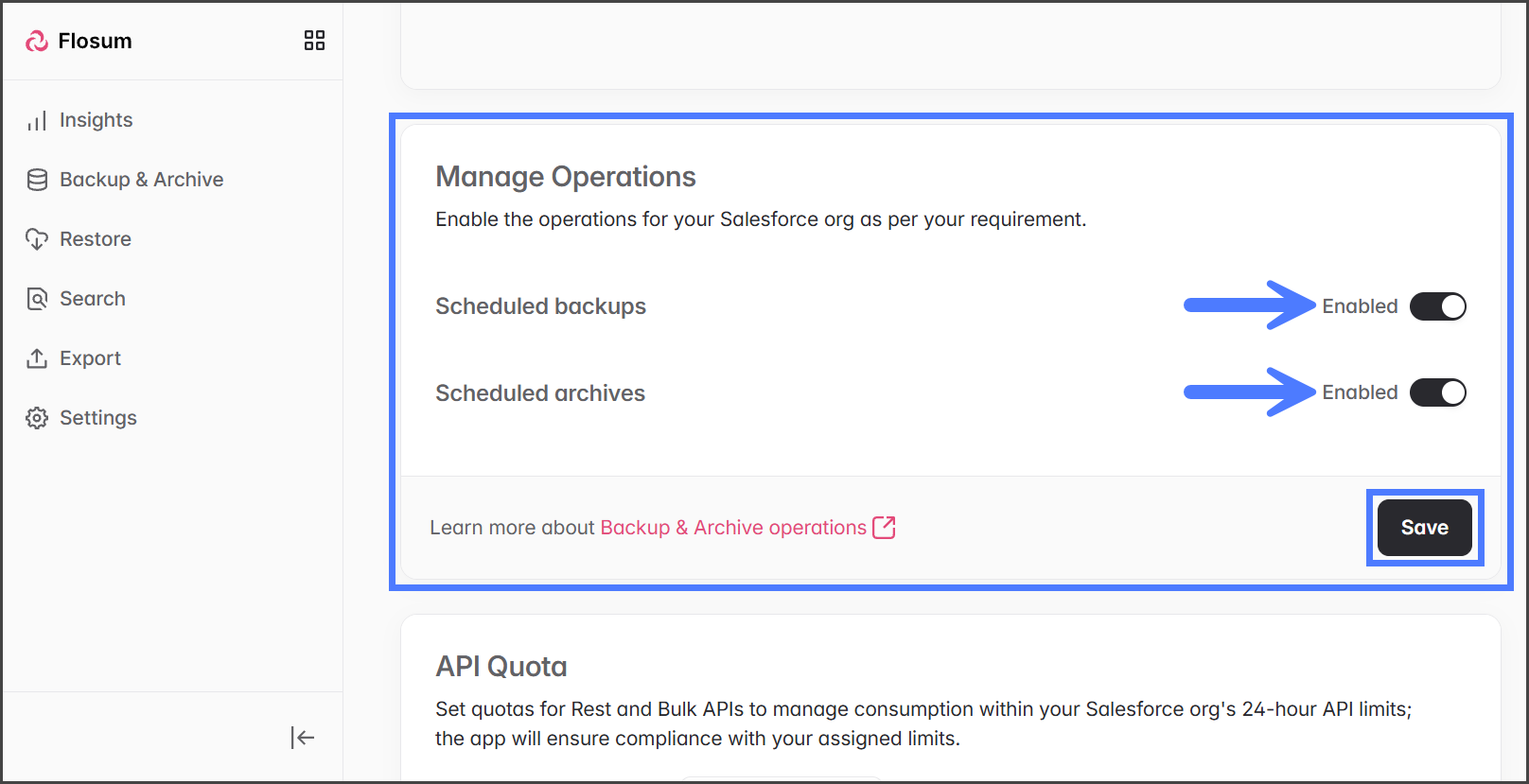
Flosumでは、デフォルトで定期バックアップと定期アーカイブが自動的に有効になっており、データ損失時の復元ポイントを提供します。次を使用してバックアップとアーカイブのスケジュールを個別に管理できます: **定期バックアップ** と **定期アーカイブ** 切り替えスイッチです。いずれかのスイッチが無効になると、その種類の既存のスケジュールは実行されず、新しいスケジュールも作成できません。スケジュールを無効にする詳細については、次の記事を参照してください:
* [スケジュール済みバックアップとアーカイブの無効化](/backup-and-archive/backup-and-archive-docs-ja/she-ding/disabling-scheduled-backups-and-archives.md)
* 変更を行った場合は、 **保存** をクリックして適用します。
{% endstep %}
{% step %}
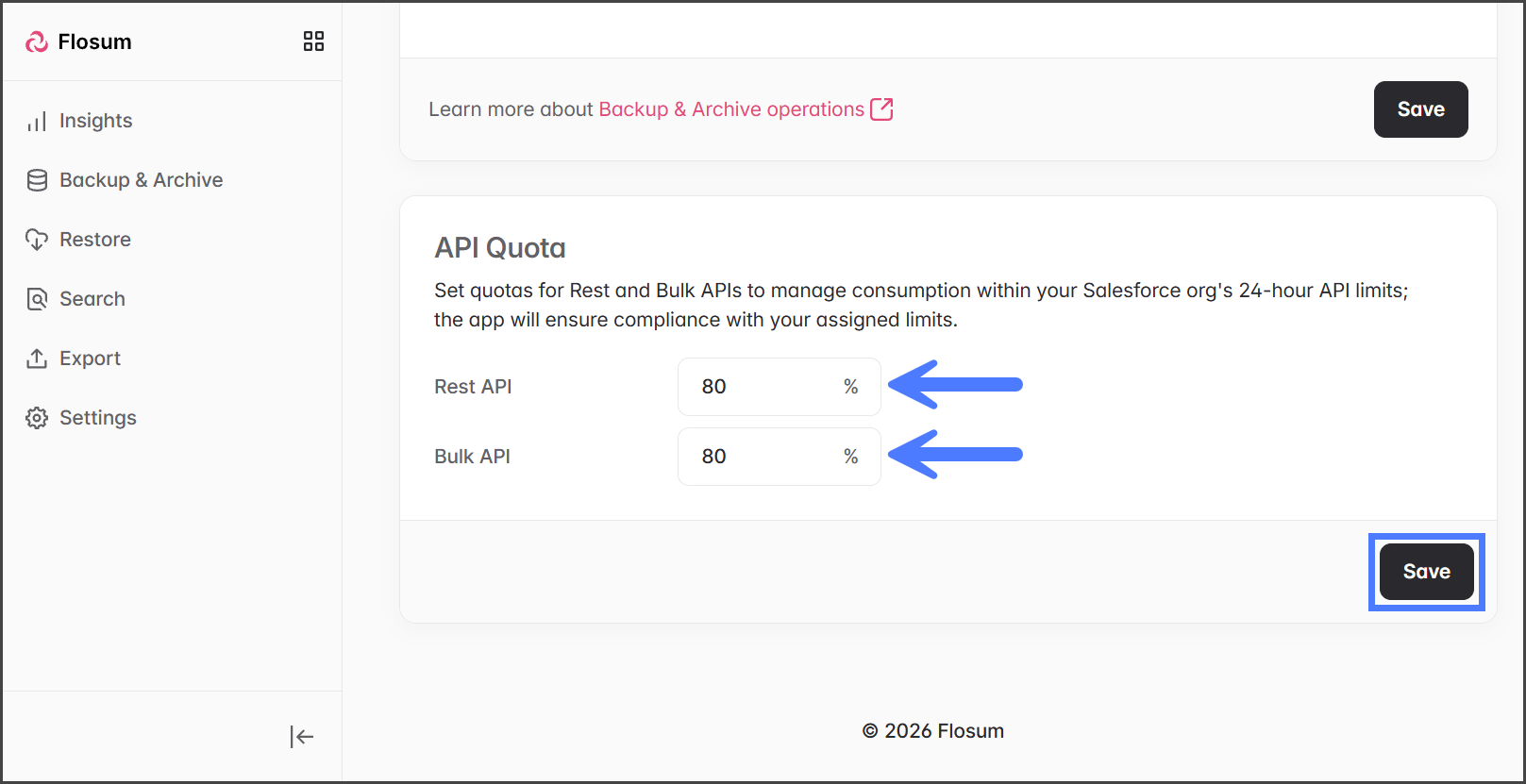
### APIクォータ
Salesforceでは、個々の顧客がPoint of Deployment(PoD)リソースを使いすぎるのを防ぐため、1日あたりのAPI呼び出し使用量に制限を設けています。デフォルトでは、Flosumは最大 **REST API** と **Bulk API** 呼び出しをSalesforceの制限の80%に設定します。この方法により、バックアップおよびアーカイブジョブは許容範囲内で動作し、他のAPI操作のための容量も確保されます。ベストプラクティスとして、他のAPI呼び出しの余地を残し、1日あたりのAPI制限に達したときにジョブが停止されるのを避けるため、この80%のしきい値を維持してください。必要に応じてこれらの割合は調整できますが、注意が必要です。
* 変更を行った場合は、 **保存** をクリックして適用します。
{% endstep %}
{% endstepper %}
---
# Agent Instructions
This documentation is published with GitBook. GitBook is the documentation platform designed so that both humans and AI agents can read, navigate, and reason over technical content effectively. Learn more at gitbook.com.
## Querying This Documentation
If you need additional information that is not directly available in this page, you can query the documentation by asking a question.
Perform an HTTP GET request on the following URL with the `ask` and `goal` query parameters:
```
GET https://docs.flosum.com/backup-and-archive/backup-and-archive-docs-ja/she-ding/zu-zhi-she-ding/backup-and-archive-settings-general-settings.md?ask=&goal=
```
`ask` is the immediate question: it should be specific, self-contained, and written in natural language.
`goal` is what the user is ultimately trying to achieve, the reason they need the answer. Sharing it helps GitBook give you a better, more relevant answer. A goal is most helpful when it describes the outcome the user wants rather than restating the question. For example, with `ask=how do I create an API token`, a goal like `automate deployments from our CI pipeline` lets GitBook tailor the answer to that use case.
The response will contain a direct answer to the question and relevant excerpts and sources from the documentation.
Use this mechanism when the answer is not explicitly present in the current page, you need clarification or additional context, or you want to retrieve related documentation sections.