> For the complete documentation index, see [llms.txt](https://docs.flosum.com/llms.txt). Markdown versions of documentation pages are available by appending `.md` to page URLs; this page is available as [Markdown](https://docs.flosum.com/devops/devops-ja/paipurain/paipurainsuteppuno/paipurainsuteppuno-1.md).
# パイプラインステップの編集
{% hint style="warning" %}
#### 旧UI向けに作成
この記事は旧UI向けに作成されました。手順は今でも使用できますが、スクリーンショットは古くなっています。場合によっては、手順で参照されている項目が移動または変更されていることがあります。項目が見つからない場合は、 [どこに行ったのか](/devops/devops-ja/shii-uiux-heno/dokonittanoka.md) 記事。
{% endhint %}
##  概要
パイプラインのステップ内の任意のフィールドを編集できます。たとえば **名前** と **操作**、ステップを編集すると、再構築せずにパイプラインに小さな変更も大きな変更も加えられます。この記事では、ステップを編集するための一般的な手順を説明します。特定の操作のフィールドを編集する手順については、その操作の記事を参照してください。
* [パイプライン操作: Validate](/devops/devops-ja/paipurain/paipurain-1/paipurain-validate.md)
* [パイプライン操作: コードスキャン](/devops/devops-ja/paipurain/paipurain-1/paipurain-kdosukyan.md)
## 検証ステップを編集
{% stepper %}
{% step %}
### ステップを編集
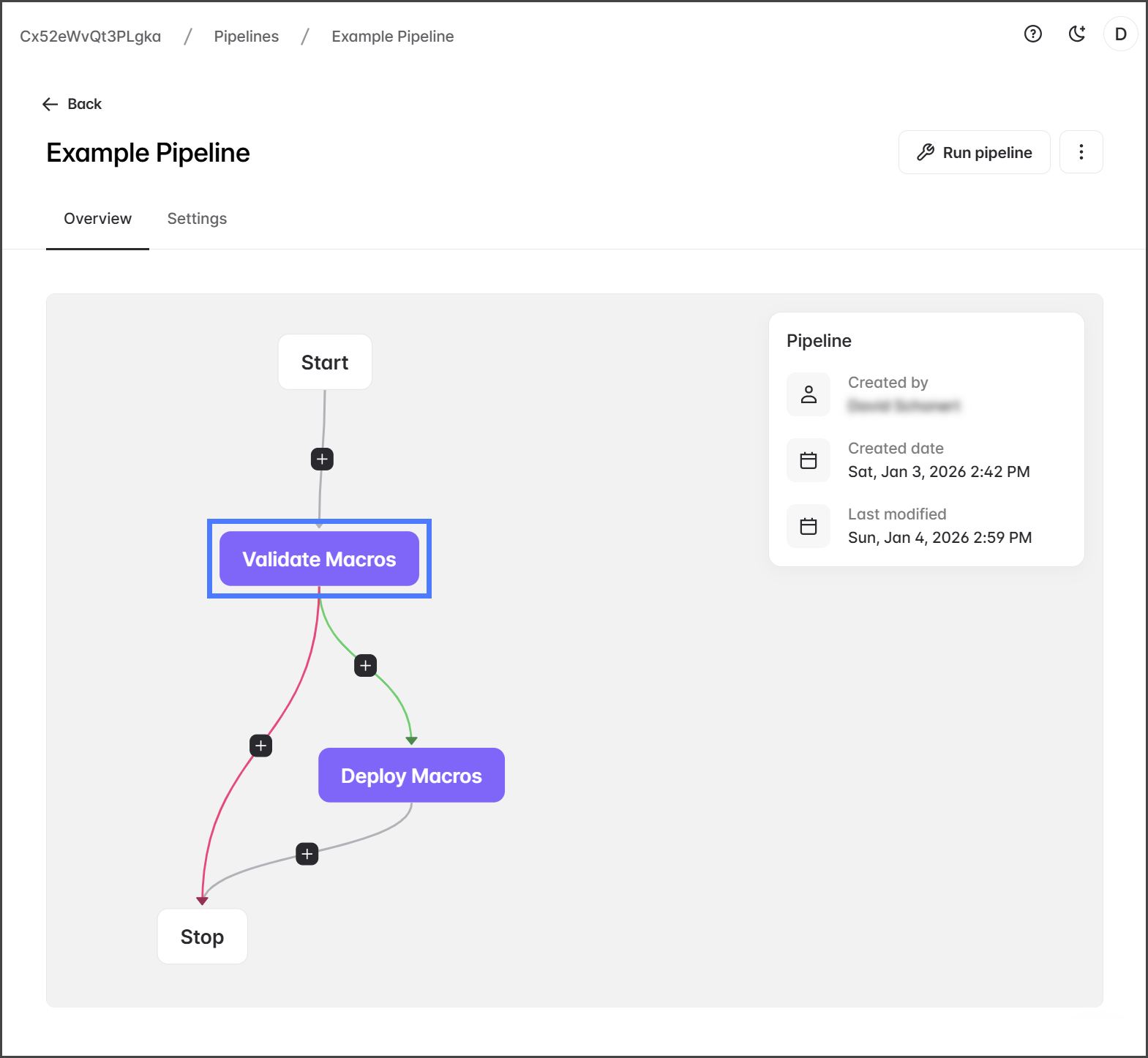
1. 編集するステップをクリックします。
2. 次をクリックします **編集**.
{% endstep %}
{% step %}
### 値を変更
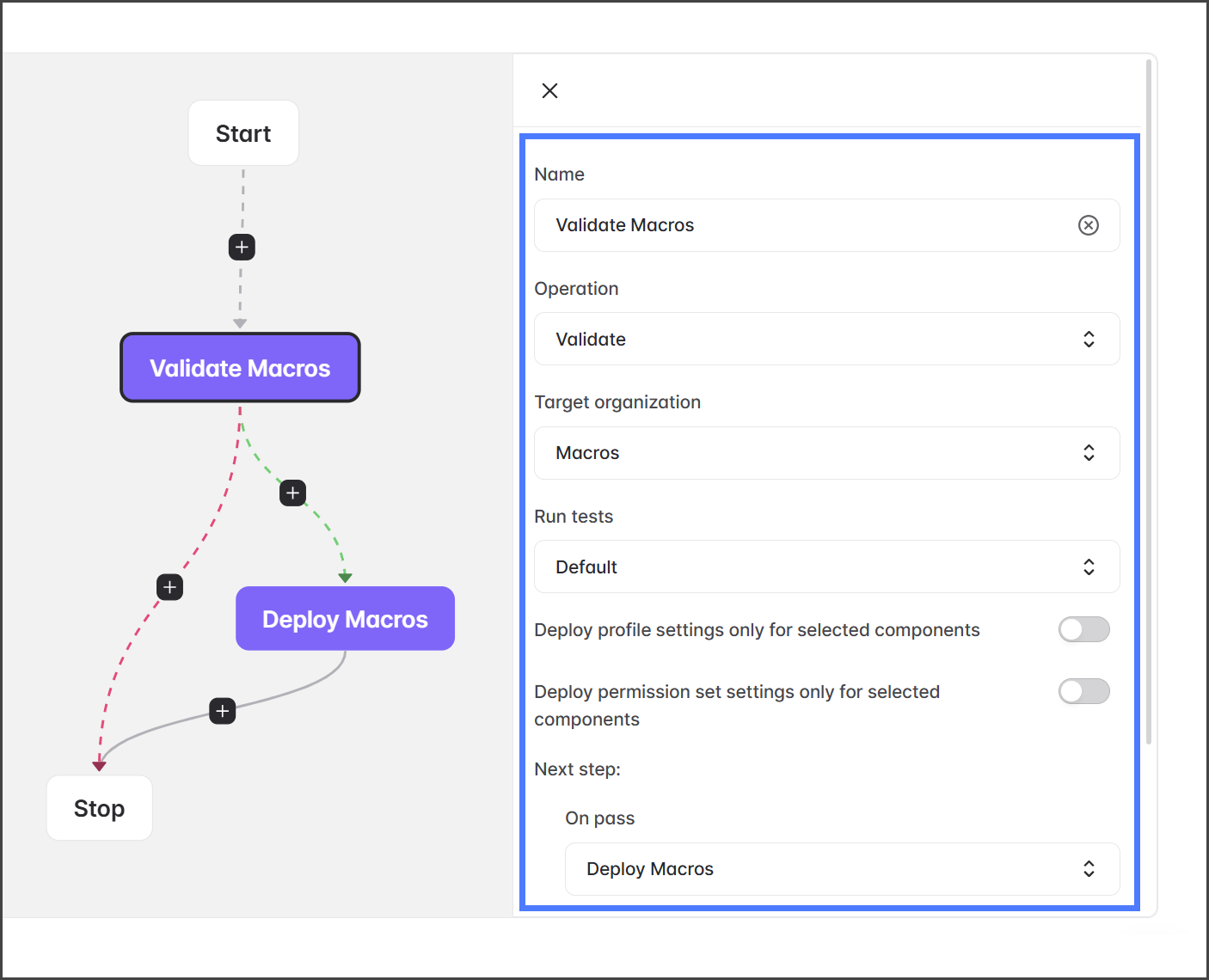
ステップのすべてのフィールドを編集できます。たとえば **名前** と **操作**。各フィールドの変更方法については、編集中の該当する操作の記事を参照してください。
* [パイプライン操作: Validate](/devops/devops-ja/paipurain/paipurain-1/paipurain-validate.md)
* [パイプライン操作: コードスキャン](/devops/devops-ja/paipurain/paipurain-1/paipurain-kdosukyan.md)
1. ステップのフィールドはすべて変更できます。
次の場合は **次のステップ** セクションを変更している場合は、以下の警告を確認し、 [パイプラインステップの追加](/devops/devops-ja/paipurain/paipurainsuteppuno/paipurainsuteppuno.md) の記事を確認してください。
{% hint style="warning" %}
#### ステップ削除の警告
ステップへのパスがない場合、そのステップはパイプラインから自動的に削除されます。これは例えば、あなたが挿入した場合に発生することがあります、 **検証** ステップの前に **デプロイ** ステップと両方を設定し **合格時** および **不合格時** に **停止**。このシナリオでは、もはやその **デプロイ** ステップに到達するパスがなくなり、パイプラインは孤立したステップを自動的に削除します。問題を視覚化するための図は下をご覧ください。
{% endhint %}
{% endstep %}
{% step %}
### 変更を保存
1. 次をクリックします **保存**.
{% endstep %}
{% endstepper %}
---
# Agent Instructions
This documentation is published with GitBook. GitBook is the documentation platform designed so that both humans and AI agents can read, navigate, and reason over technical content effectively. Learn more at gitbook.com.
## Querying This Documentation
If you need additional information that is not directly available in this page, you can query the documentation by asking a question.
Perform an HTTP GET request on the following URL with the `ask` and `goal` query parameters:
```
GET https://docs.flosum.com/devops/devops-ja/paipurain/paipurainsuteppuno/paipurainsuteppuno-1.md?ask=&goal=
```
`ask` is the immediate question: it should be specific, self-contained, and written in natural language.
`goal` is what the user is ultimately trying to achieve, the reason they need the answer. Sharing it helps GitBook give you a better, more relevant answer. A goal is most helpful when it describes the outcome the user wants rather than restating the question. For example, with `ask=how do I create an API token`, a goal like `automate deployments from our CI pipeline` lets GitBook tailor the answer to that use case.
The response will contain a direct answer to the question and relevant excerpts and sources from the documentation.
Use this mechanism when the answer is not explicitly present in the current page, you need clarification or additional context, or you want to retrieve related documentation sections.