> For the complete documentation index, see [llms.txt](https://docs.flosum.com/llms.txt). Markdown versions of documentation pages are available by appending `.md` to page URLs; this page is available as [Markdown](https://docs.flosum.com/devops/devops-ja/zu-zhi/no-1/nokdokabarejji.md).
# 組織設定の変更(コードカバレッジ)
{% hint style="warning" %}
#### 旧UI向けに作成
この記事は旧UI向けに作成されました。手順は今でも使用できますが、スクリーンショットは古くなっています。場合によっては、手順で参照されている項目が移動または変更されていることがあります。項目が見つからない場合は、 [どこに行ったのか](/devops/devops-ja/shii-uiux-heno/dokonittanoka.md) 記事。
{% endhint %}
##  概要
〜を確認する **設定** 組織のタブを開き、コードカバレッジと Vlocity コンポーネントの含有を管理します。この記事では、コードカバレッジに関する情報と、これらの設定を調整するための詳細な手順を説明します。
### DevOps コードカバレッジ
Salesforce では、本番デプロイ前に Apex クラス、フロー、トリガーのコードカバレッジを少なくとも 75% にすることが求められます。Cloud DevOps のコードカバレッジ設定では、この org へのデプロイに対して 75%〜95% の範囲でカスタムのコードカバレッジ率を指定できます。コードカバレッジが有効な場合、指定したしきい値を満たさない限り、この org へのデプロイはブロックされます。
{% hint style="info" %}
Salesforce はデプロイ中にコードカバレッジの計算を行います。
{% endhint %}
この機能を使用すると、厳格なコードカバレッジを適用し、選択した org に安全なコードのみをデプロイできるようにします。以下の手順では、この設定を有効にする方法を説明します。
{% hint style="success" %}
#### ユースケース
あなたのチームは新しい **カスタム請求エンジン** を本番環境にデプロイする準備ができています。Salesforce のコードカバレッジ基準に準拠し、未テストのコードのデプロイを避けるため、本番 org で必要なコードカバレッジを **95% のコードカバレッジ**.
* Flosum Cloud DevOps はデプロイ中にコードカバレッジをテストし、 **95%**を下回る場合、デプロイは自動的にブロックされます。
* これにより、不完全またはリスクの高いコードが本番環境に到達するのを防ぎ、デプロイ後の障害の可能性を低減できます。
{% endhint %}
## 設定を変更
{% stepper %}
{% step %}
### 組織設定タブ
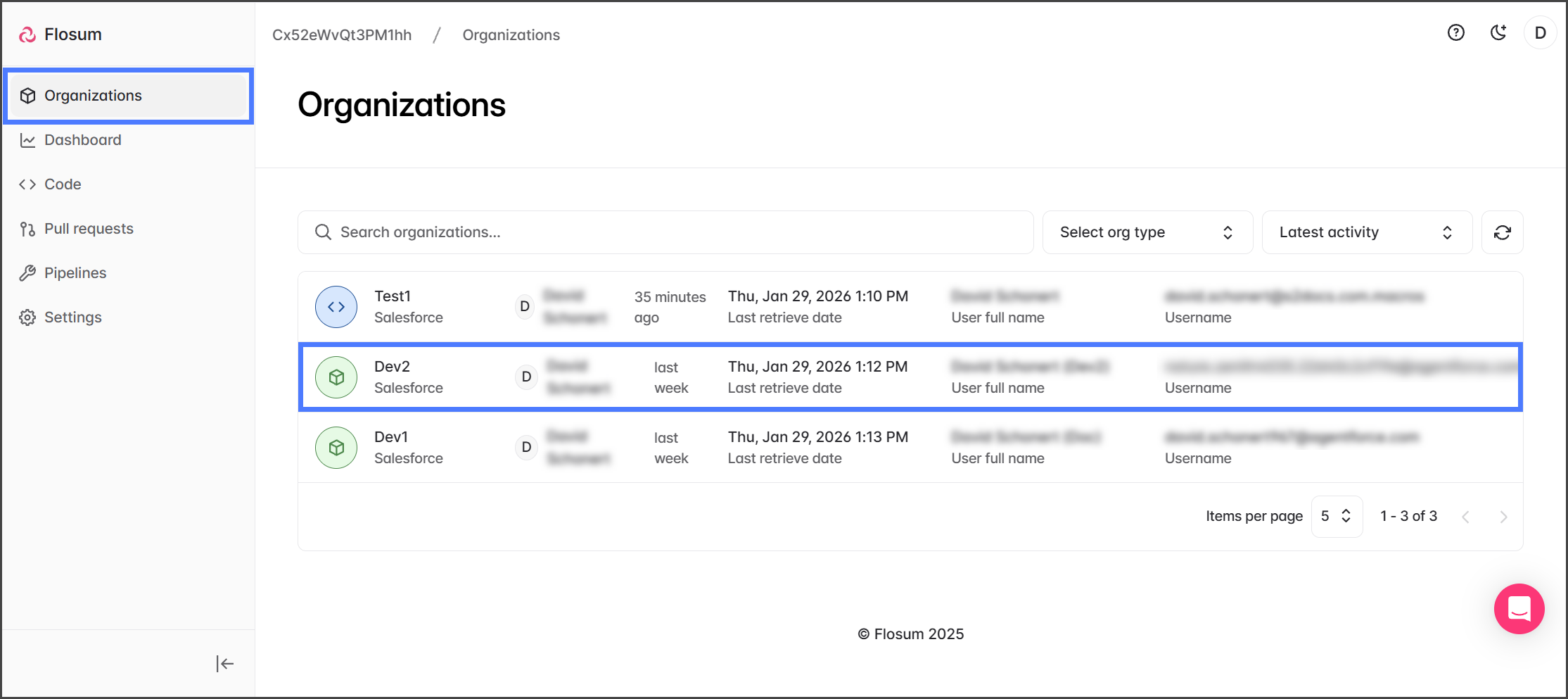
1. 次をクリックします **組織** を左側のサイドバー メニューから。
2. 設定を変更したい組織をクリックします。
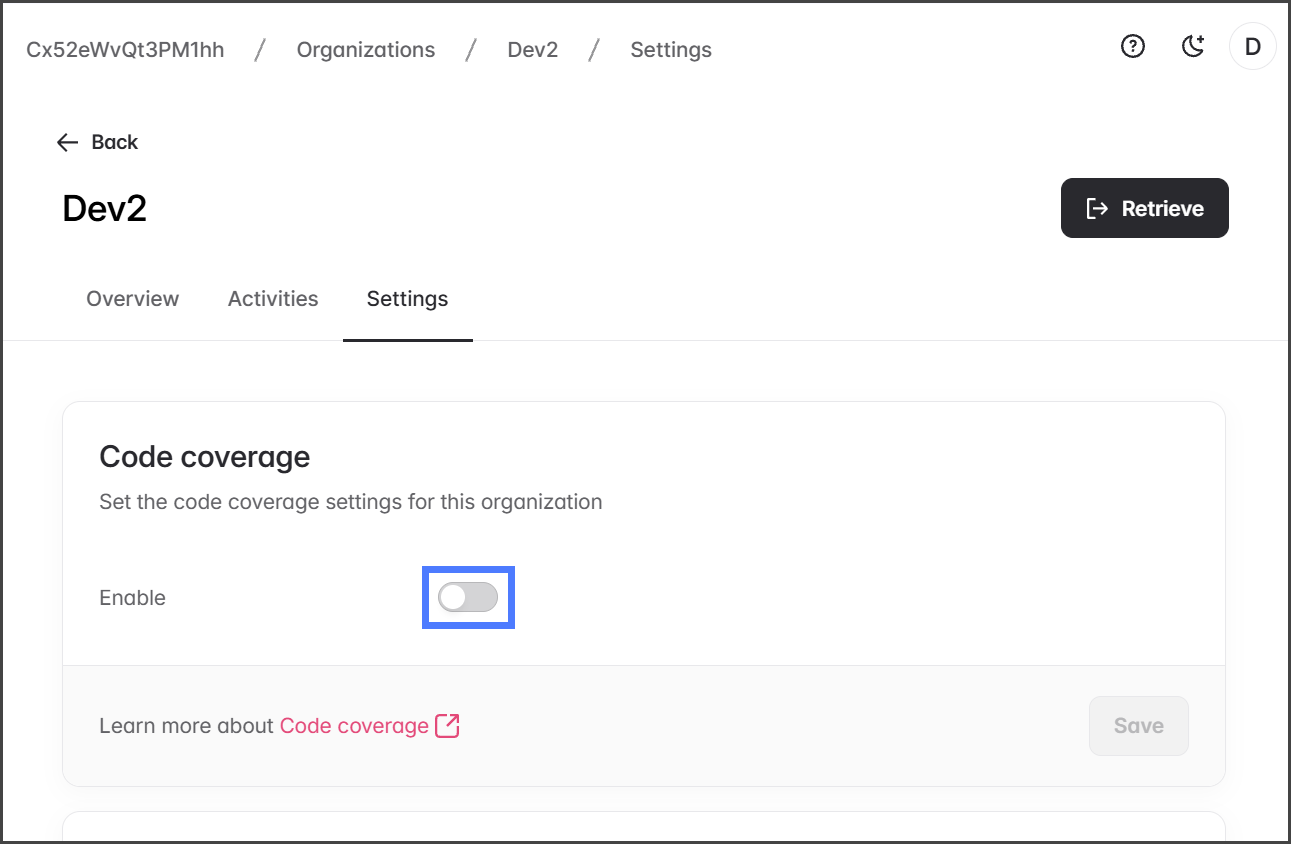
3. 次をクリックします **設定** タブ。
{% endstep %}
{% step %}
### コードカバレッジ
この組織でコードカバレッジを有効にするには、以下の手順に従ってください。
1. 次をクリックします **有効化** 内のトグルを **コードカバレッジ** セクションで。
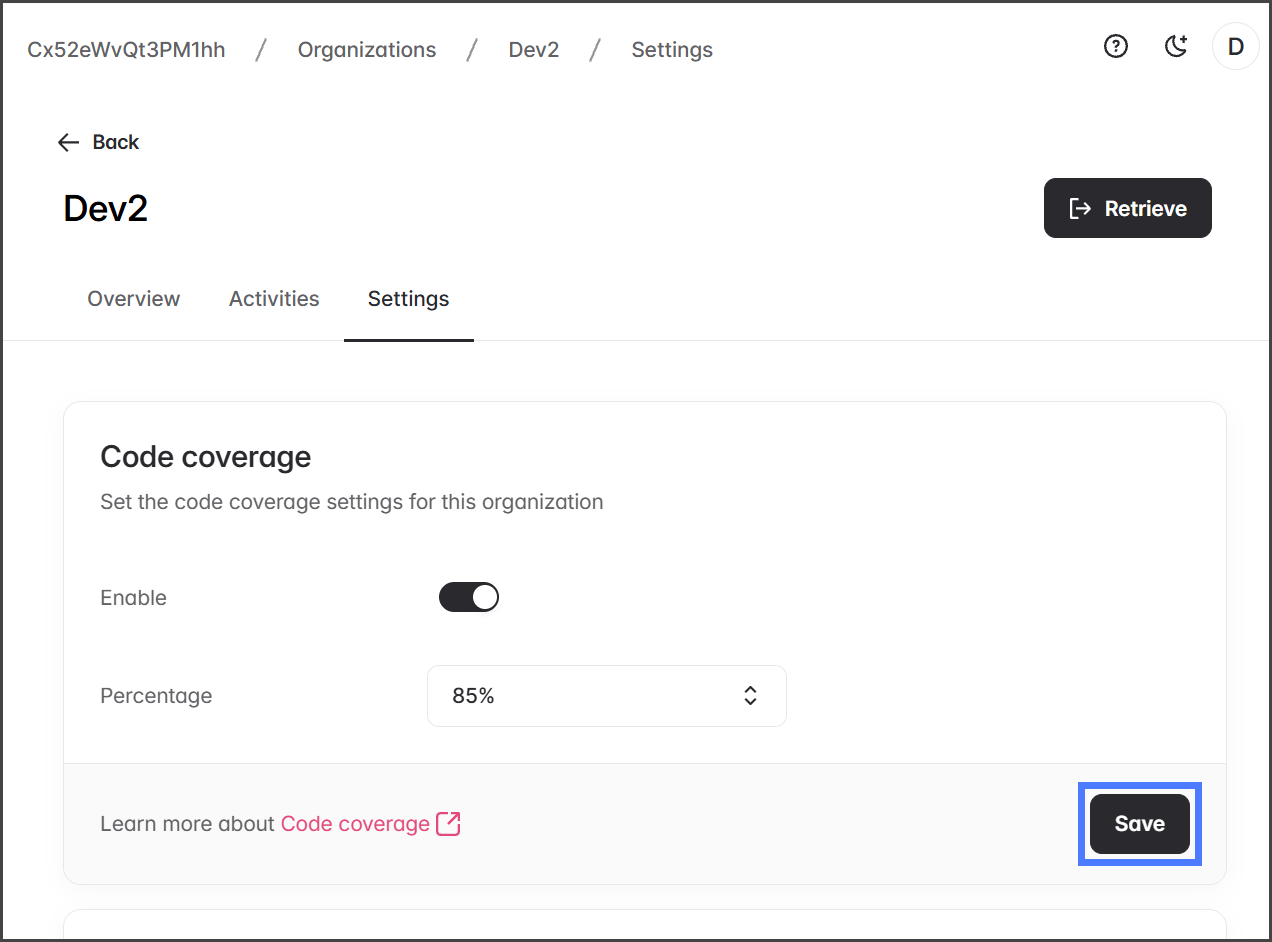
2. 次をクリックします **割合** ドロップダウン メニュー。
3. 希望するコードカバレッジの割合を選択します。
4. 次をクリックします **保存** 変更を適用するには。
{% endstep %}
{% step %}
### Vlocity
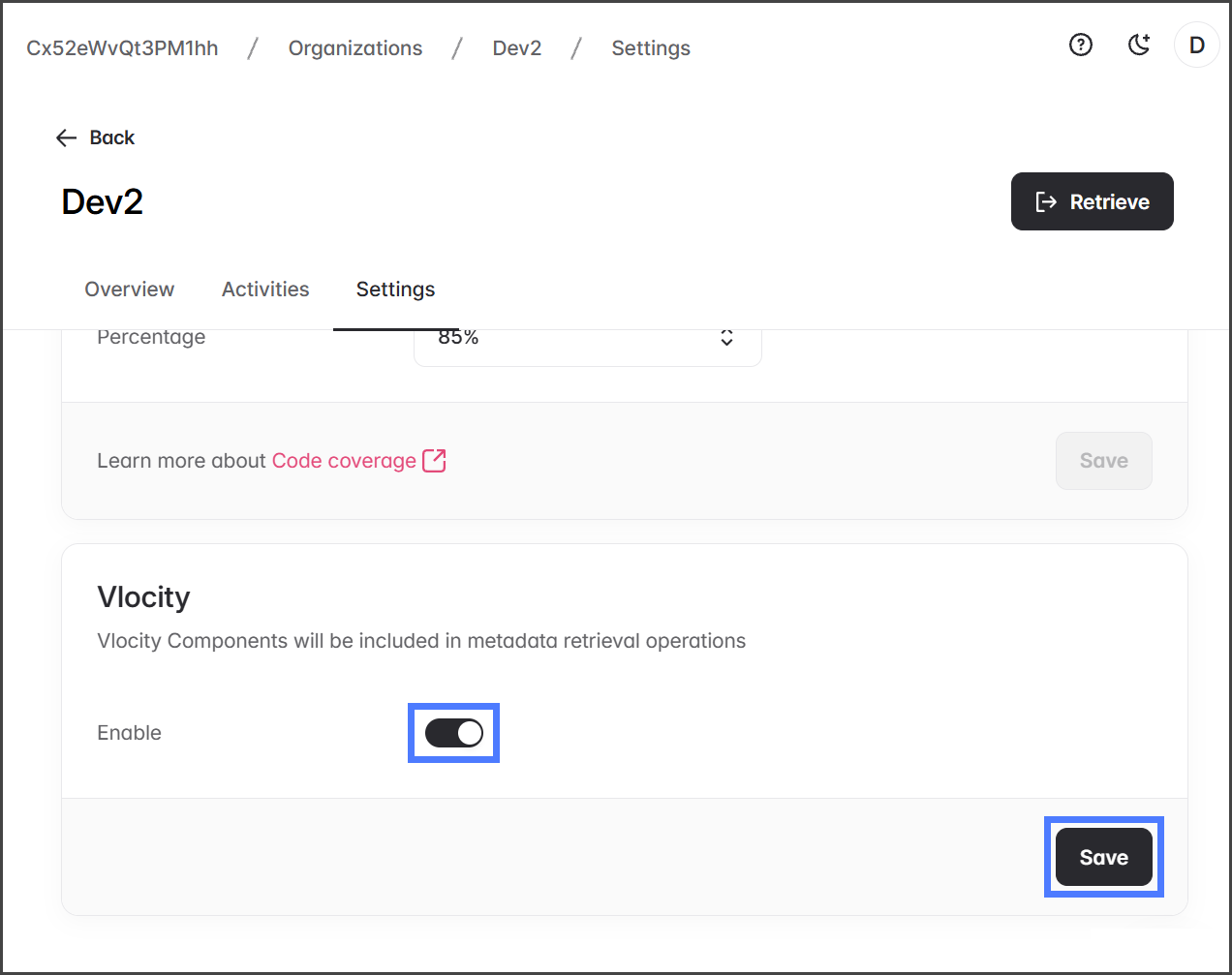
〜を含めるには **Vlocity** DevOps のメタデータ取得で Salesforce org のコンポーネントを含めるには、この設定を有効にします。 **注意**:Vlocity パッケージが Salesforce org にインストールされている必要があります。
1. 次をクリックします **有効化** 内のトグルを **Vlocity** セクションで。
2. 次をクリックします **保存** 変更を適用するには。
{% endstep %}
{% endstepper %}
---
# Agent Instructions
This documentation is published with GitBook. GitBook is the documentation platform designed so that both humans and AI agents can read, navigate, and reason over technical content effectively. Learn more at gitbook.com.
## Querying This Documentation
If you need additional information that is not directly available in this page, you can query the documentation by asking a question.
Perform an HTTP GET request on the following URL with the `ask` and `goal` query parameters:
```
GET https://docs.flosum.com/devops/devops-ja/zu-zhi/no-1/nokdokabarejji.md?ask=&goal=
```
`ask` is the immediate question: it should be specific, self-contained, and written in natural language.
`goal` is what the user is ultimately trying to achieve, the reason they need the answer. Sharing it helps GitBook give you a better, more relevant answer. A goal is most helpful when it describes the outcome the user wants rather than restating the question. For example, with `ask=how do I create an API token`, a goal like `automate deployments from our CI pipeline` lets GitBook tailor the answer to that use case.
The response will contain a direct answer to the question and relevant excerpts and sources from the documentation.
Use this mechanism when the answer is not explicitly present in the current page, you need clarification or additional context, or you want to retrieve related documentation sections.