> For the complete documentation index, see [llms.txt](https://docs.flosum.com/llms.txt). Markdown versions of documentation pages are available by appending `.md` to page URLs; this page is available as [Markdown](https://docs.flosum.com/devops/devops-pt-br/solicitacoes-de-pull/processo-de-solicitacao-de-pull/etapa-3-da-solicitacao-de-pull-mesclagem.md).
# Etapa 3 da solicitação de pull: mesclagem
{% hint style="warning" %}
#### Escrito para a interface antiga
Este artigo foi escrito para a interface antiga. As instruções ainda podem ser usadas, mas as capturas de tela estão desatualizadas. Em alguns casos, os itens referenciados nas instruções foram movidos ou alterados. Se você não conseguir encontrar um item, consulte o [Para onde foi](/devops/devops-pt-br/transicao-para-a-nova-ui-ux/para-onde-foi.md) artigo.
{% endhint %}
##  Visão geral
Este artigo explica como concluir o Pull Request mesclando a branch de origem na branch de destino de um Pull Request.
### Etapas do Pull Request
Explore nossa série de artigos que orientam você em cada etapa do processo de Pull Request. Você pode lê-los em ordem ou selecionar um artigo específico para obter orientação detalhada sobre uma fase em particular.
* [Etapa 1 da solicitação de pull: criação](/devops/devops-pt-br/solicitacoes-de-pull/processo-de-solicitacao-de-pull/etapa-1-da-solicitacao-de-pull-criacao.md)
* [Etapa 2 da solicitação de pull: revisão](/devops/devops-pt-br/solicitacoes-de-pull/processo-de-solicitacao-de-pull/etapa-2-da-solicitacao-de-pull-revisao.md)
* [Etapa 3 da solicitação de pull: mesclagem](/devops/devops-pt-br/solicitacoes-de-pull/processo-de-solicitacao-de-pull/etapa-3-da-solicitacao-de-pull-mesclagem.md)
## Mesclar Pull Request
{% stepper %}
{% step %}
### Selecionar Pull Request
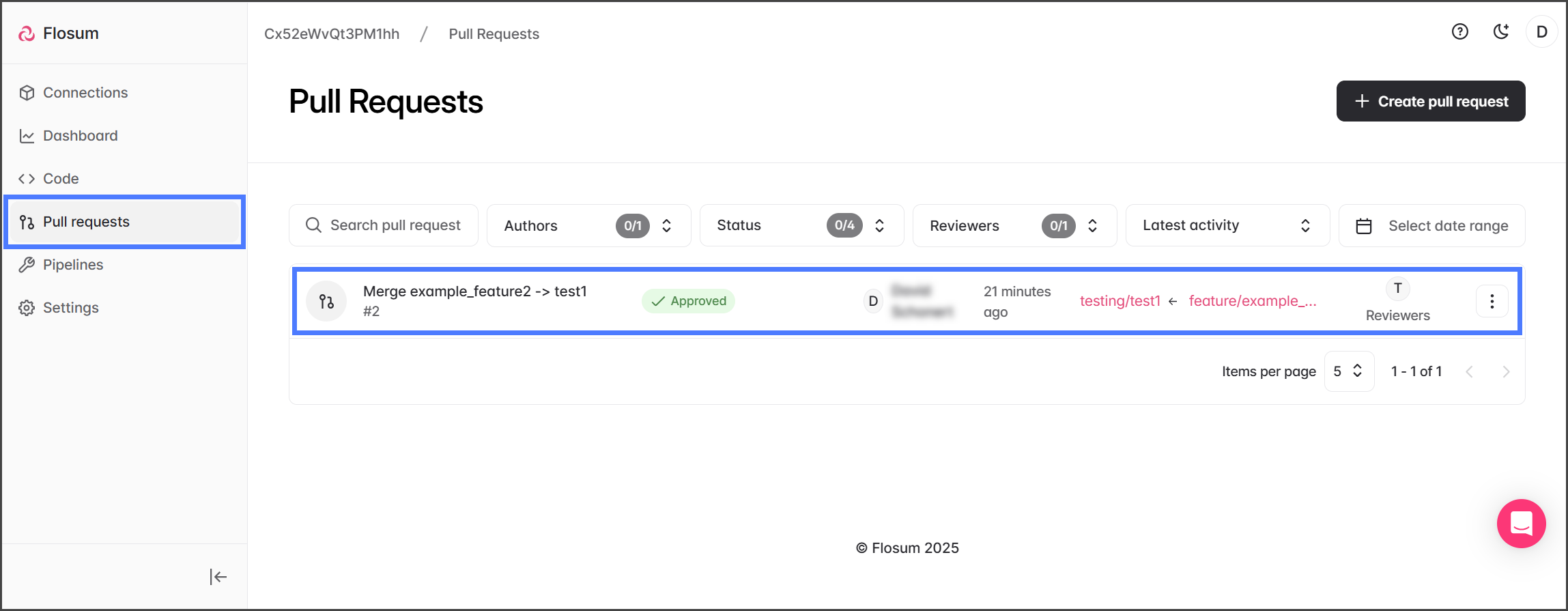
1. Clique em **Solicitações de Pull Request** no menu da barra lateral esquerda.
2. Clique no Pull Request para mesclar.
{% endstep %}
{% step %}
### Mesclar
{% hint style="info" %}
Um Pull Request só pode ser mesclado quando o status for **Aprovado**, ou quando o Pull Request for revisado pelo próprio autor e o status for **Criado**.
{% endhint %}
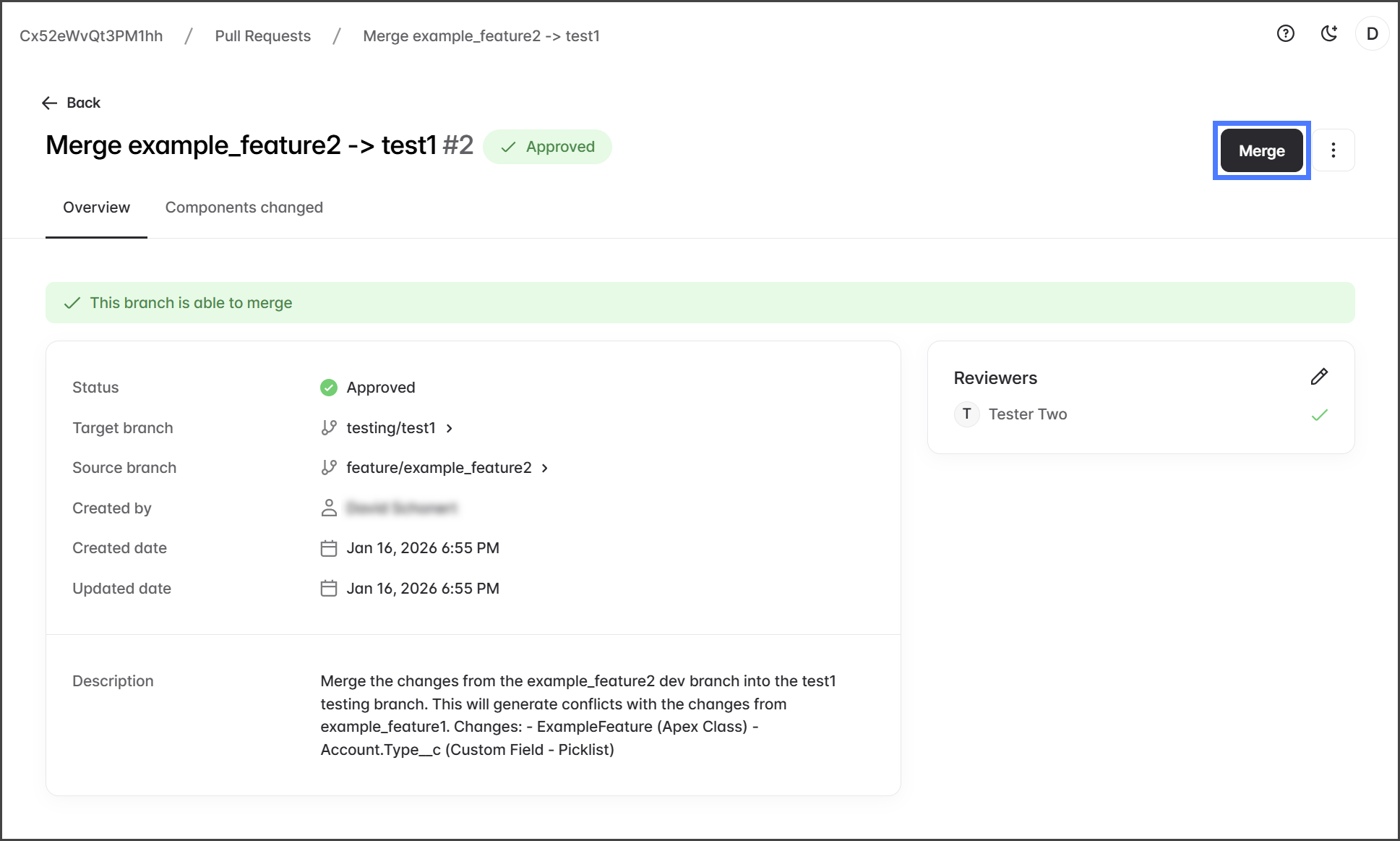
1. Clique em **Mesclar**.
{% hint style="warning" %}
Se o **Mesclar** botão estiver desativado (acinzentado) quando o status mostrar **Aprovado**, tente atualizar a página para ver se ele é habilitado.
{% endhint %}
2. O processo de mesclagem mesclará as alterações da branch de origem na branch de destino.
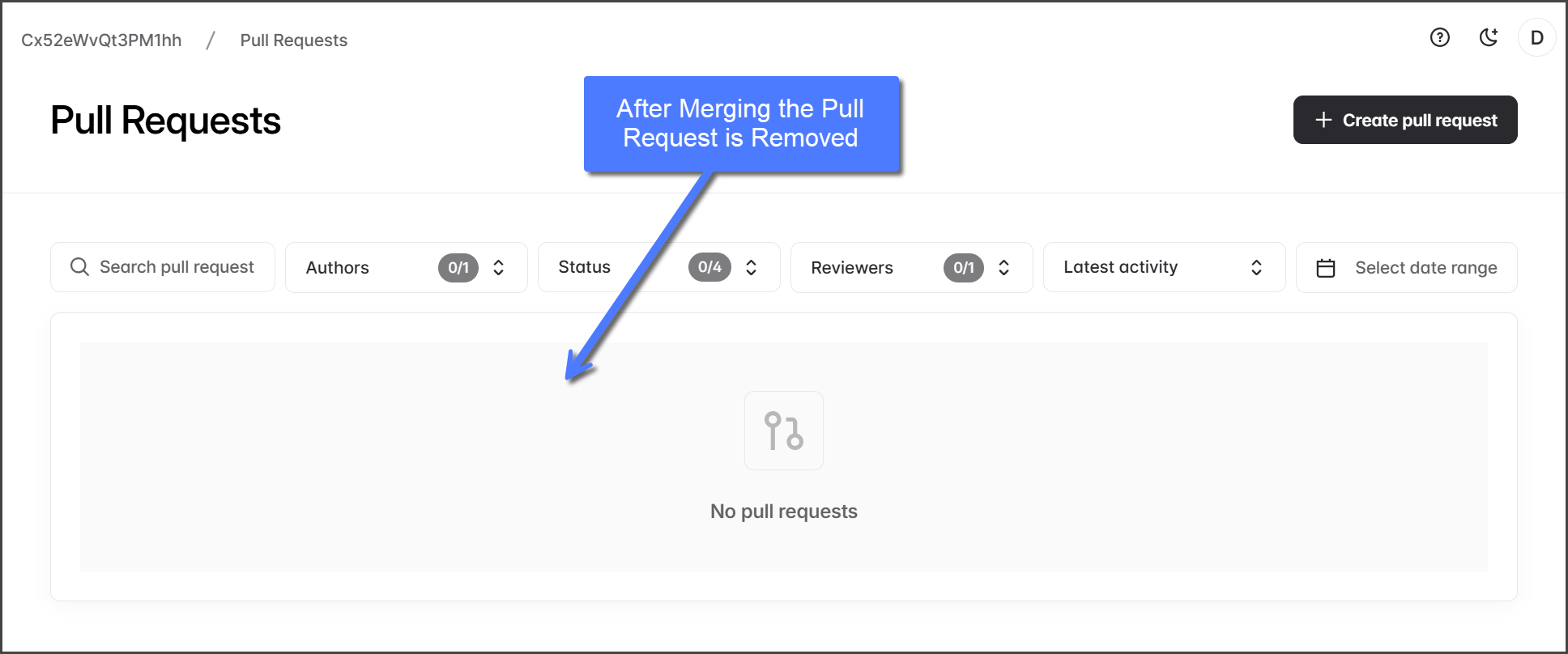
3. Quando a mesclagem for concluída, o Pull Request é removido da **Solicitações de Pull Request** lista.
{% endstep %}
{% endstepper %}
---
# Agent Instructions
This documentation is published with GitBook. GitBook is the documentation platform designed so that both humans and AI agents can read, navigate, and reason over technical content effectively. Learn more at gitbook.com.
## Querying This Documentation
If you need additional information that is not directly available in this page, you can query the documentation by asking a question.
Perform an HTTP GET request on the following URL with the `ask` and `goal` query parameters:
```
GET https://docs.flosum.com/devops/devops-pt-br/solicitacoes-de-pull/processo-de-solicitacao-de-pull/etapa-3-da-solicitacao-de-pull-mesclagem.md?ask=&goal=
```
`ask` is the immediate question: it should be specific, self-contained, and written in natural language.
`goal` is what the user is ultimately trying to achieve, the reason they need the answer. Sharing it helps GitBook give you a better, more relevant answer. A goal is most helpful when it describes the outcome the user wants rather than restating the question. For example, with `ask=how do I create an API token`, a goal like `automate deployments from our CI pipeline` lets GitBook tailor the answer to that use case.
The response will contain a direct answer to the question and relevant excerpts and sources from the documentation.
Use this mechanism when the answer is not explicitly present in the current page, you need clarification or additional context, or you want to retrieve related documentation sections.