> For the complete documentation index, see [llms.txt](https://docs.flosum.com/llms.txt). Markdown versions of documentation pages are available by appending `.md` to page URLs; this page is available as [Markdown](https://docs.flosum.com/devops/organizations/individual-organizations/changing-organization-settings-code-coverage.md).
# Changing Organization Settings (Code Coverage)
{% hint style="warning" %}
#### Written for the Old UI
This article was written for the old UI. The instructions are still usable, but the screenshots are outdated. In some cases, items referenced in the instructions have moved or changed. If you cannot find an item, see the [Where Did It Go](/devops/new-ui-ux-transition/where-did-it-go.md) article.
{% endhint %}
##  Overview
Explore the **Settings** tab of an Organization to manage its Code Coverage and Vlocity component inclusion. This article provides information about Code Coverage and detailed instructions on adjusting these settings.
### DevOps Code Coverage
Salesforce mandates at least 75% code coverage for Apex classes, Flows, and triggers before production deployment. The Code Coverage setting in Cloud DevOps lets you specify a custom code coverage range of 75%-95% for deployments to this org. When Code Coverage is enabled, deployments to this org are blocked unless your specified threshold is met.
{% hint style="info" %}
Salesforce generates code coverage calculations during deployment.
{% endhint %}
This feature allows you to enforce strict code coverage, ensuring that only safe code is deployed to selected orgs. The instructions below show you how to enable this setting.
{% hint style="success" %}
#### Use Case
Your team is ready to deploy a new **custom billing engine** to production. To ensure compliance with Salesforce's code coverage standards and avoid deploying untested code, you decide to set your production org to require **95% Code Coverage**.
* Flosum Cloud DevOps will test your code coverage during deployment, and if it falls below **95%**, the deployment will automatically be blocked.
* This prevents incomplete or risky code from reaching production, reducing the chance of post-deployment failures.
{% endhint %}
## Change Settings
{% stepper %}
{% step %}
### Organization Settings Tab
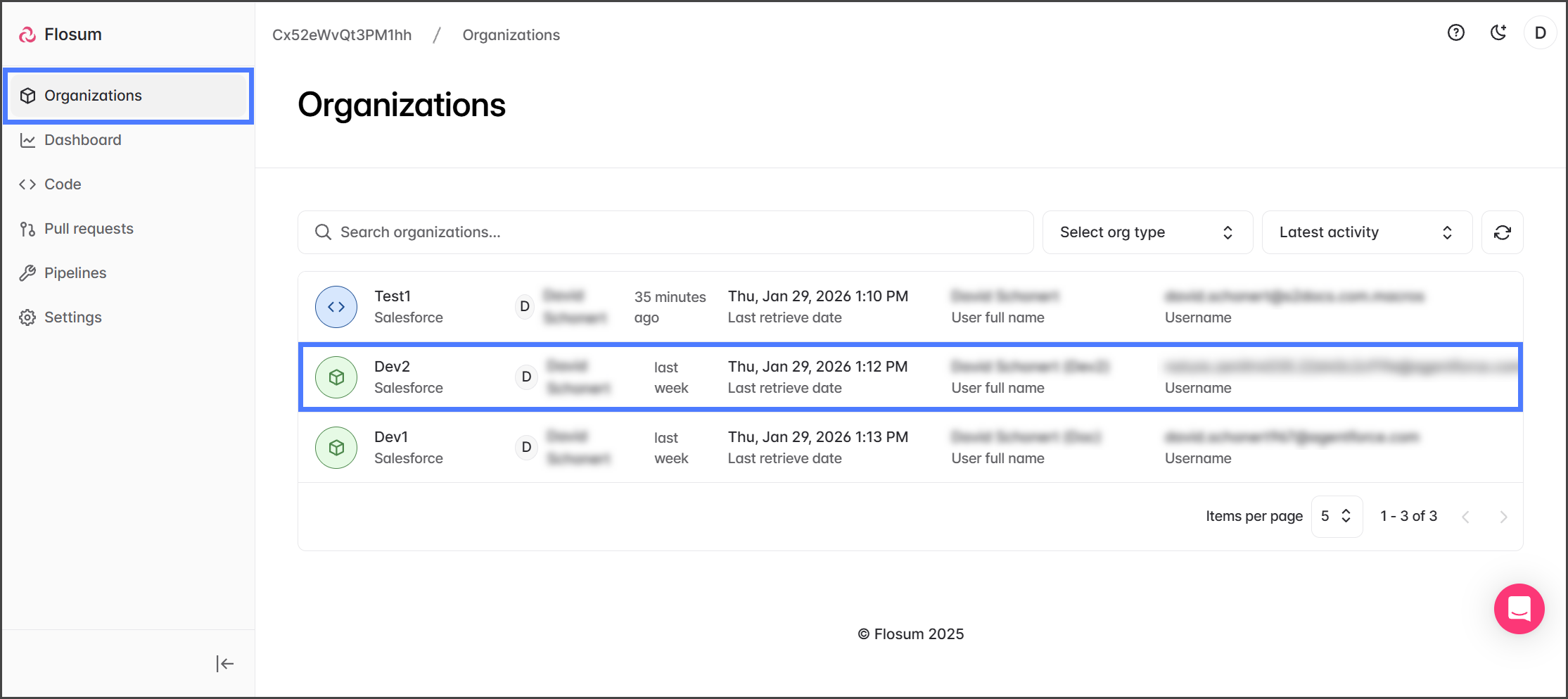
1. Click **Organizations** from the left sidebar menu.
2. Click the Organization you want to change a setting for.
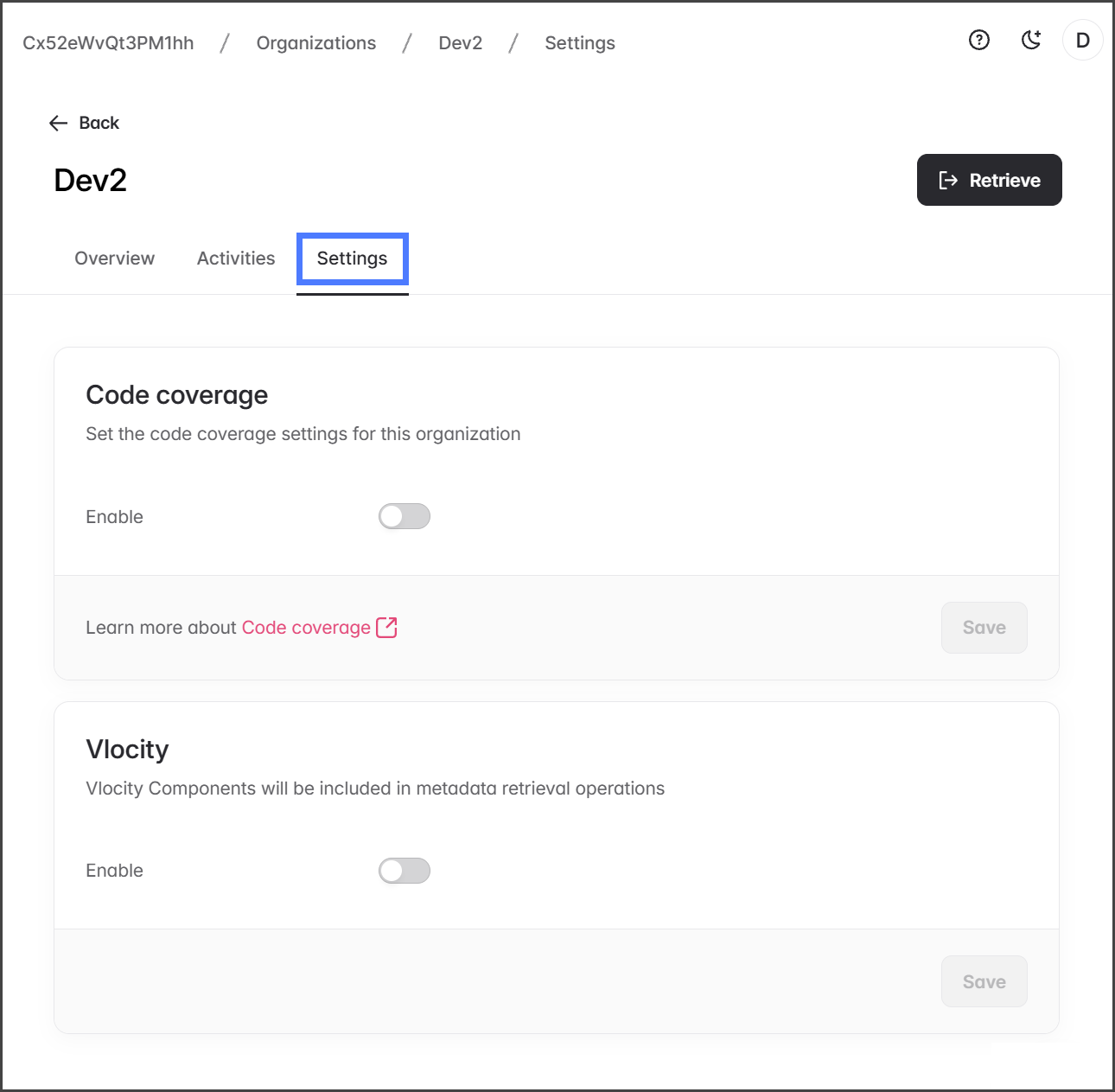
3. Click the **Settings** tab.
{% endstep %}
{% step %}
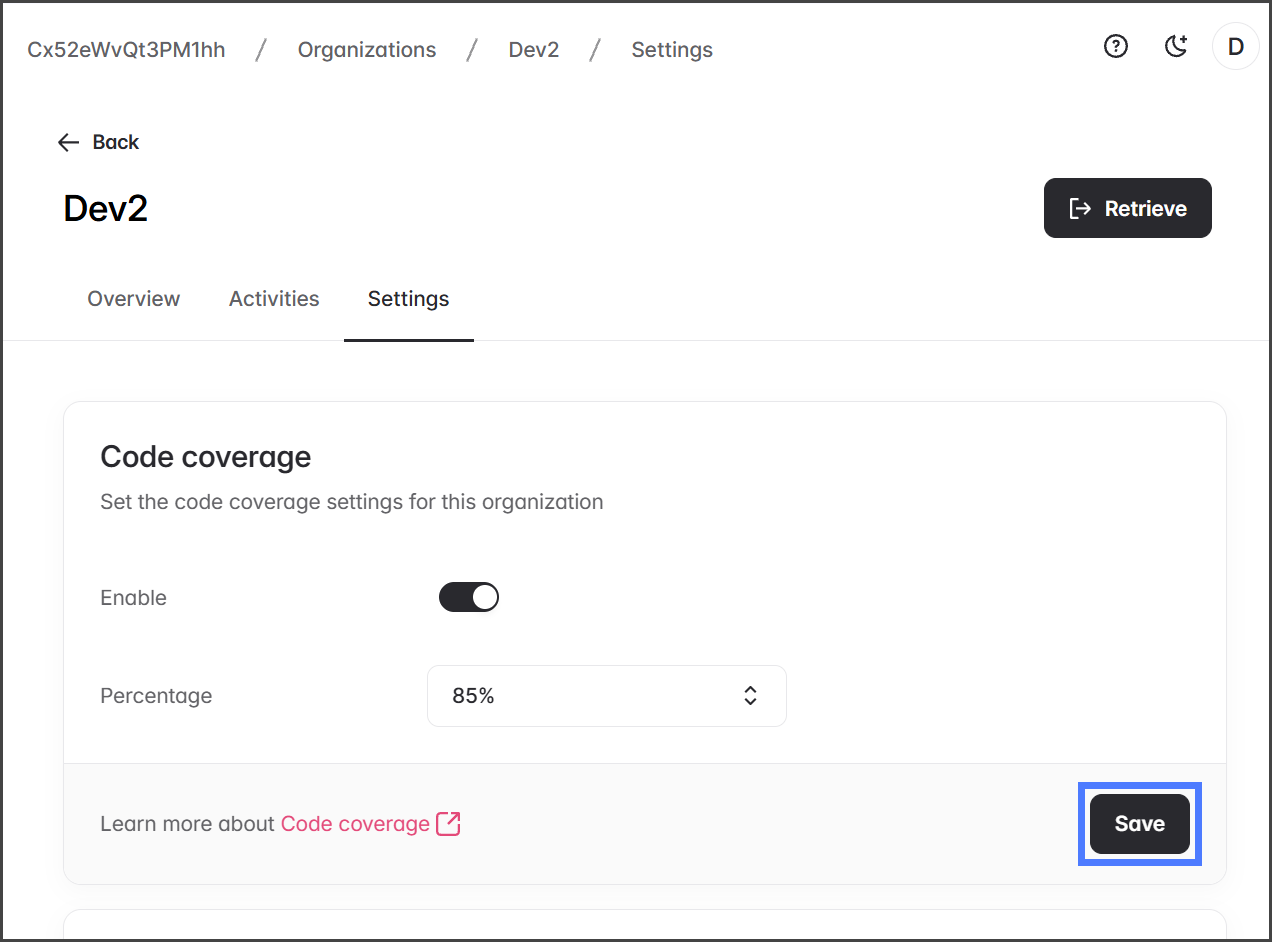
### Code Coverage
To enable Code Coverage for this Organization, follow these instructions.
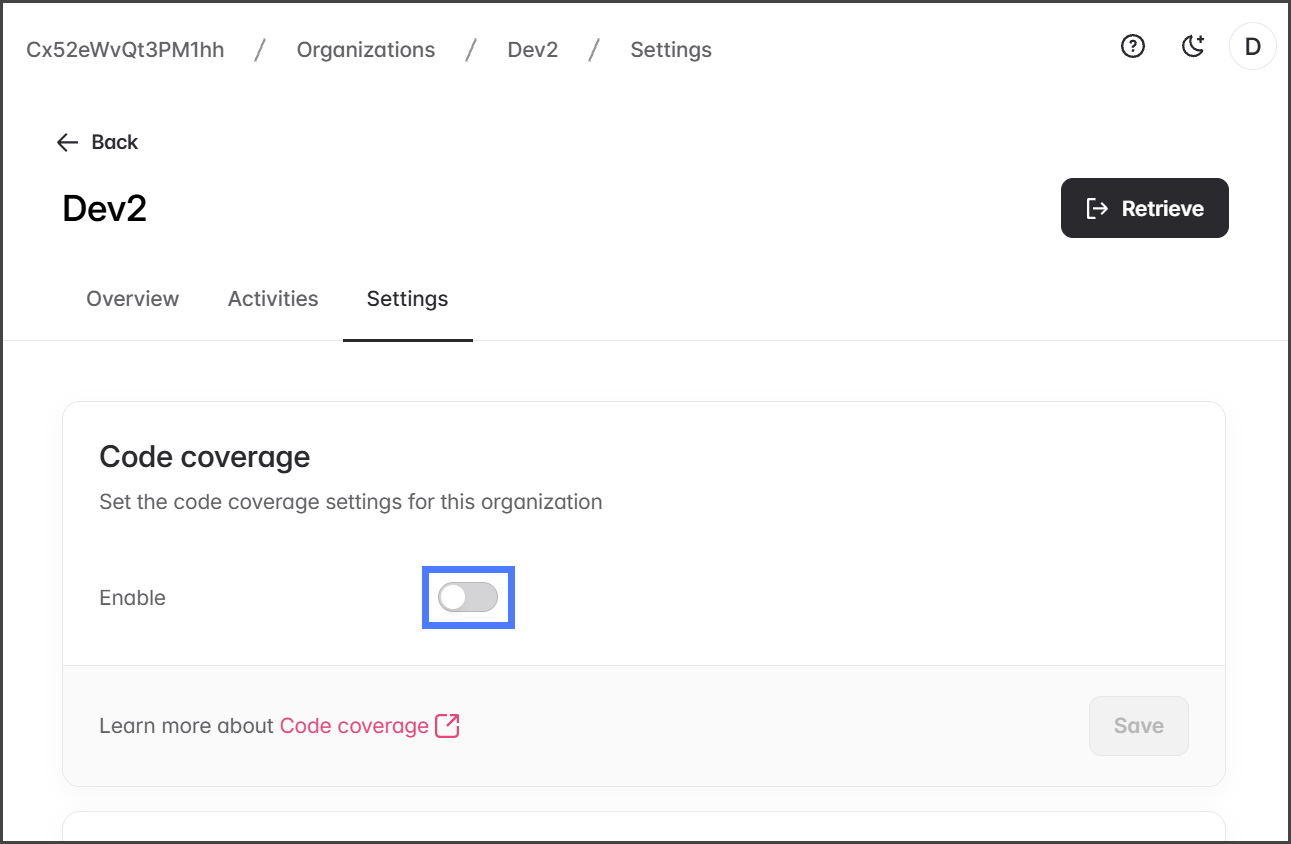
1. Click the **Enable** toggle in the **Code coverage** section.
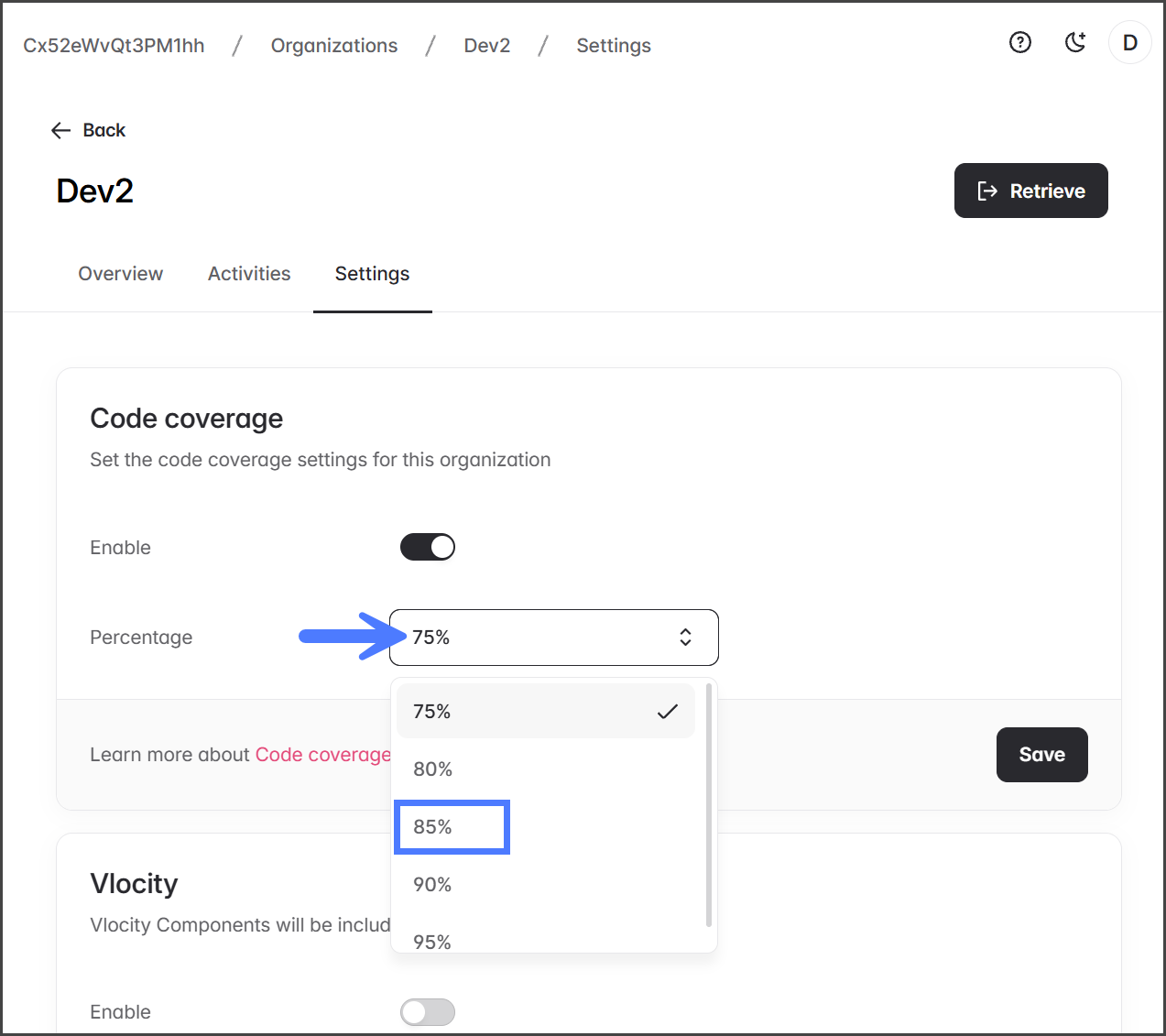
2. Click the **Percentage** dropdown menu.
3. Select your desired code coverage percentage.
4. Click **Save** to apply the changes.
{% endstep %}
{% step %}
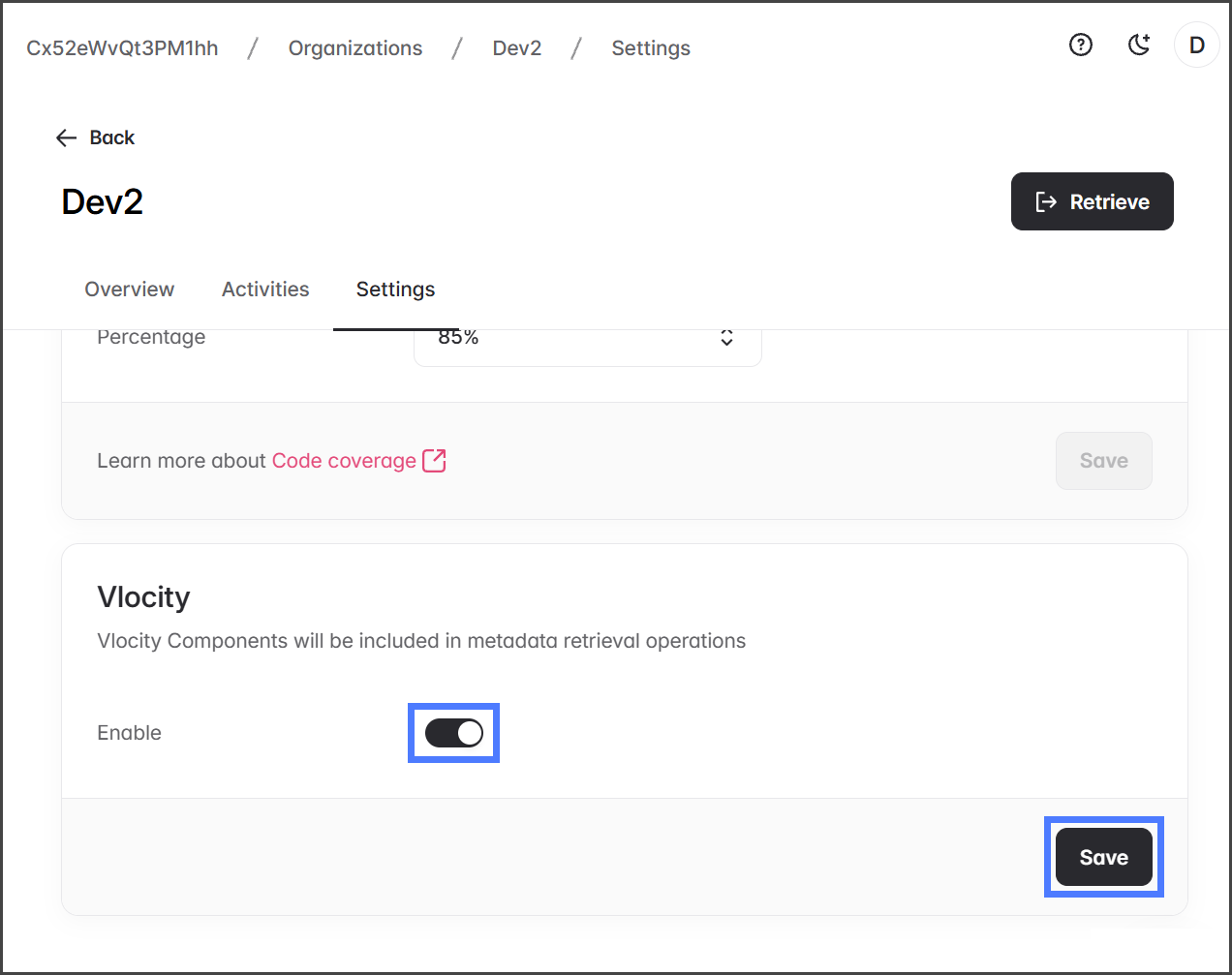
### Vlocity
To include **Vlocity** components from your Salesforce org in DevOps metadata retrievals, enable this setting. **Note**: The Vlocity package must be installed in your Salesforce org.
1. Click the **Enable** toggle in the **Vlocity** section.
2. Click **Save** to apply the changes.
{% endstep %}
{% endstepper %}
---
# Agent Instructions
This documentation is published with GitBook. GitBook is the documentation platform designed so that both humans and AI agents can read, navigate, and reason over technical content effectively. Learn more at gitbook.com.
## Querying This Documentation
If you need additional information that is not directly available in this page, you can query the documentation by asking a question.
Perform an HTTP GET request on the following URL with the `ask` and `goal` query parameters:
```
GET https://docs.flosum.com/devops/organizations/individual-organizations/changing-organization-settings-code-coverage.md?ask=&goal=
```
`ask` is the immediate question: it should be specific, self-contained, and written in natural language.
`goal` is what the user is ultimately trying to achieve, the reason they need the answer. Sharing it helps GitBook give you a better, more relevant answer. A goal is most helpful when it describes the outcome the user wants rather than restating the question. For example, with `ask=how do I create an API token`, a goal like `automate deployments from our CI pipeline` lets GitBook tailor the answer to that use case.
The response will contain a direct answer to the question and relevant excerpts and sources from the documentation.
Use this mechanism when the answer is not explicitly present in the current page, you need clarification or additional context, or you want to retrieve related documentation sections.