> For the complete documentation index, see [llms.txt](https://docs.flosum.com/llms.txt). Markdown versions of documentation pages are available by appending `.md` to page URLs; this page is available as [Markdown](https://docs.flosum.com/global-settings/global-settings-docs-ja/hajimeni/hmu-flosum-cloud-apps.md).
# ホーム - Flosum Cloud Apps
##  概要
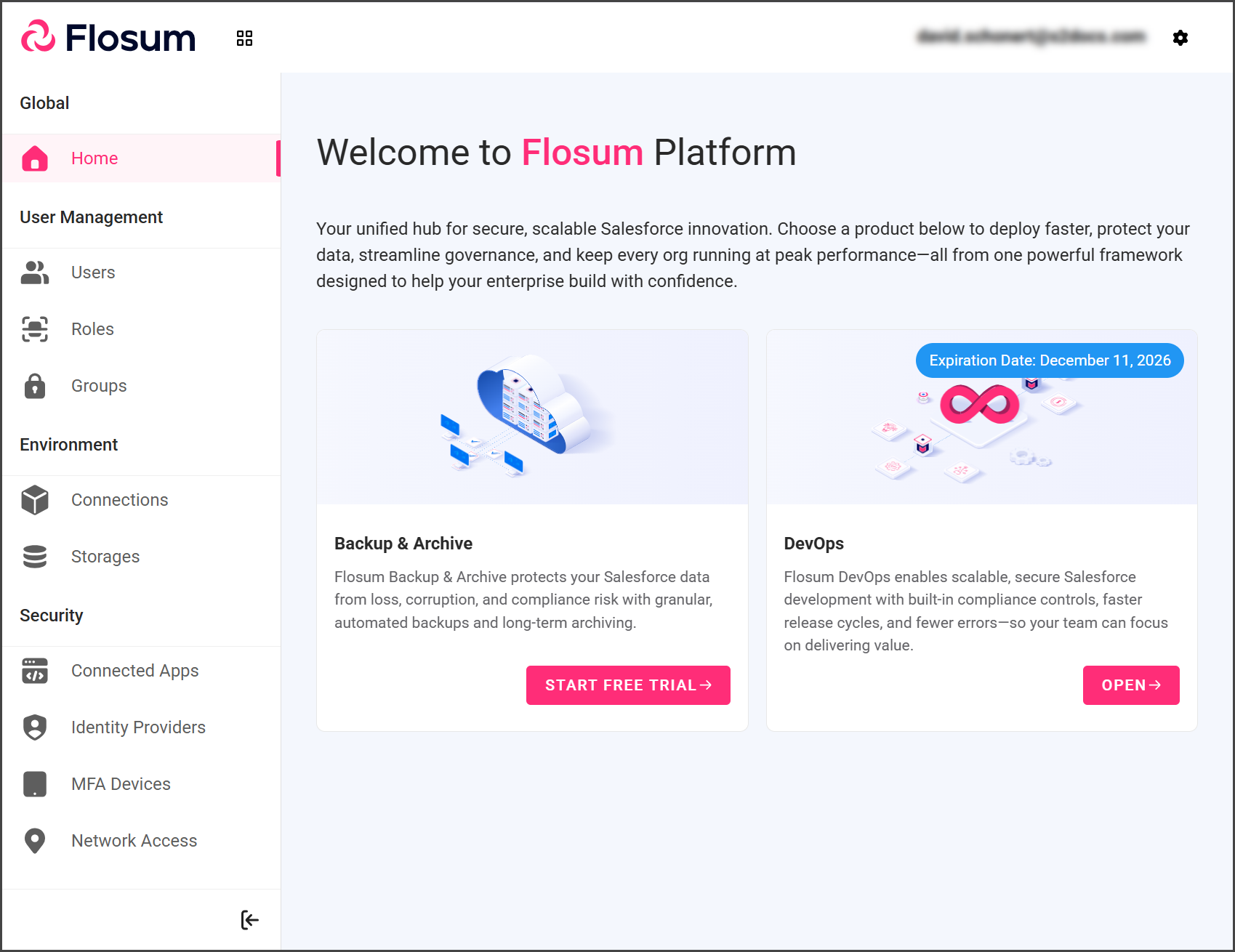
グローバル設定 **ホーム** ページはすべてのFlosumクラウドアプリの統合ハブとして機能し、次へのクイックアクセスを提供します **DevOps** および **バックアップとアーカイブ** ソリューション。Salesforce組織がグローバル設定でFlosumプラットフォームに接続されると、各アプリは追加の統合を必要とせずにシームレスに組織にアクセスできます。これにより企業全体の管理が簡素化され、チームの効率と信頼性が向上します。
{% hint style="info" %}
#### ライセンス管理
この **ホーム** ページにはアプリのライセンス有効期限が表示されますが、直接のライセンス管理は行えません。アップグレード、キャンセル、変更については、Flosumのフレンドリーなカスタマーサポートチームに連絡するための次のページを参照してください。
* [Broken mention](broken://spaces/BCmlFAgApXdN9hoKOB0q/pages/Ywbmeg1cklx49asRb23L)
{% endhint %}
## Flosumクラウドアプリ
{% stepper %}
{% step %}
### トライアルを開始
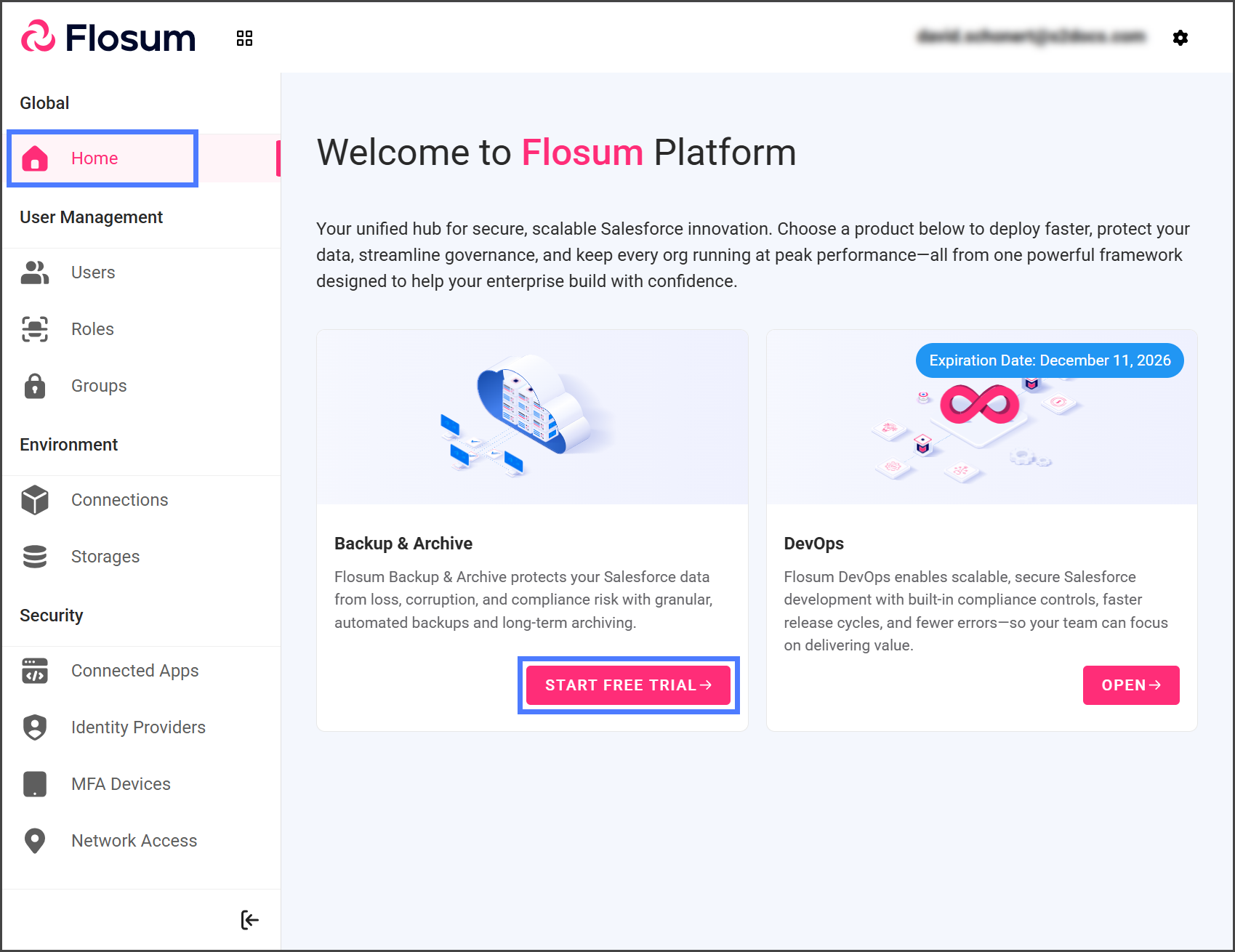
1. 左のサイドバーの **ホーム** をクリックしてください。
2. 左のサイドバーの **無料トライアルを開始** 希望のアプリのために。
{% endstep %}
{% step %}
### アプリを開く
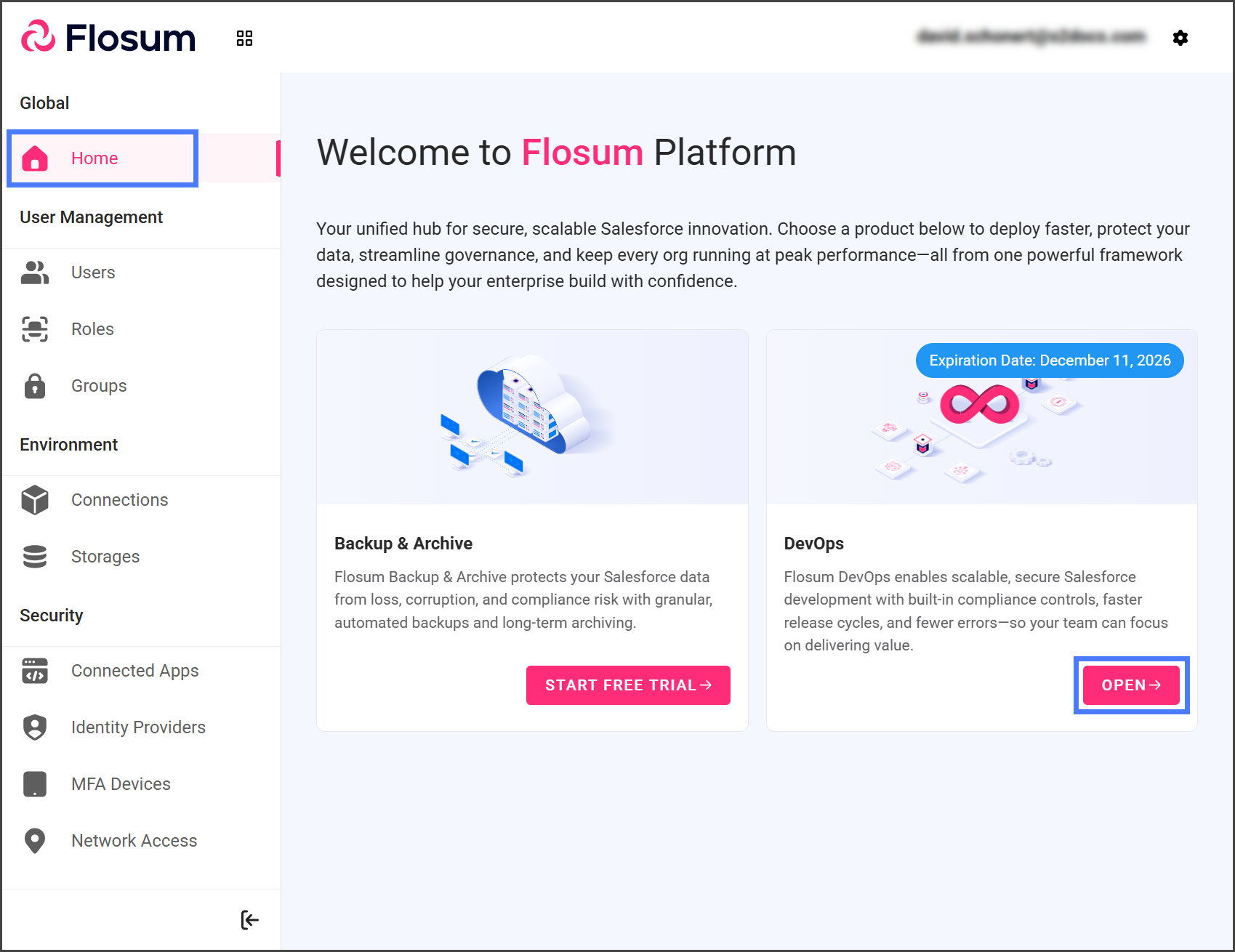
1. 左のサイドバーの **ホーム** をクリックしてください。
2. 左のサイドバーの **開く**.
3. アプリは別のブラウザタブで開きます。
{% endstep %}
{% step %}
### アプリの有効期限
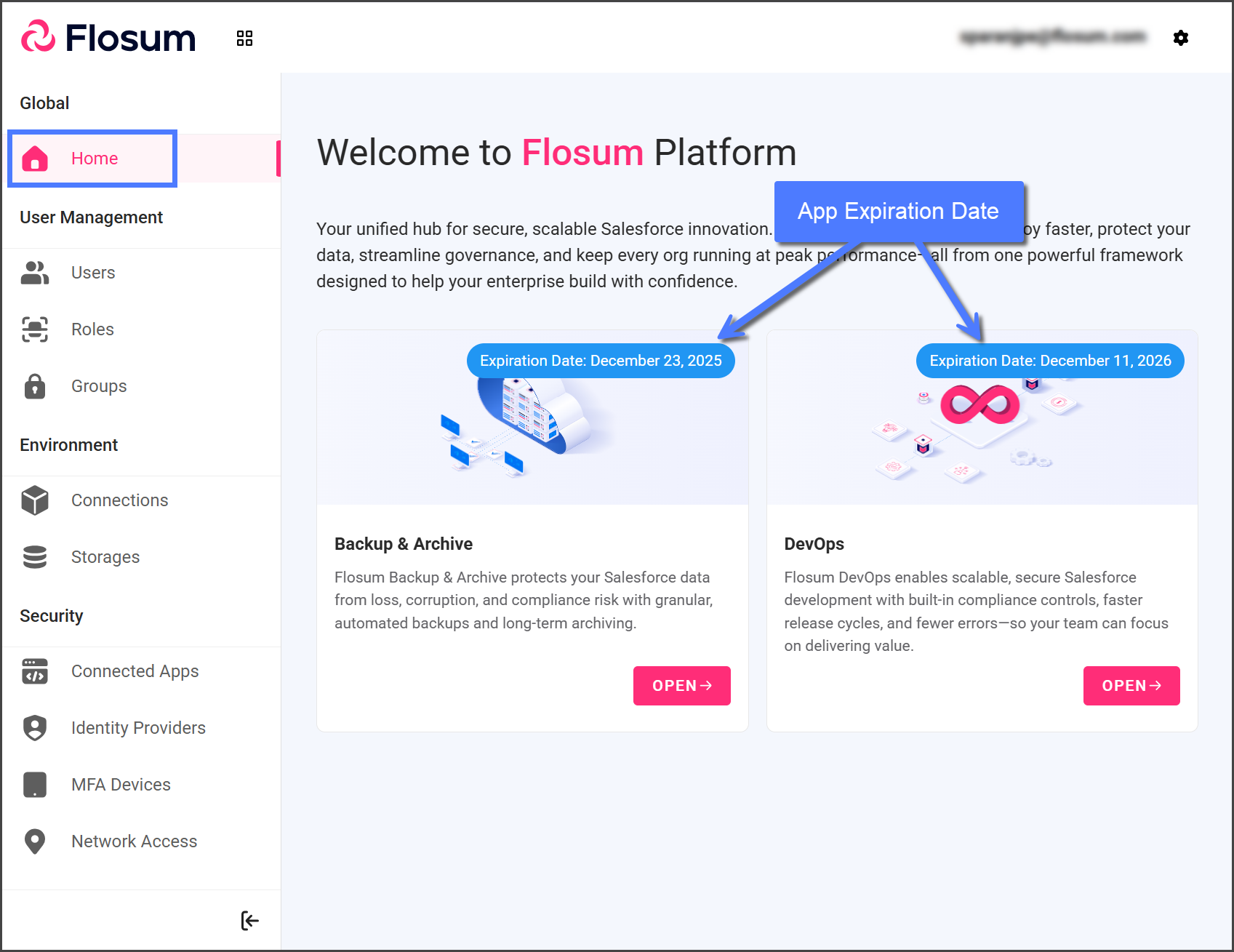
有効期限はライセンスをお持ちのアプリにのみ表示されます。
1. 左のサイドバーの **ホーム** をクリックしてください。
2. 各アプリカードの右上でライセンスの有効期限を確認してください。
{% hint style="warning" %}
#### ライセンスの有効期限
**有効期限の30日前**
* グローバル設定にライセンス有効期限のバナーが表示されます。
* ライセンス有効期限のメールは、有効期限の30、14、7、および1日前に送信されます。
**有効期限**
* アプリへのアクセスができなくなり、 **開く** ボタンは **お問い合わせ** ボタンに置き換えられます。
* ライセンス停止通知のメールが送信されます。
* ライセンスを更新するための30日間の猶予期間があります。
* 猶予期間中はデータが失われることはありません。
**有効期限後30日**
* 猶予期間が終了すると、Flosumは期限切れのライセンスに関連するデータを削除します。
{% endhint %}
{% endstep %}
{% endstepper %}
---
# Agent Instructions
This documentation is published with GitBook. GitBook is the documentation platform designed so that both humans and AI agents can read, navigate, and reason over technical content effectively. Learn more at gitbook.com.
## Querying This Documentation
If you need additional information that is not directly available in this page, you can query the documentation by asking a question.
Perform an HTTP GET request on the following URL with the `ask` and `goal` query parameters:
```
GET https://docs.flosum.com/global-settings/global-settings-docs-ja/hajimeni/hmu-flosum-cloud-apps.md?ask=&goal=
```
`ask` is the immediate question: it should be specific, self-contained, and written in natural language.
`goal` is what the user is ultimately trying to achieve, the reason they need the answer. Sharing it helps GitBook give you a better, more relevant answer. A goal is most helpful when it describes the outcome the user wants rather than restating the question. For example, with `ask=how do I create an API token`, a goal like `automate deployments from our CI pipeline` lets GitBook tailor the answer to that use case.
The response will contain a direct answer to the question and relevant excerpts and sources from the documentation.
Use this mechanism when the answer is not explicitly present in the current page, you need clarification or additional context, or you want to retrieve related documentation sections.