> For the complete documentation index, see [llms.txt](https://docs.flosum.com/llms.txt). Markdown versions of documentation pages are available by appending `.md` to page URLs; this page is available as [Markdown](https://docs.flosum.com/global-settings/global-settings-docs-ja/sekyuriti/apitkun/apitkunno.md).
# APIトークンの管理
{% hint style="success" %}
#### 必要なユーザー資格情報
\[**Flosum ユーザー**」 - 任意のロール
{% endhint %}
##  概要
この記事では、APIトークンの表示、更新、削除方法を説明します。
## APIトークンの管理
{% stepper %}
{% step %}
### APIトークンを表示する
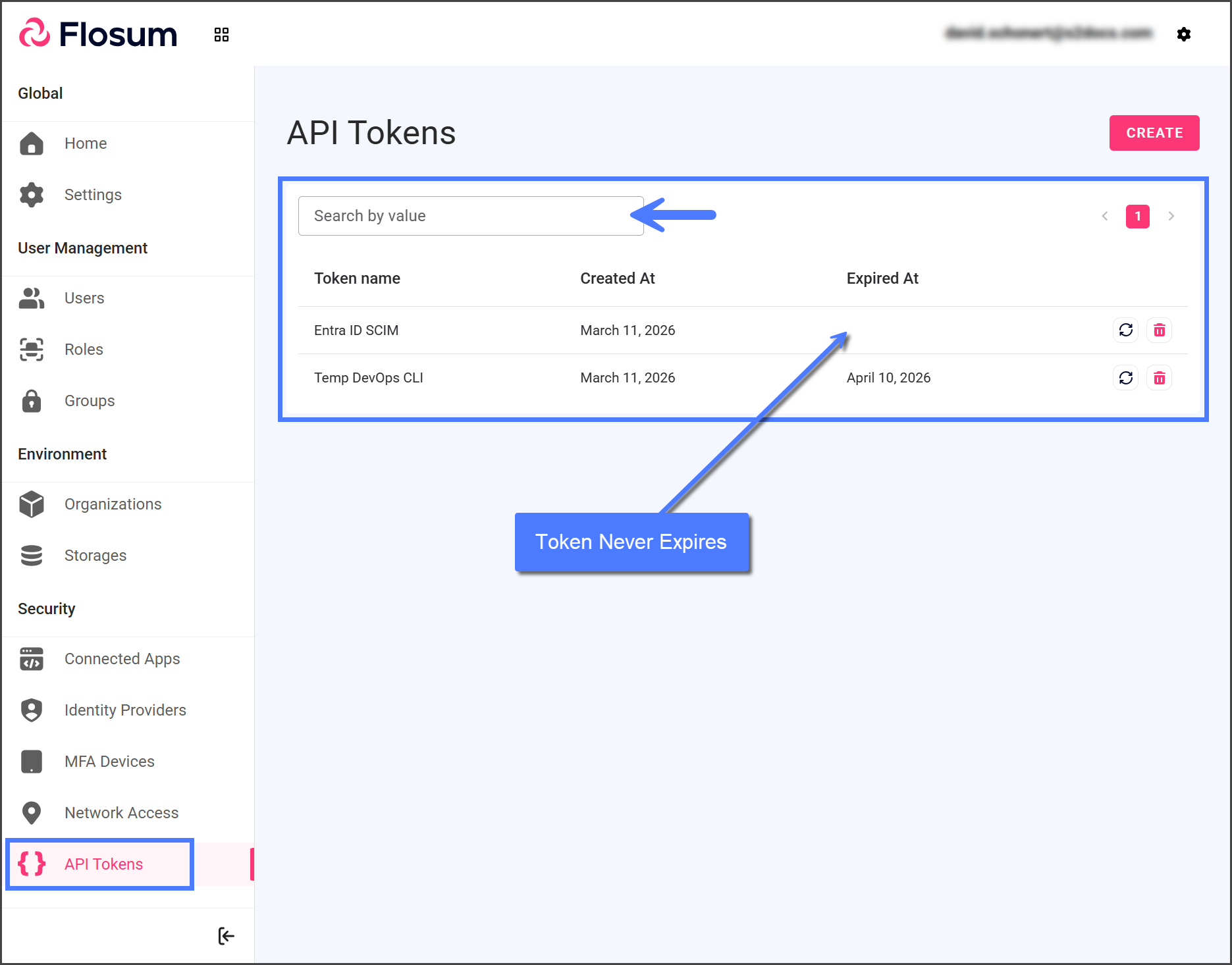
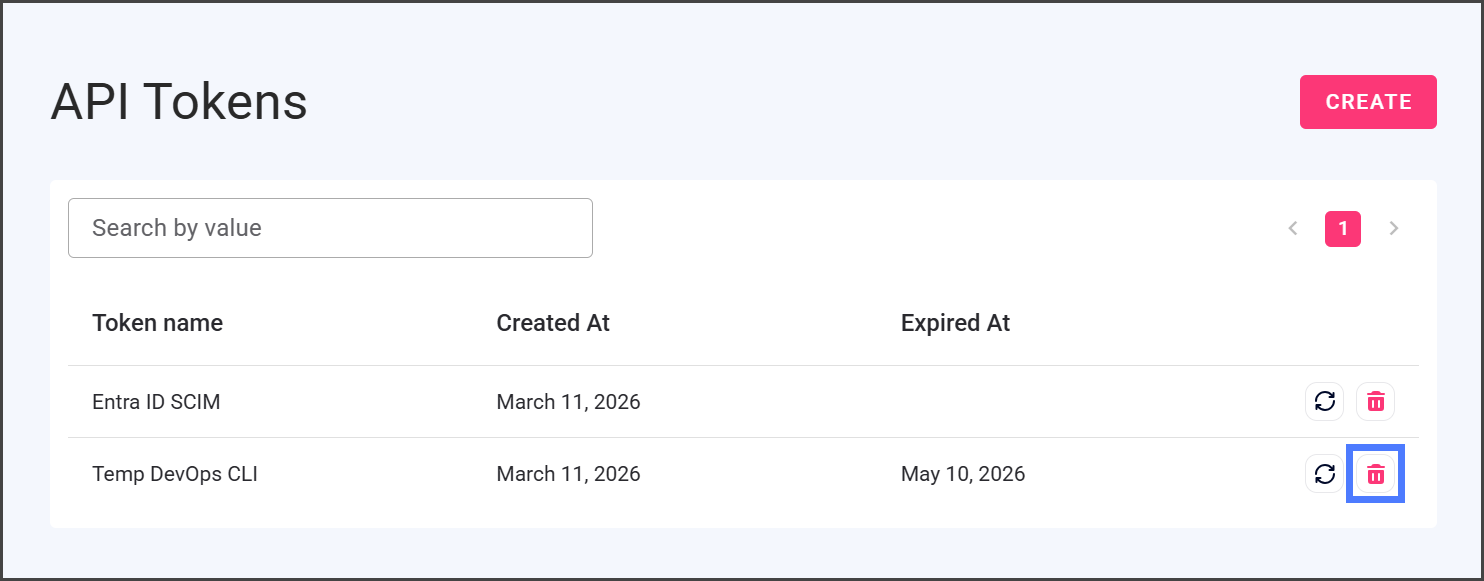
1. クリック **APIトークン** 左側のサイドバー メニューから。
2. すべてのAPIトークンは表に一覧表示され、トークン名で検索できます。
3. この **有効期限** 列には、トークンの有効期限と、その後 Flosum API へのアクセス権が付与されなくなる日時が表示されます。この列が空白の場合、トークンは期限切れになりません。
{% endstep %}
{% step %}
### APIトークンを更新
APIトークンを更新すると、有効期限を変更し、新しいトークンを生成できます。
{% hint style="danger" %}
トークンを更新すると、以前のトークンは無効になります。このトークンを使用するサービスは、引き続き動作させるために新しい値へ更新する必要があります。
{% endhint %}
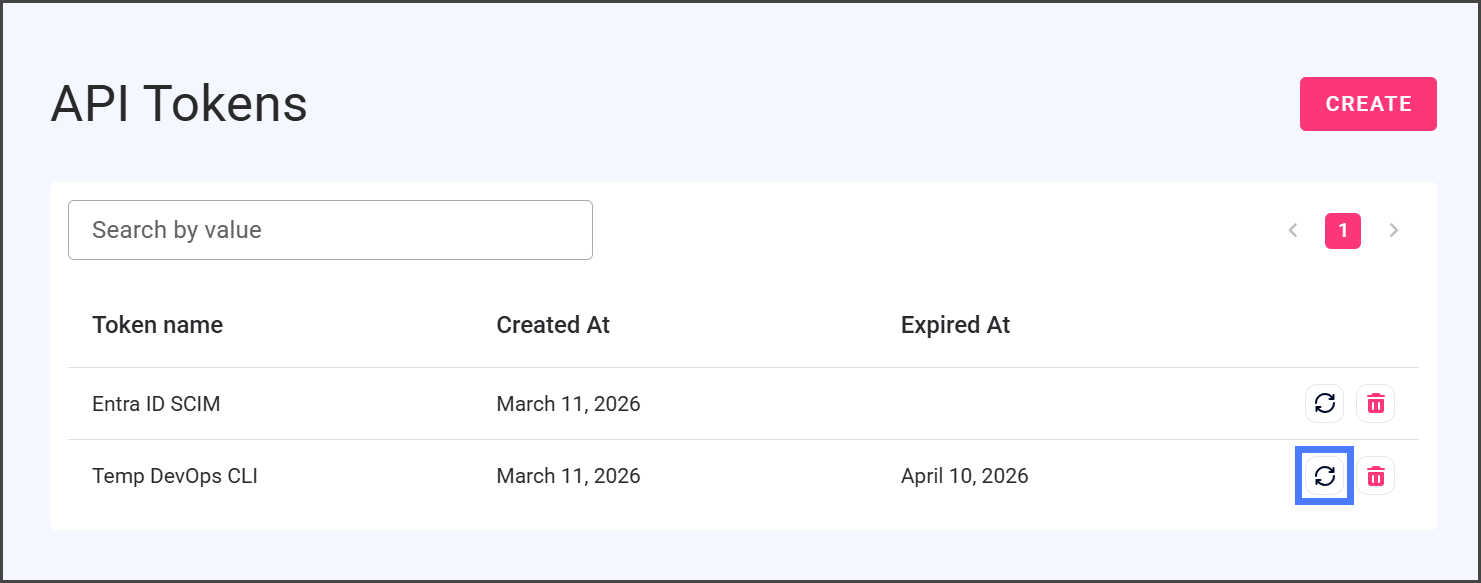
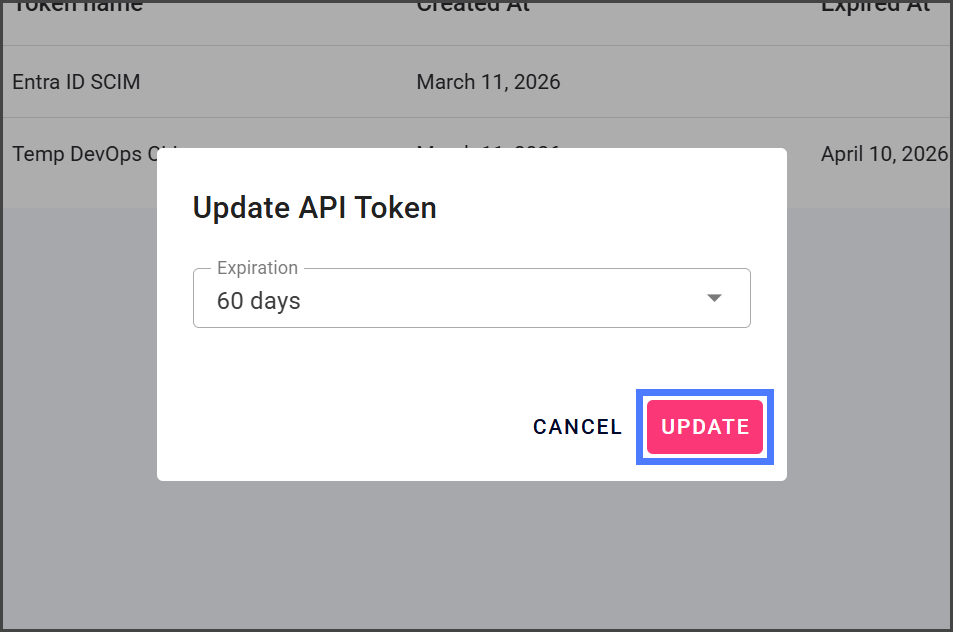
1. をクリック **更新** APIトークンの右側にあるアイコン。
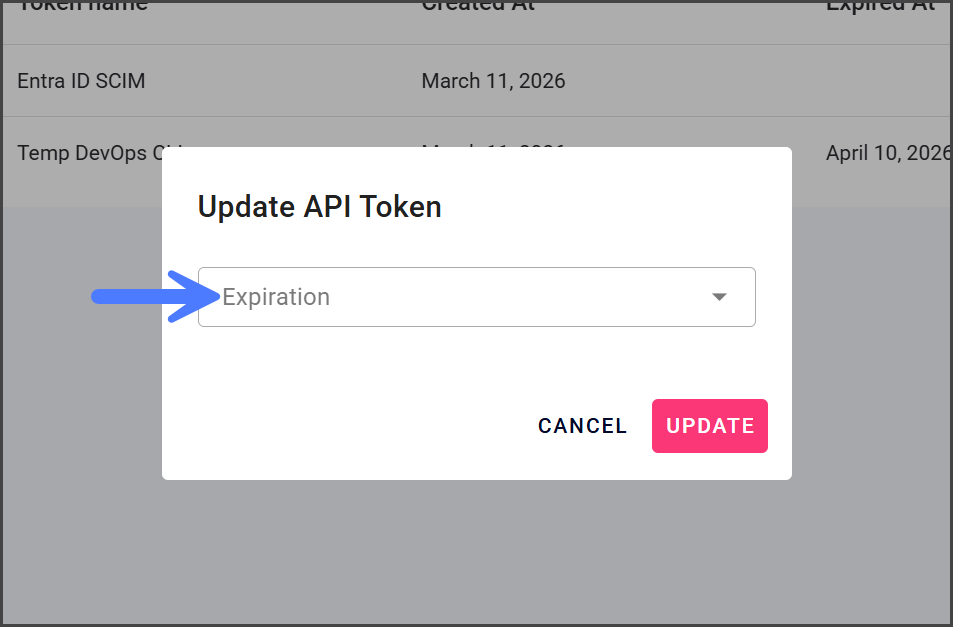
2. をクリック **有効期限** ドロップダウン メニュー。
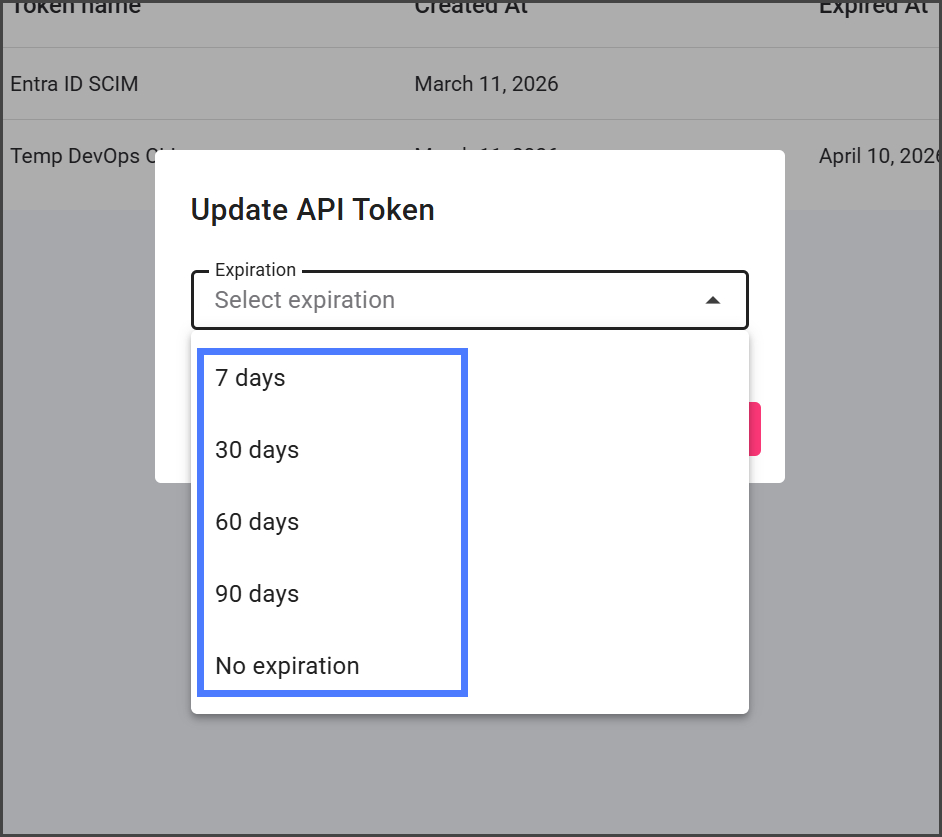
3. APIトークンを有効にする日数を選択します。
{% hint style="info" %}
#### 更新後のトークン有効期限
APIトークンを更新すると、有効期限のカウントダウンはトークンの元の作成日ではなく、更新日から再開されます。たとえば、月の1日に有効期限7日のAPIトークンを作成し、4日にさらに7日延長して更新した場合、トークンの有効期限は11日になります。
{% endhint %}
{% hint style="warning" %}
#### トークンの有効期限
APIトークンが期限切れになると、そのトークンを使用するサービスはFlosumのAPIにアクセスできなくなります。SSOアイデンティティプロバイダーのような継続的なアクセスを必要とするサービスの場合は、次を選択してください **有効期限なし**.
{% endhint %}
4. クリック **更新**.
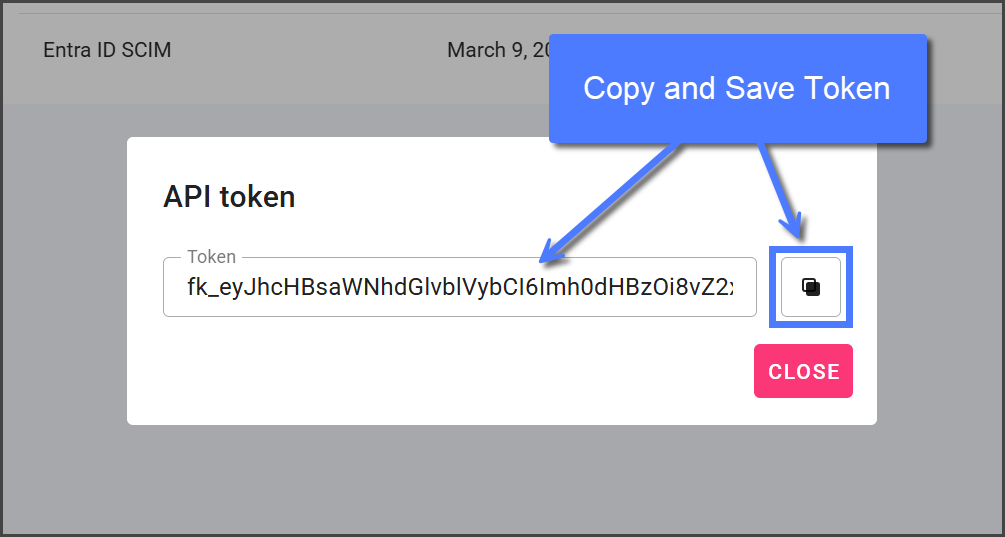
5. 更新後、APIトークンが表示されます。
6. をクリック **コピー** トークンをコピーするアイコンを使ってコピーし、安全に保存してください。再度表示することはできません。
7. クリック **閉じる**.
{% endstep %}
{% step %}
### APIトークンを削除
APIトークンはいつでも削除でき、そのトークンの Flosum API へのアクセスを取り消せます。
{% hint style="danger" %}
APIトークンを削除すると、それを使用しているすべてのサービスのアクセスが取り消されます。この操作は元に戻せません。
{% endhint %}
1. をクリック **ゴミ箱** 削除するAPIトークンの右側にあるアイコン。
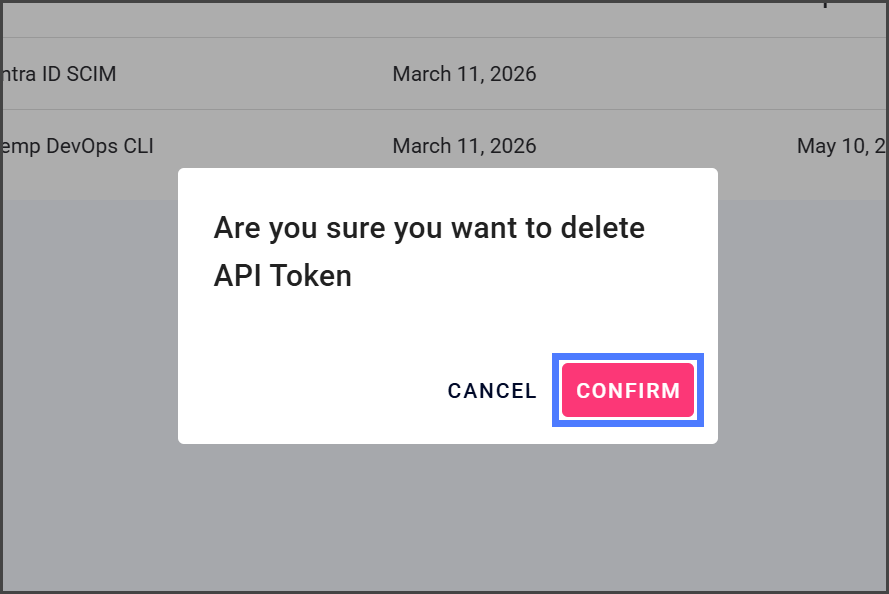
2. クリック **確認** APIトークンの削除確認ダイアログで。
3. 削除されると、APIトークンを使用しているすべてのサービスは Flosum の API にアクセスできなくなります。
{% endstep %}
{% endstepper %}
---
# Agent Instructions
This documentation is published with GitBook. GitBook is the documentation platform designed so that both humans and AI agents can read, navigate, and reason over technical content effectively. Learn more at gitbook.com.
## Querying This Documentation
If you need additional information that is not directly available in this page, you can query the documentation by asking a question.
Perform an HTTP GET request on the following URL with the `ask` and `goal` query parameters:
```
GET https://docs.flosum.com/global-settings/global-settings-docs-ja/sekyuriti/apitkun/apitkunno.md?ask=&goal=
```
`ask` is the immediate question: it should be specific, self-contained, and written in natural language.
`goal` is what the user is ultimately trying to achieve, the reason they need the answer. Sharing it helps GitBook give you a better, more relevant answer. A goal is most helpful when it describes the outcome the user wants rather than restating the question. For example, with `ask=how do I create an API token`, a goal like `automate deployments from our CI pipeline` lets GitBook tailor the answer to that use case.
The response will contain a direct answer to the question and relevant excerpts and sources from the documentation.
Use this mechanism when the answer is not explicitly present in the current page, you need clarification or additional context, or you want to retrieve related documentation sections.