

Global Settings (v1.6.37) ‐ Monthly Release Notes
Release Details - Global Settings - v1.6.37 - October 13, 2026
For Salesforce administrators and IT teams responsible for managing Flosum Cloud Apps tenant configuration, organizations, users, and roles.
Release Type
Monthly
Applies to Flosum-hosted and self-hosted
Prerequisites
A registered and configured Flosum Cloud Apps tenant
Appropriate Flosum user permissions (SystemAdministrator or equivalent)
 Summary
This article documents the monthly release for Global Settings (v1.6.37). This release adds Google Cloud Storage (GCS) as a storage option, so you can configure a customer-managed GCS bucket for Backup & Archive data. It supports the Google Cloud Storage feature in Backup & Archive (v4.8.6), released the same day.
 Google Cloud Storage Configuration
What Changed
You can now configure a customer-managed Google Cloud Storage (GCS) bucket as storage in Global Settings, for use with Backup & Archive. You provide your Google Cloud credentials and the bucket information.
The integration uses two types of credentials:
Service Account credentials: for file operations through the Google Cloud API.
HMAC credentials: for access to Parquet backup data.
See the following article for instructions on adding a GCS bucket.
What You Will Notice
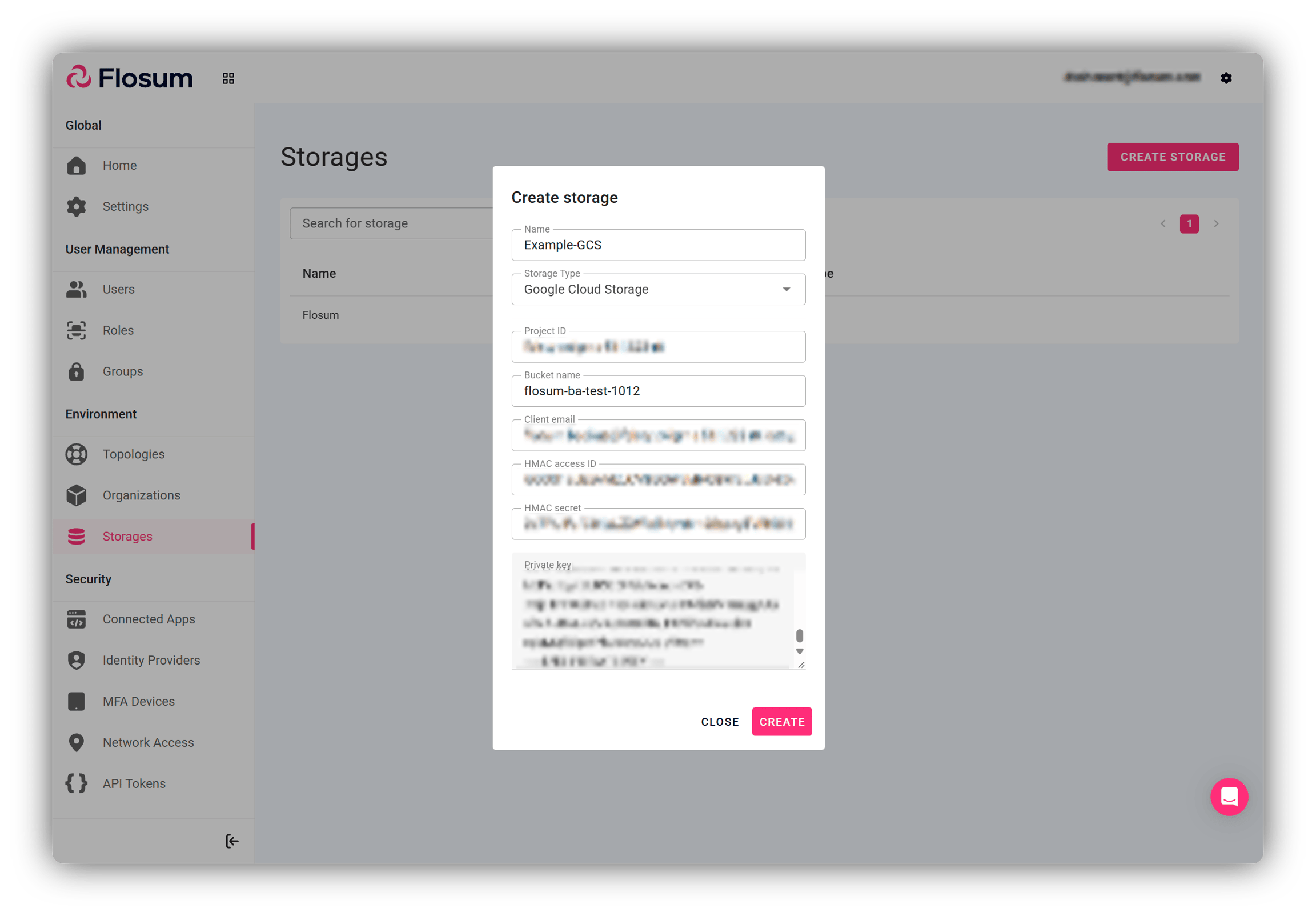
On the Storages page in Global Settings, CREATE STORAGE now offers Google Cloud Storage as a Storage Type. Along with a Name for the storage, the form asks for:
Project ID, Client email, and Private key from the service account's JSON key.
HMAC access ID and HMAC secret, from the service account's HMAC key.
Bucket name, the name of the target bucket.
Last updated
Was this helpful?