> For the complete documentation index, see [llms.txt](https://docs.flosum.com/llms.txt). Markdown versions of documentation pages are available by appending `.md` to page URLs; this page is available as [Markdown](https://docs.flosum.com/devops/code/branch-actions/using-branch-predeploy-fix.md).
# Using Branch PreDeploy Fix
PreDeploy Fix proactively detects and resolves missing dependencies before deployment.
{% hint style="warning" %}
#### Written for the Old UI
This article was written for the old UI. The instructions are still usable, but the screenshots are outdated. In some cases, items referenced in the instructions have moved or changed. If you cannot find an item, see the [Where Did It Go](/devops/new-ui-ux-transition/where-did-it-go.md) article.
{% endhint %}
##  Overview
The PreDeploy Fix is a validation process that inspects your branch for potential issues before deployment, such as:
* API version mismatches
* Missing components
* Broken references
* Unmet dependencies
If issues are detected, they are listed with options for resolution. This process helps prevent deployment failures by:
* Checking and updating component API versions
* Retrieving missing metadata
* Removing or updating references to problematic components
By addressing these aspects, your deployment becomes cleaner and less error-prone.
{% hint style="info" %}
#### Best Practices
* Always run a PreDeploy Fix before **Validate** or **Deploy** to reduce the chance of failures.
* For Missing Dependencies, use **Retrieve** when possible to ensure all dependencies are correctly included. Use **Remove** only when you’re sure the reference is obsolete or not needed.
* Enter clear and descriptive **commit messages**. These will show in the Commits tab for future tracking.
* Rerun PreDeploy Fix after resolving issues until the lists are empty.
* Use filters (status, type, date range) in **Activities** to quickly track your PreDeploy Fix jobs.
* Review logs whenever a job ends with **Exception** or **Action Required** to understand what needs fixing.
{% endhint %}
## Run Branch PreDeploy Fix
{% stepper %}
{% step %}
### Select Branch and Run PreDeploy Fix
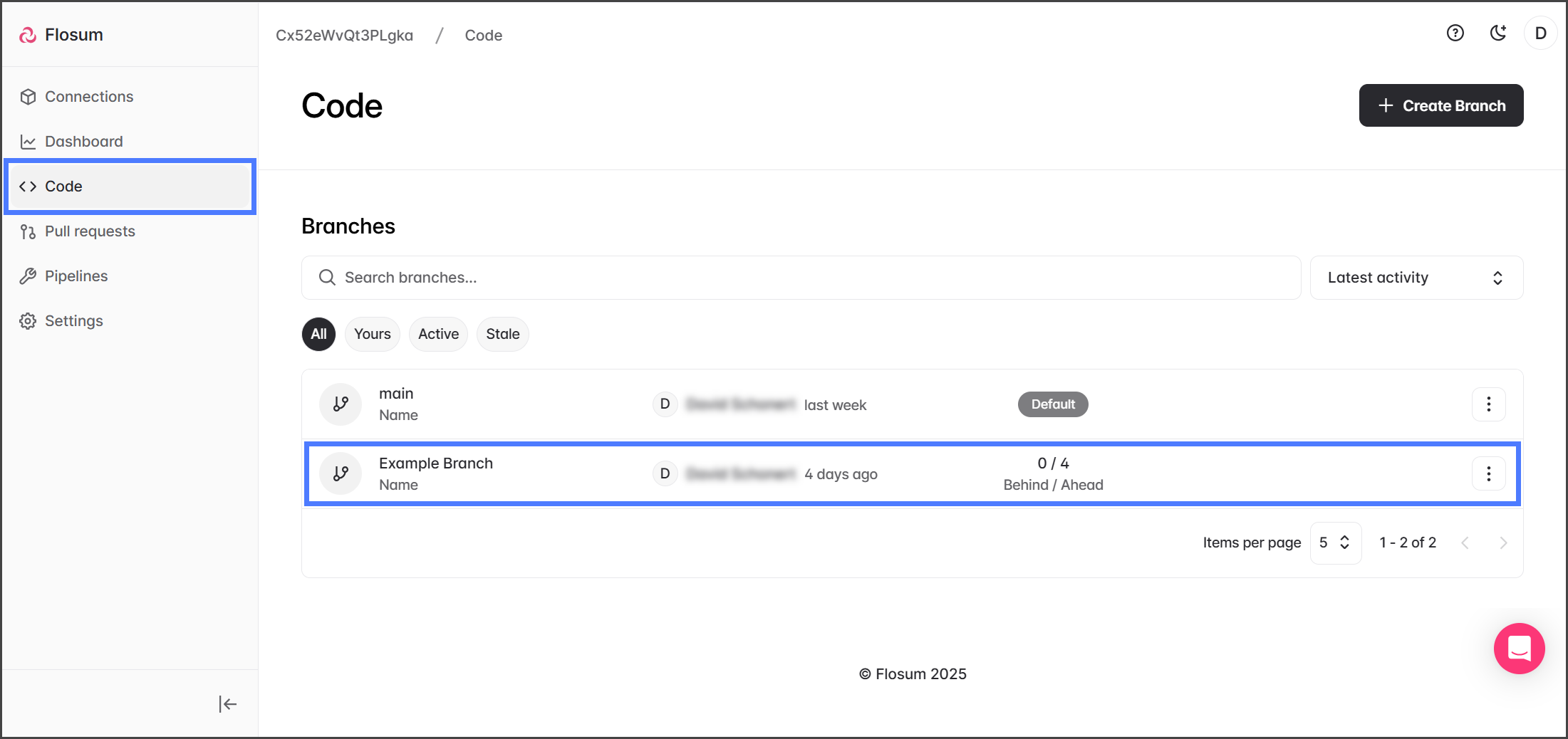
1. Click **Code** from the left sidebar menu.
2. Select a branch from the list.
3. Click the **Three Vertical Dots ⋮** dropdown menu next to Deploy.
4. Click **PreDeploy fix**.
{% endstep %}
{% step %}
### Select Connection
1. Click **Select** for the Salesforce org connection to run the PreDeploy Fix for.
2. Click **Run**.
3. After starting the PreDeploy Fix job, it will be displayed on the **Activities** tab.
{% endstep %}
{% endstepper %}
## PreDeploy Fix Results
{% stepper %}
{% step %}
### View Results
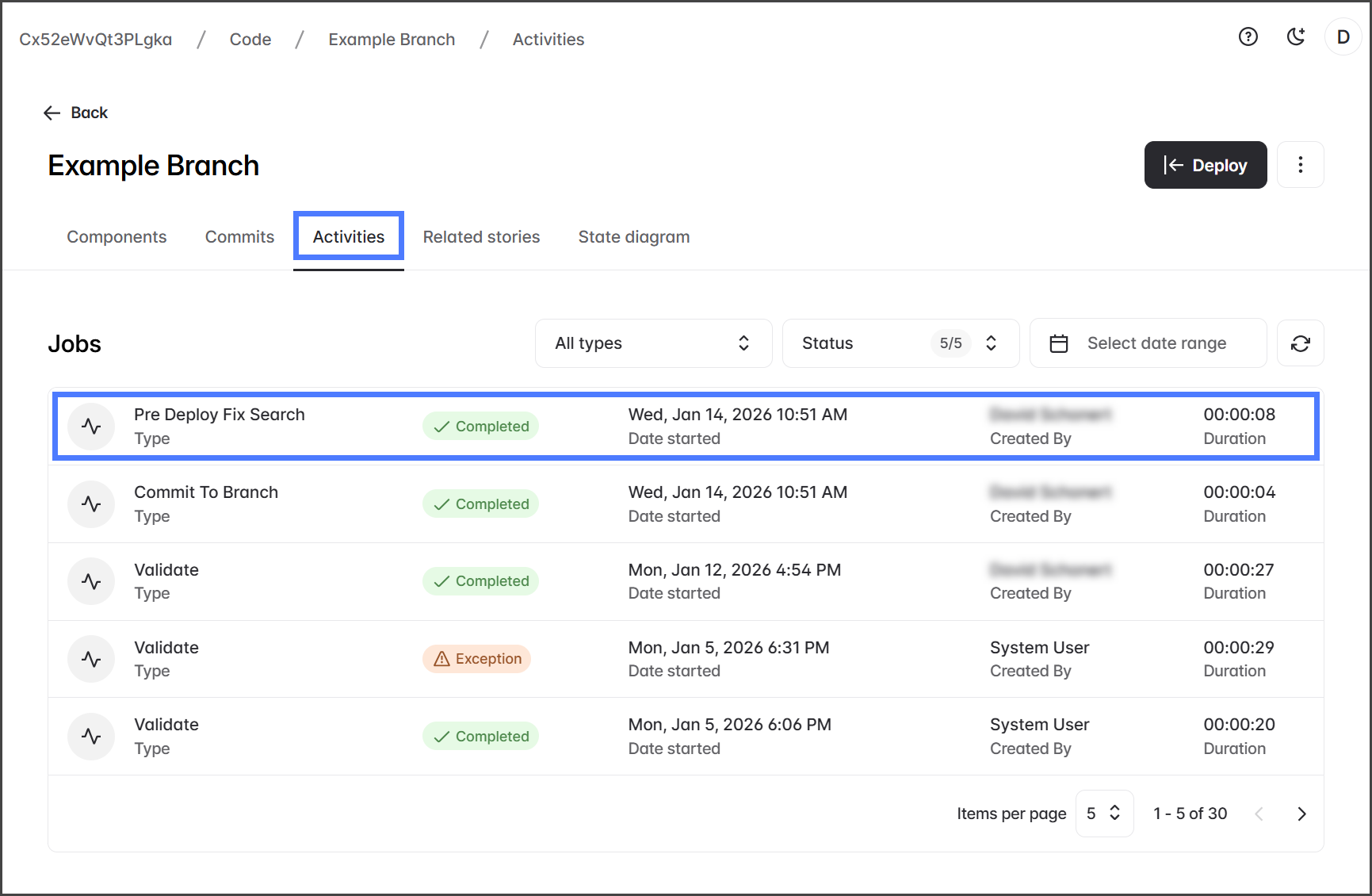
1. Click the **Activities** tab.
2. Check that the **Pre Deploy Fix Search** job status is **Completed**.
3. Click the **Pre Deploy Fix Search** job.
{% hint style="info" %}
To help find a PreDeploy Fix job, you can click the **All Types** dropdown filter menu and select **Pre Deploy Fix Search**. This will filter the jobs to show just PreDeploy Fix jobs.
{% endhint %}
{% endstep %}
{% step %}
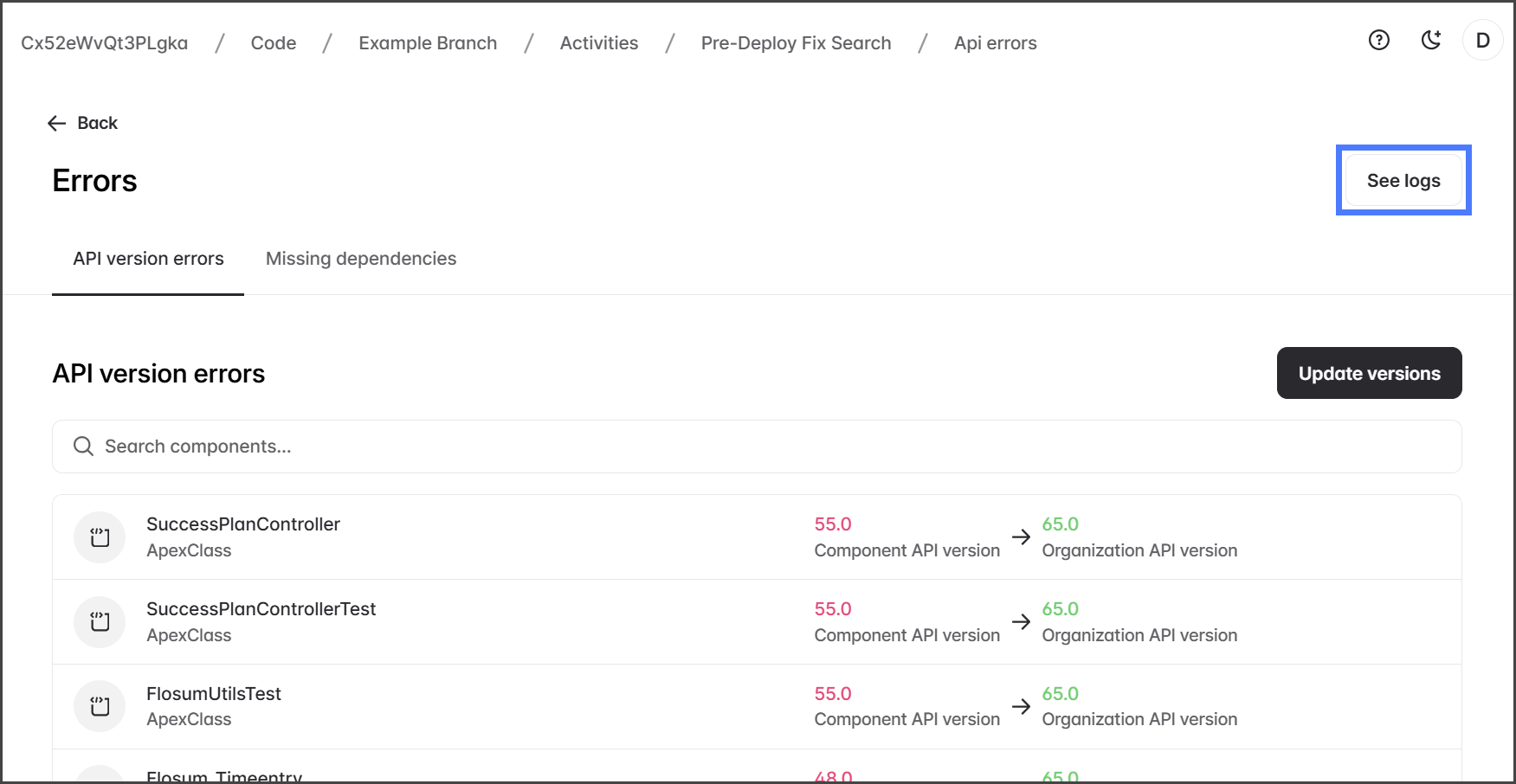
### API Version Errors
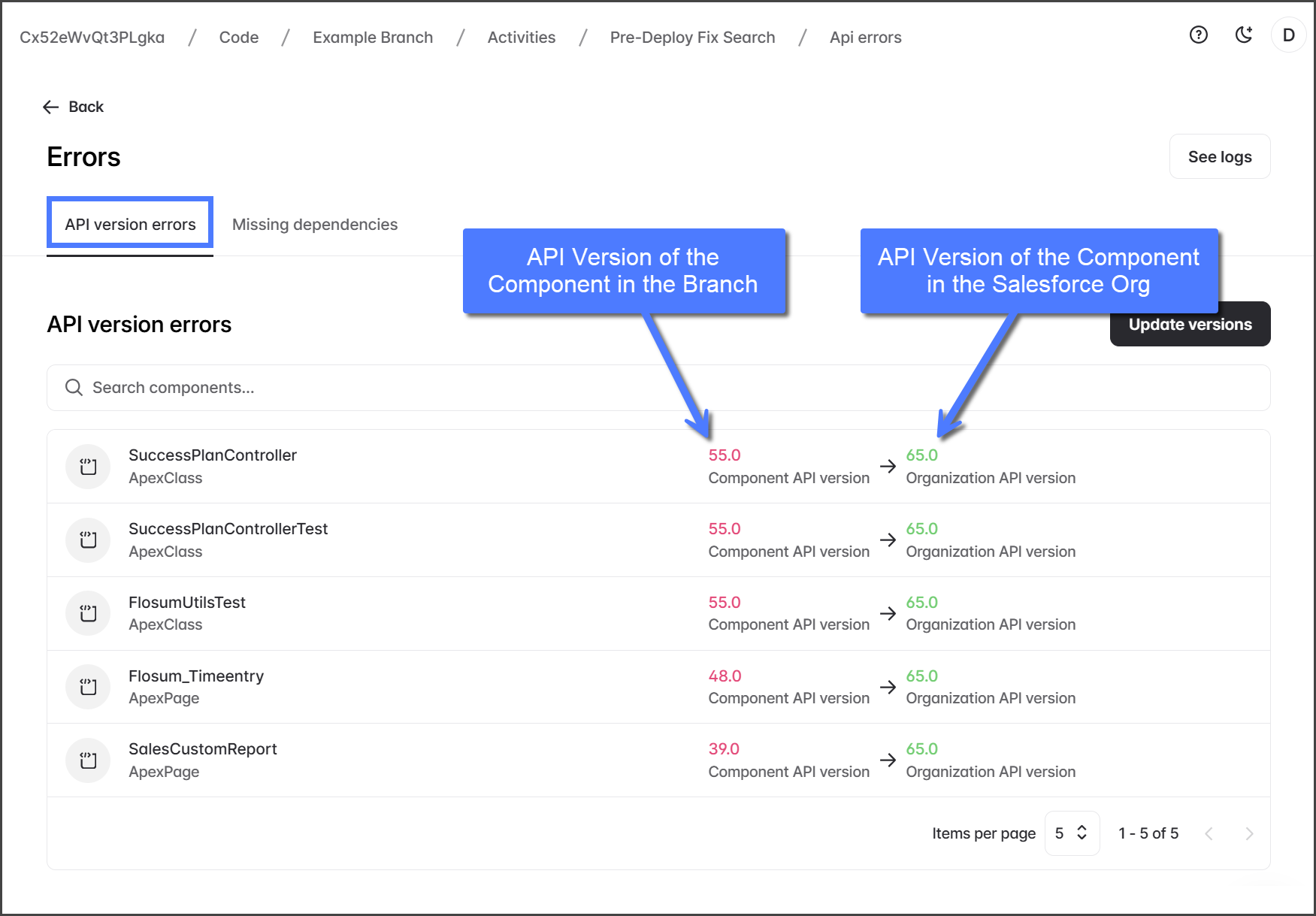
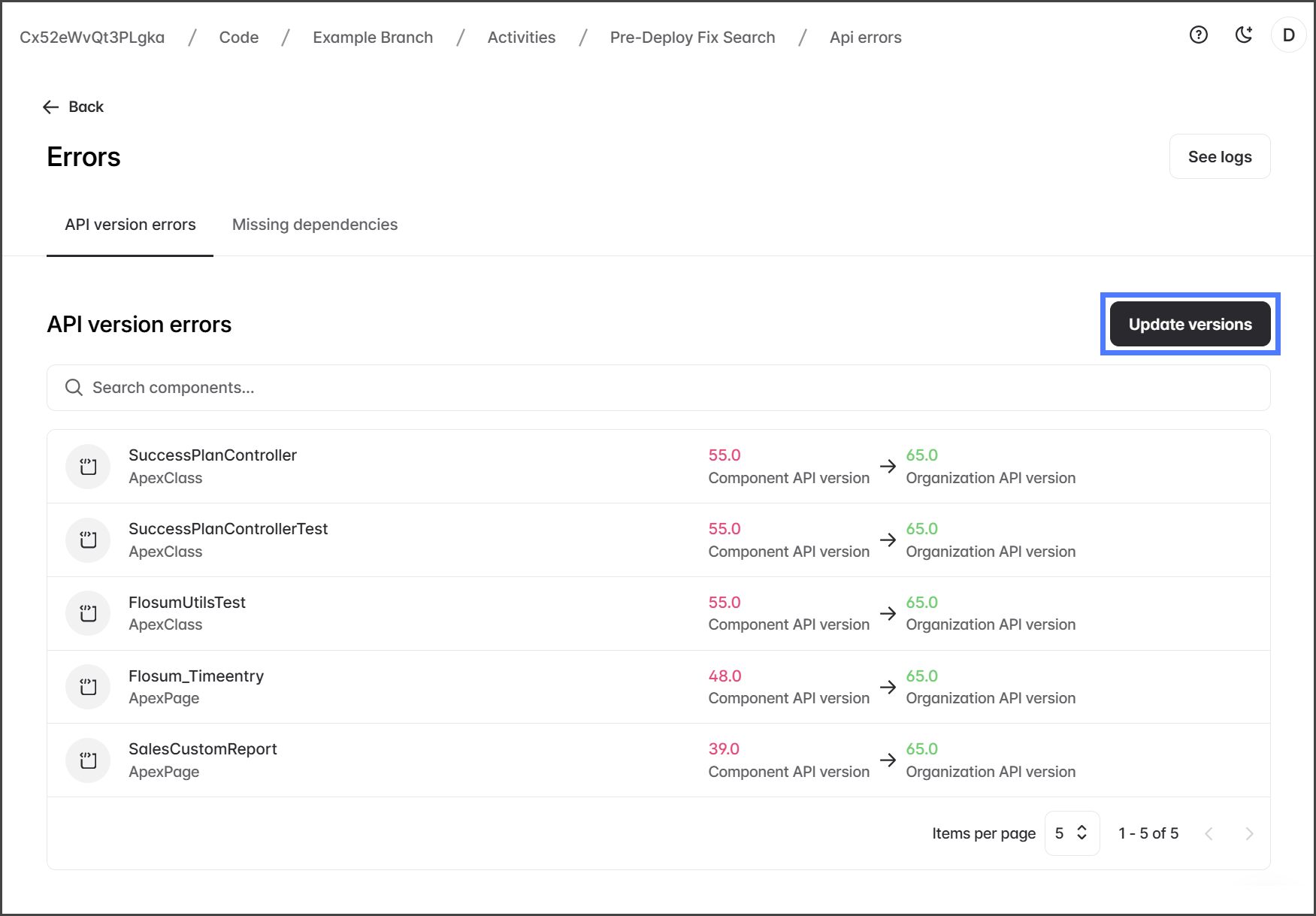
If the PreDeploy Fix detects any API version errors, they will appear in the **API Version Errors** table. This table shows each component with an API version error. To the right of each component are two API versions: the **Component API version** and the **Organization API version**. The Component API version is the one the component uses in the branch, and the Organization API version is the one it uses in the Salesforce org used as the connection for this PreDeploy Fix.
{% hint style="info" %}
See the [#fixing-api-version-errors](#fixing-api-version-errors "mention") section below to learn how to resolve these errors.
{% endhint %}
1. Click the **API version errors** tab.
{% endstep %}
{% step %}
### Missing Dependencies
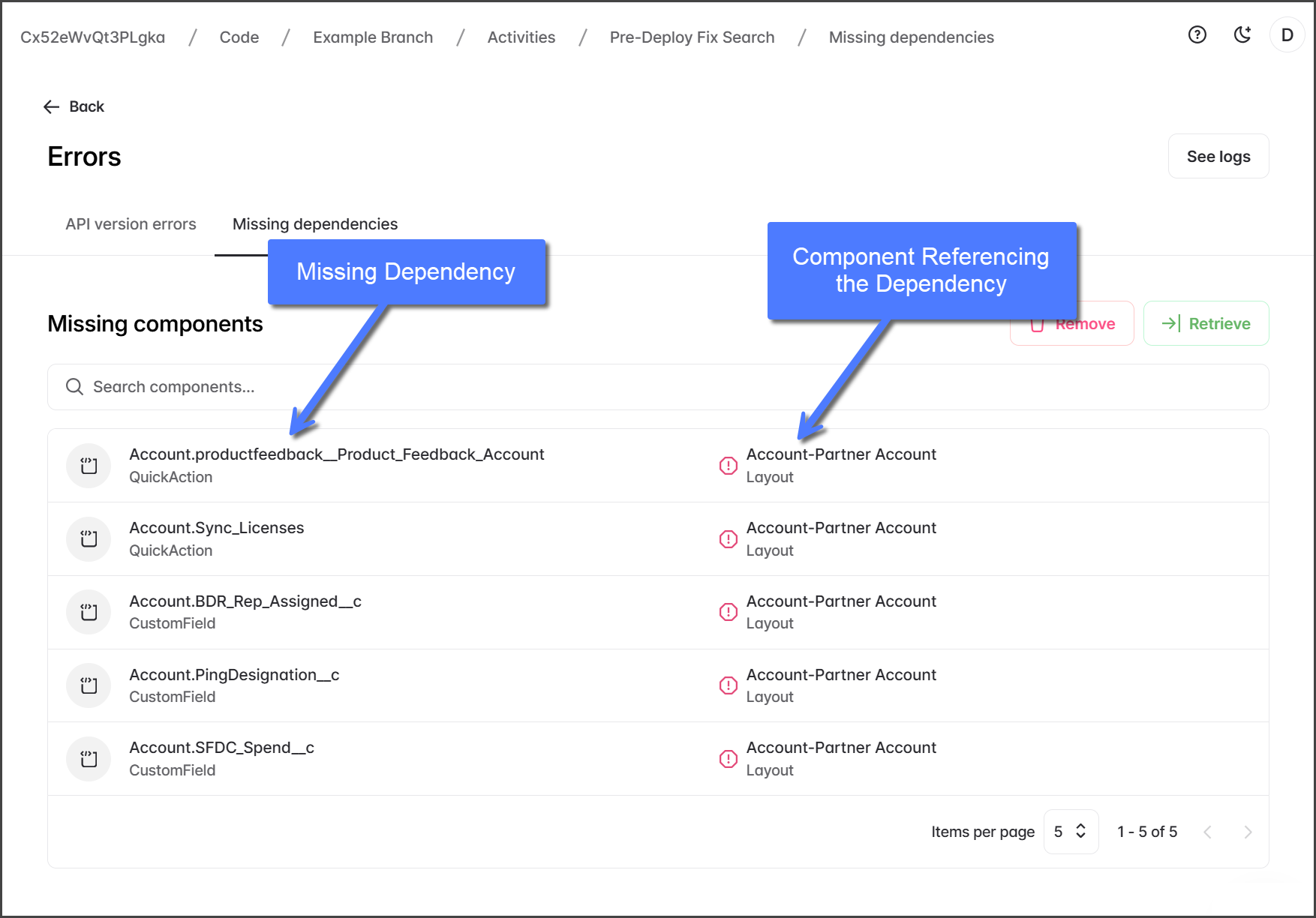
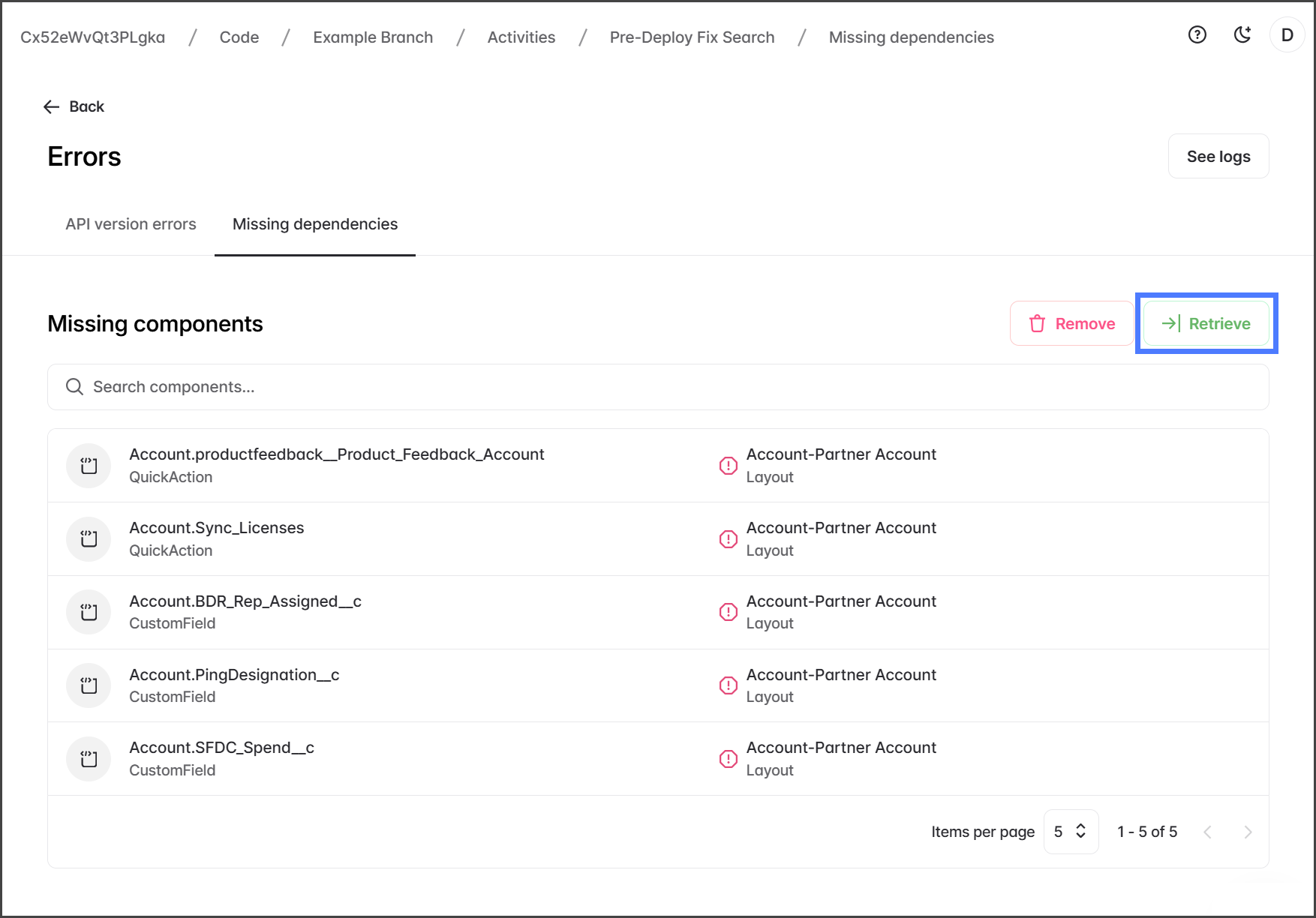
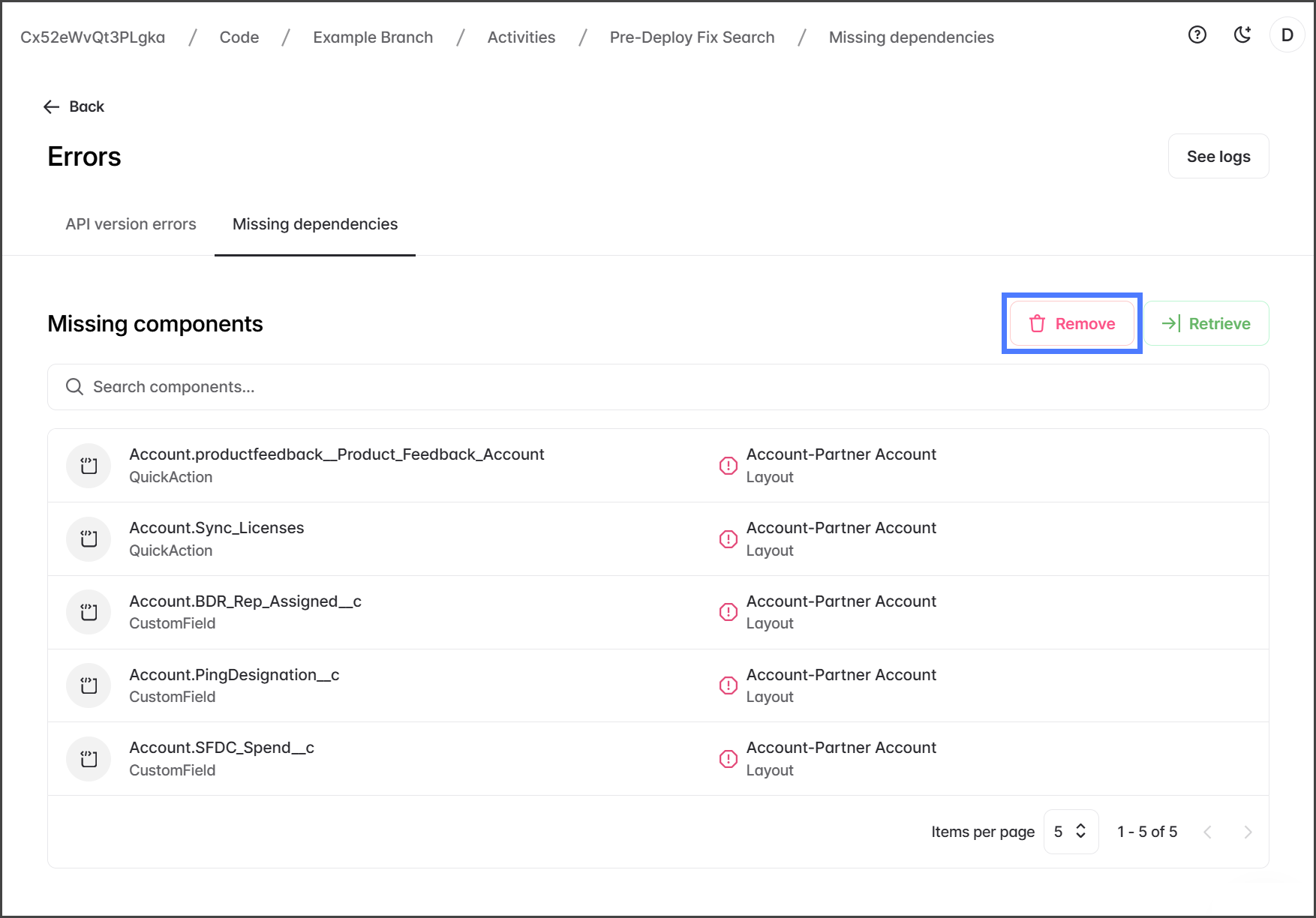
If the PreDeploy Fix identifies any missing dependencies, they will be shown in the **Missing Components** table. This table displays each missing metadata dependency along with the component that references it. To fix missing components, you can choose from two options and apply them to each component as needed.
* **Retrieve**: This option retrieves the missing component and commits it to the branch.
* **Remove**: This option removes the reference to the missing component and should only be used if it is confirmed that deploying without the component in the branch is safe.
{% hint style="info" %}
See the [#fixing-missing-dependencies](#fixing-missing-dependencies "mention") section below to learn how to resolve these errors.
{% endhint %}
1. Click the **Missing dependencies** tab.
{% hint style="info" %}
If the **Missing dependencies** tab isn't visible, it means there are no missing dependencies.
{% endhint %}
{% endstep %}
{% step %}
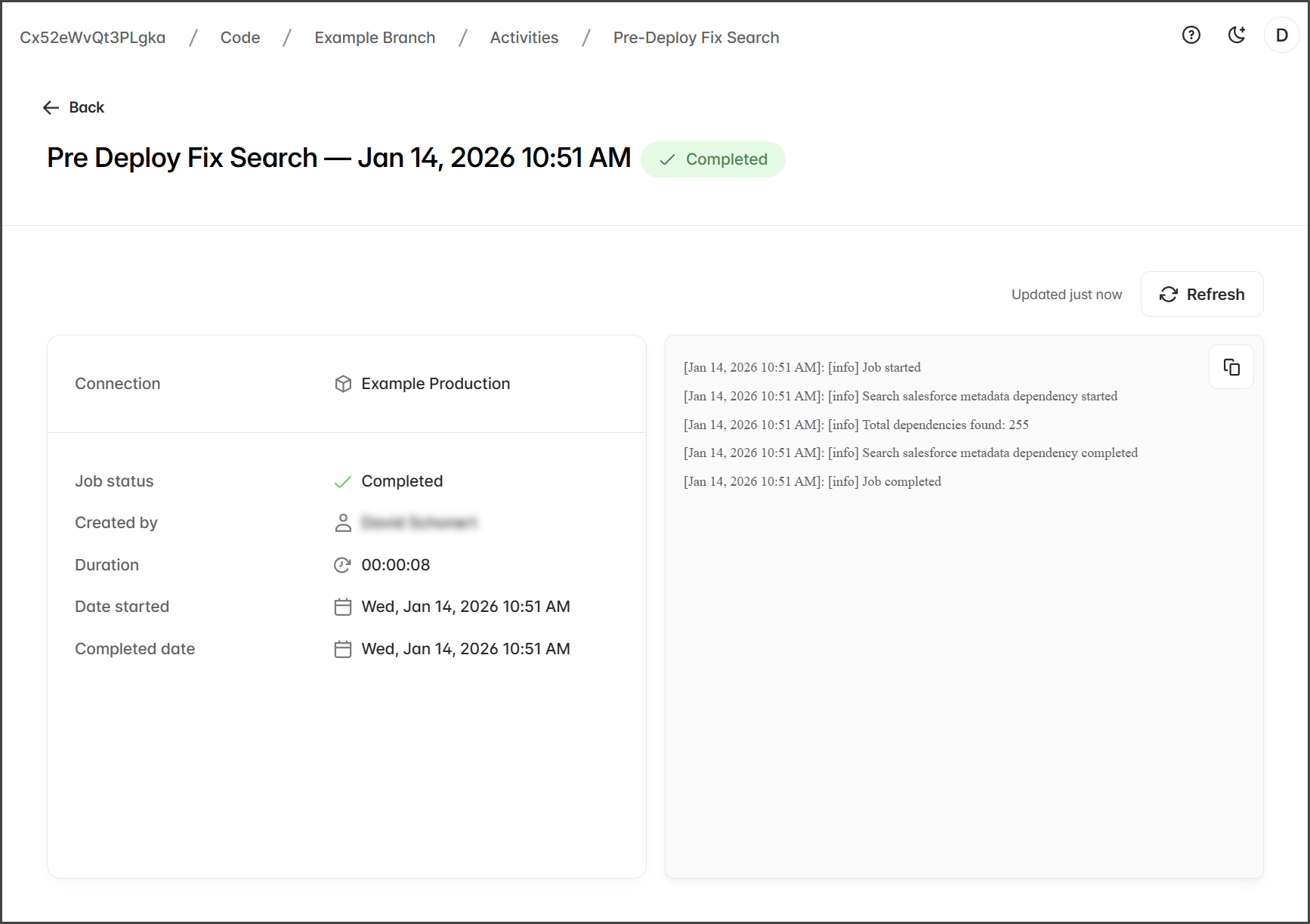
### View Job Logs
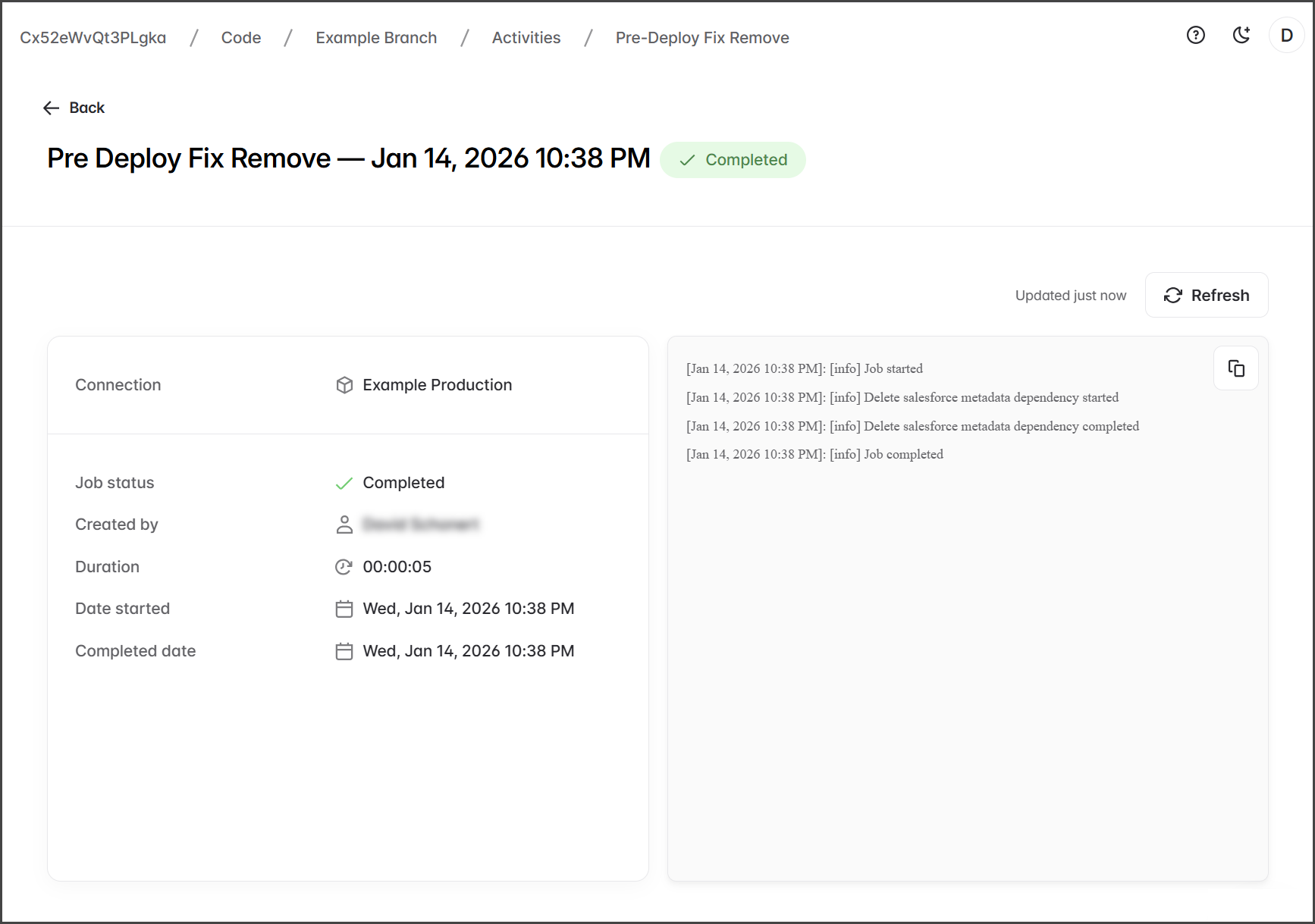
You can view the PreDeploy Fix job logs to check for any job processing problems and to verify which Salesforce org the job was run with.
1. Click **See logs**.
2. View the job status and log.
{% endstep %}
{% step %}
### Re-Run PreDeploy Fix
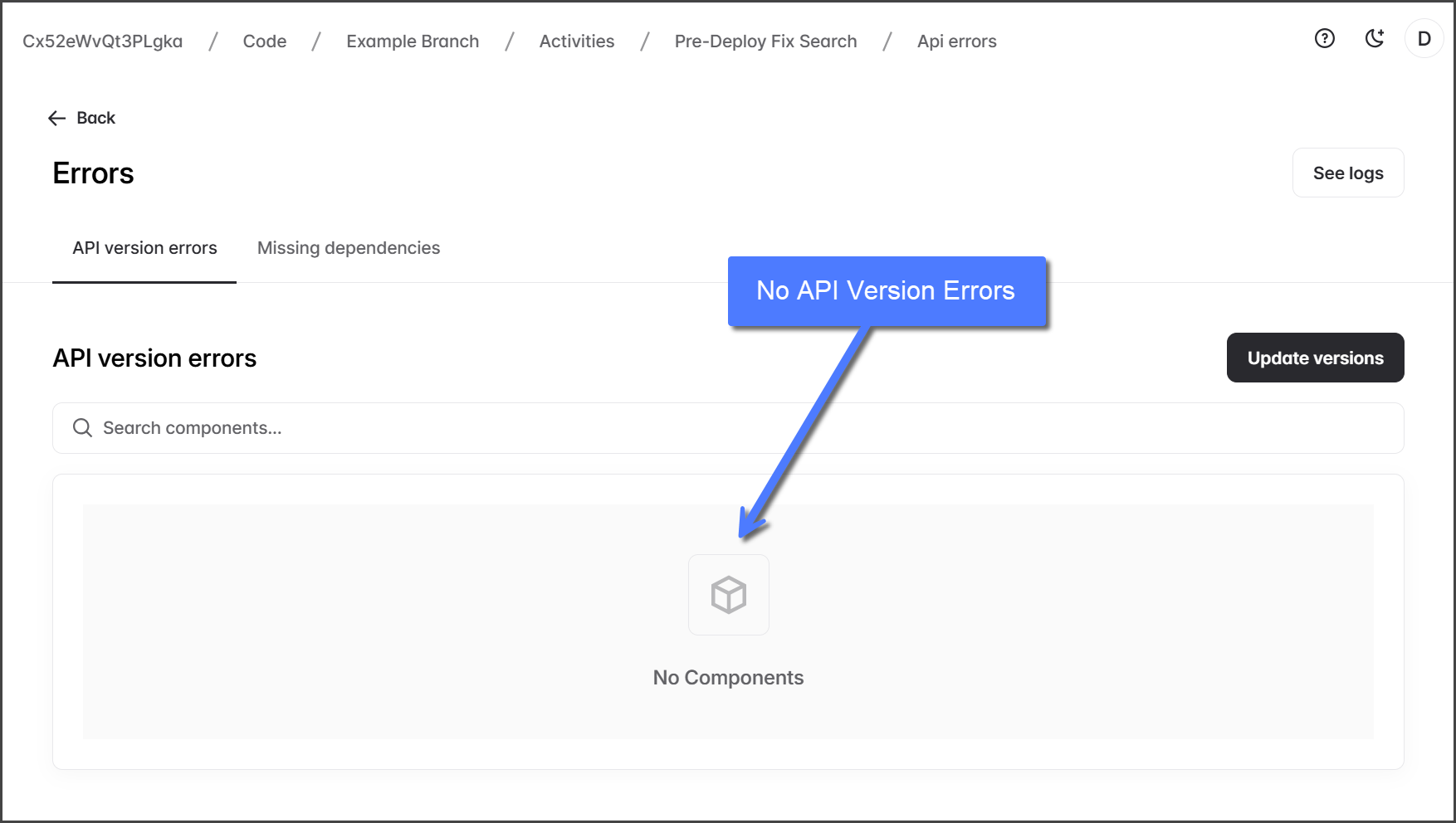
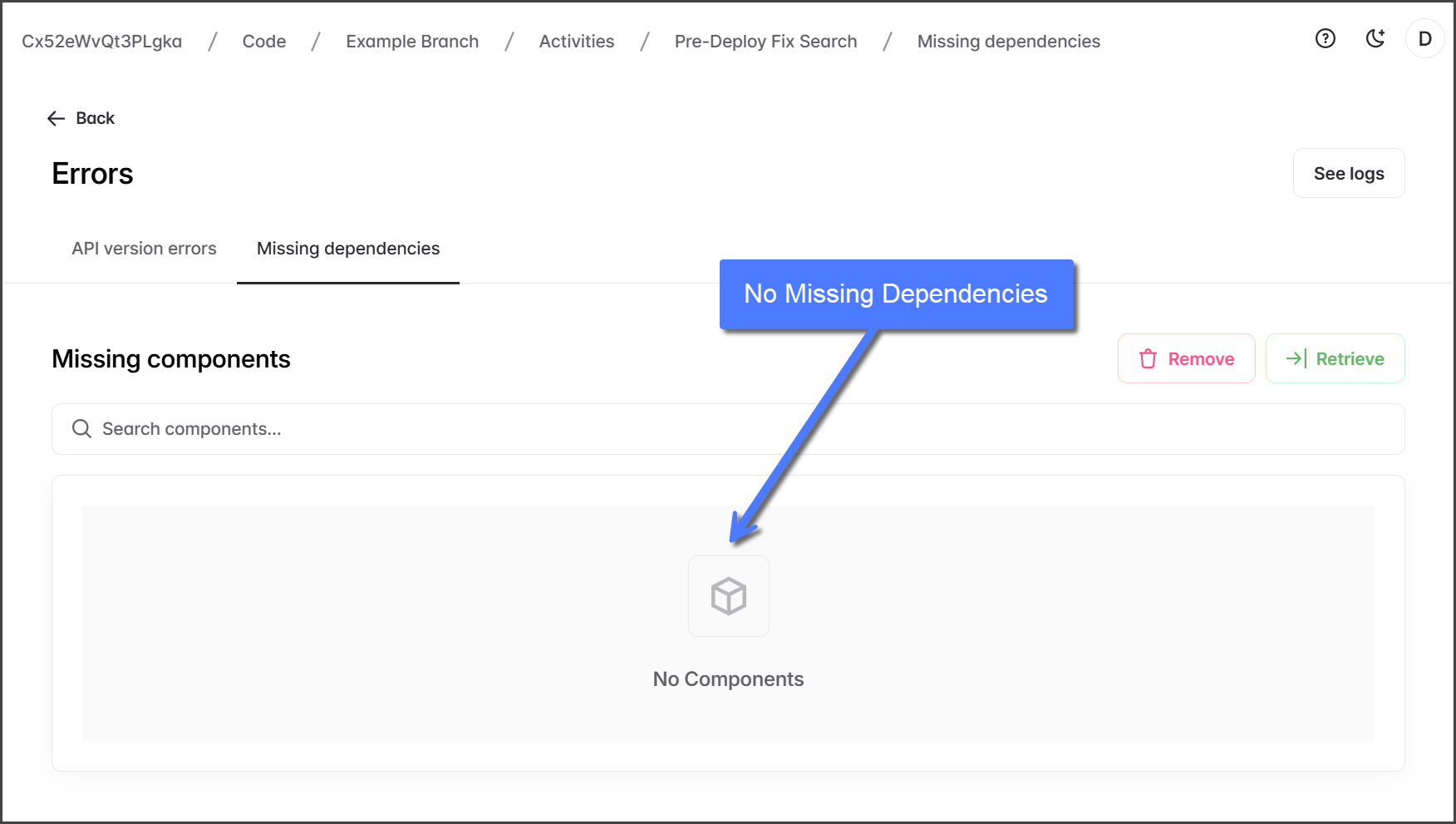
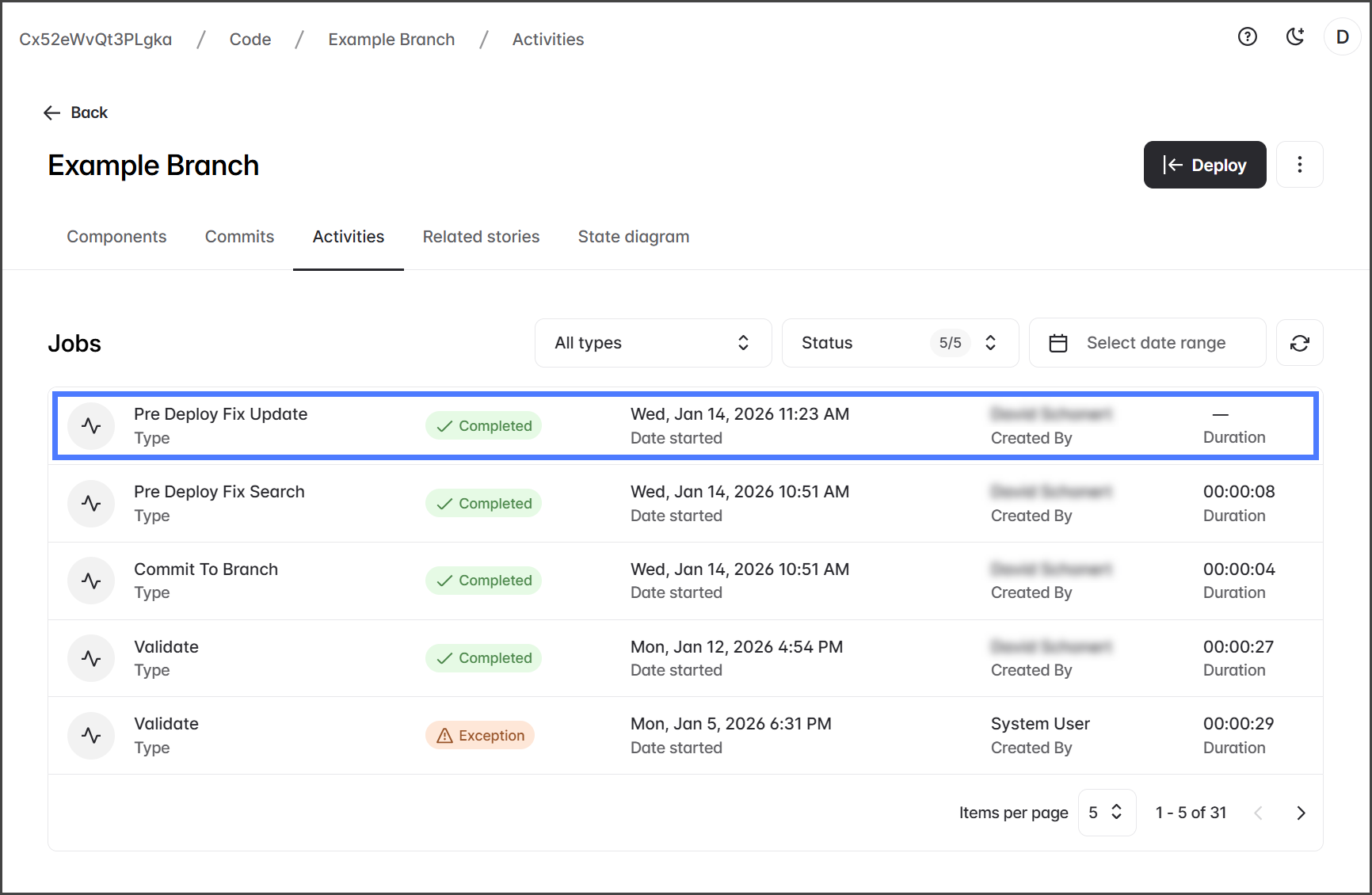
Once you've fixed all API version errors and resolved missing dependencies, rerun the PreDeploy Fix job to ensure no issues remain. The following screenshots show a PreDeploy Fix job that completed without finding any issues.
{% hint style="info" %}
Both the **API version errors** and the **Missing dependencies** tables display **No Components**.
{% endhint %}
{% endstep %}
{% endstepper %}
## Fixing API Version Errors
If the **PreDeploy Fix** found API version errors, you can fix them by updating to the correct version.
{% stepper %}
{% step %}
### Update Versions
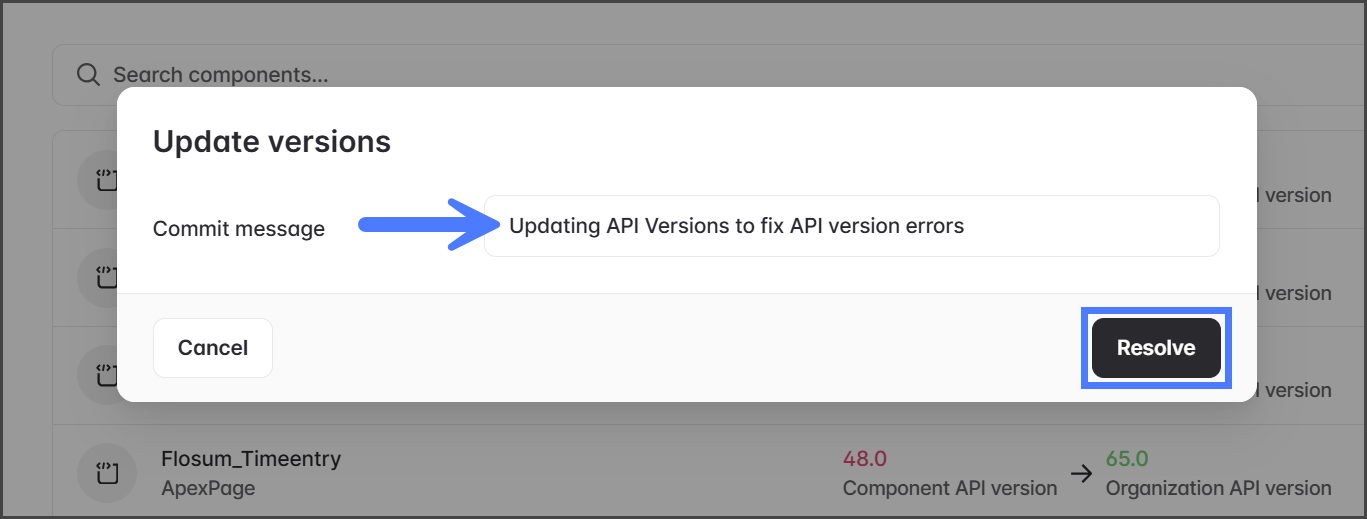
1. Click **Update Versions**.
2. Click **Add** for each component to update the API version.
3. Click **Update**.
4. Enter a **Commit Message** for the changes to the branch.
5. Click **Resolve**.
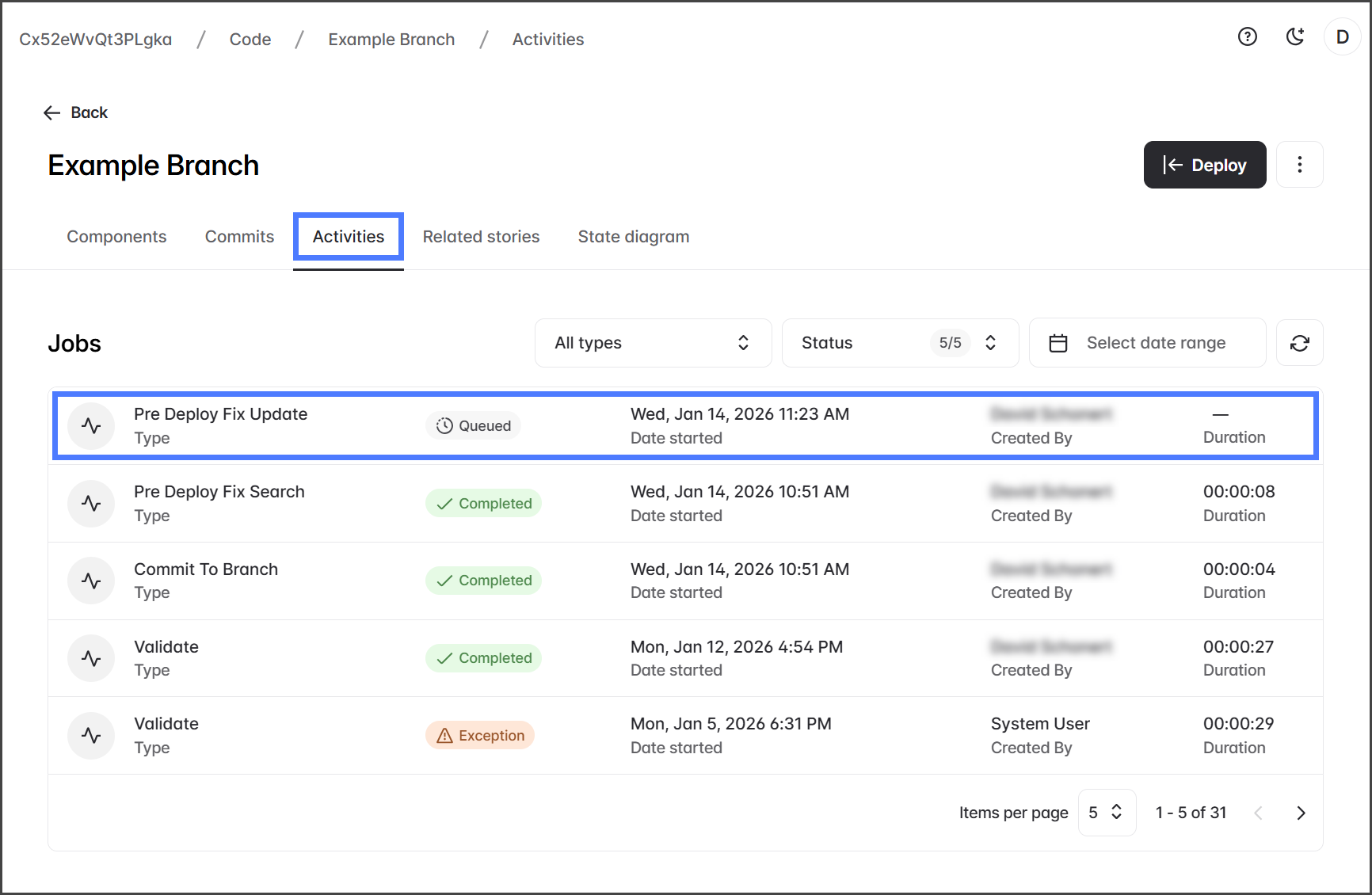
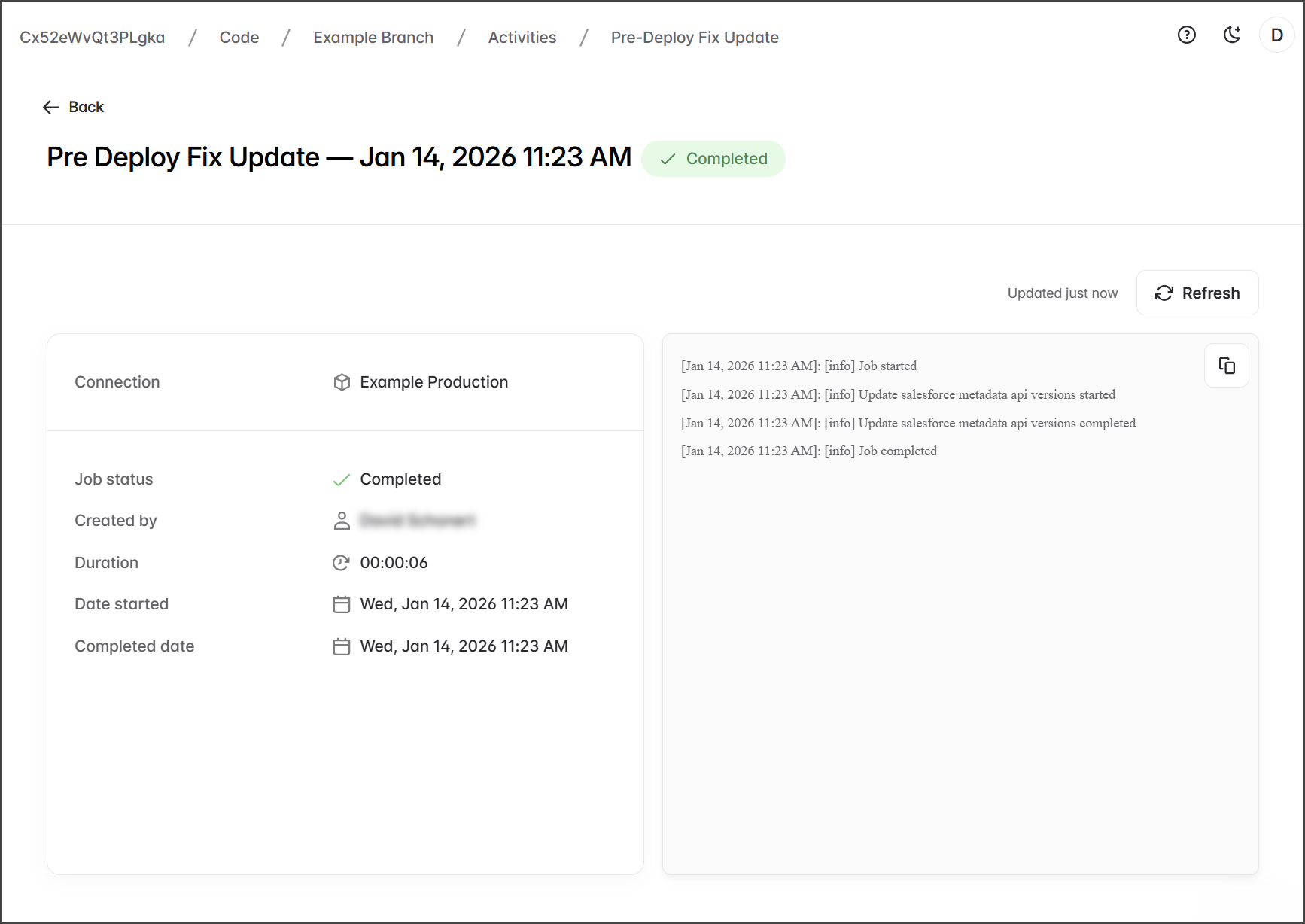
6. After starting the API Update job, it will be displayed on the **Activities** tab as a **Pre Deploy Fix Update** job.
{% endstep %}
{% endstepper %}
## Fixing Missing Dependencies
{% stepper %}
{% step %}
### Retrieve Missing Components
The selected metadata will be retrieved into your branch and added as a commit.
{% hint style="info" %}
If you have already Removed dependency components, don't select them to retrieve. If you are unsure, you can rerun the PreDeploy Fix job.
{% endhint %}
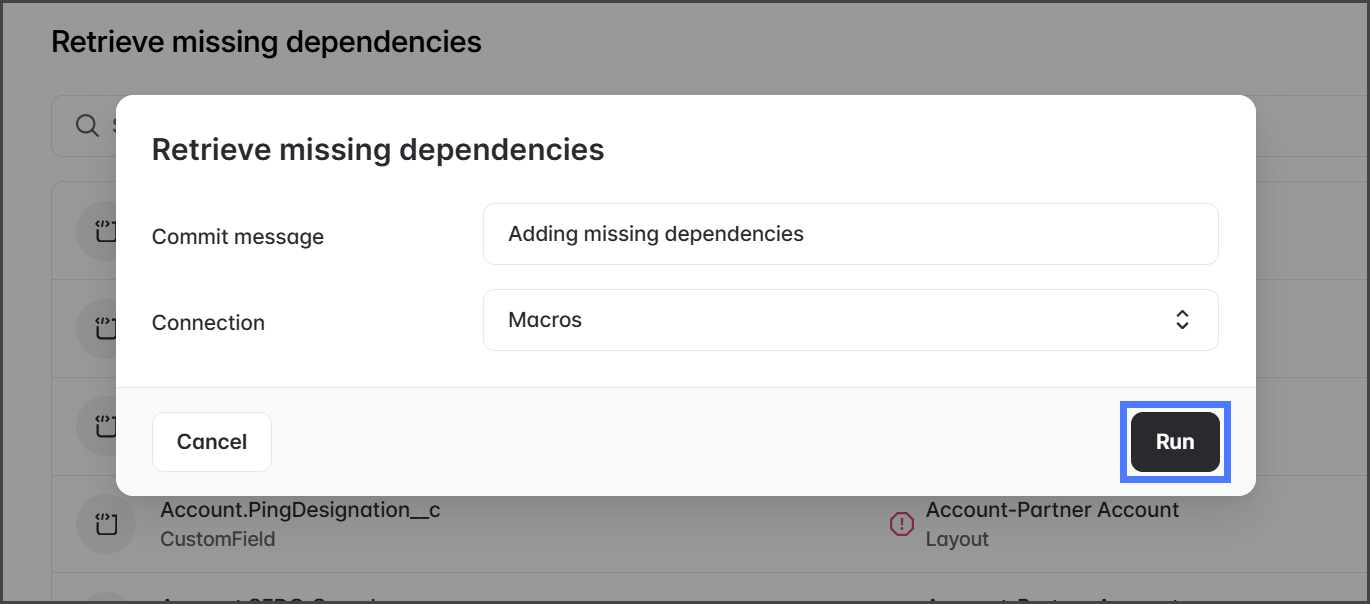
1. Click **Retrieve**.
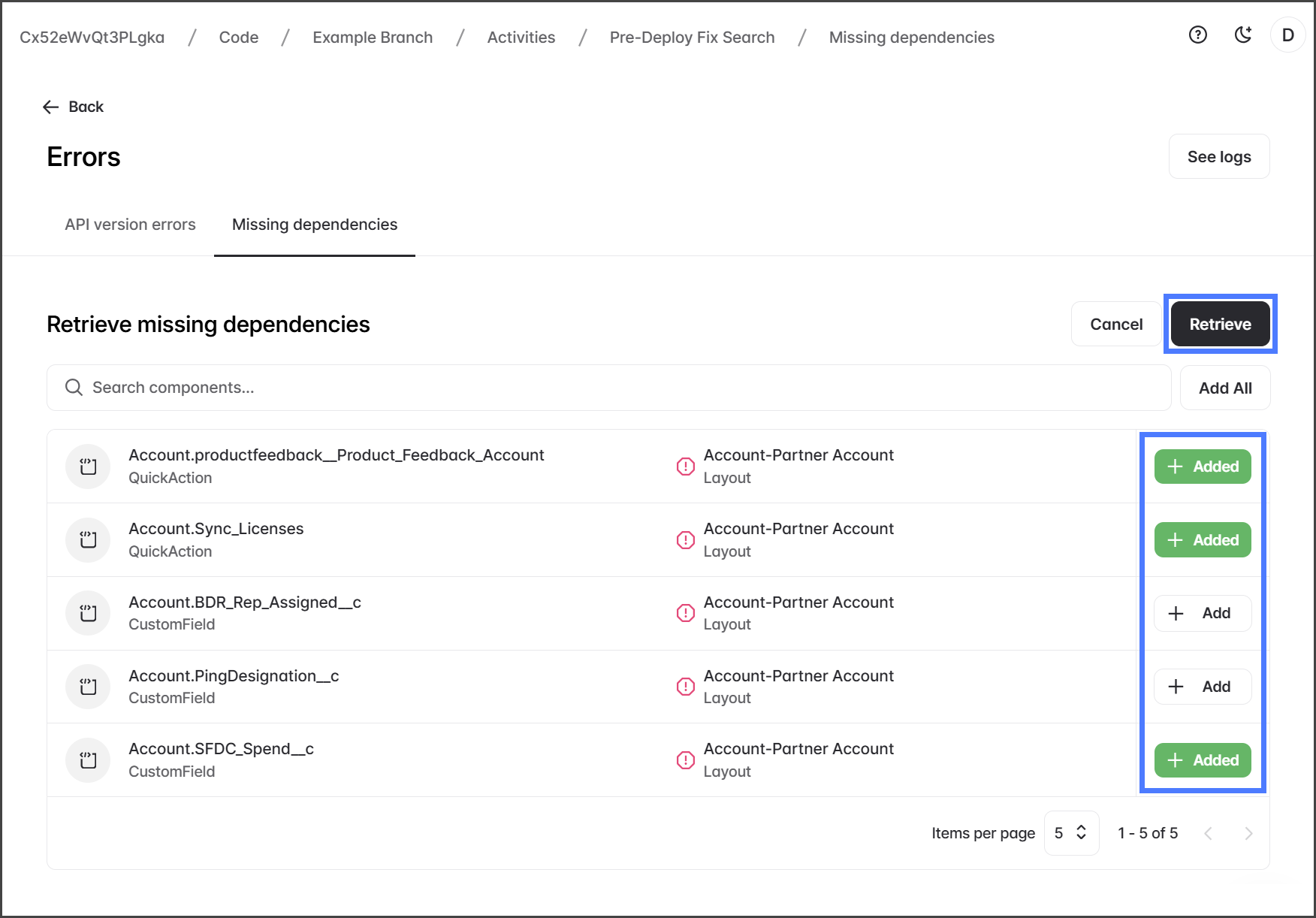
2. Click **Add** for each dependency component to retrieve.
3. Click **Retrieve**.
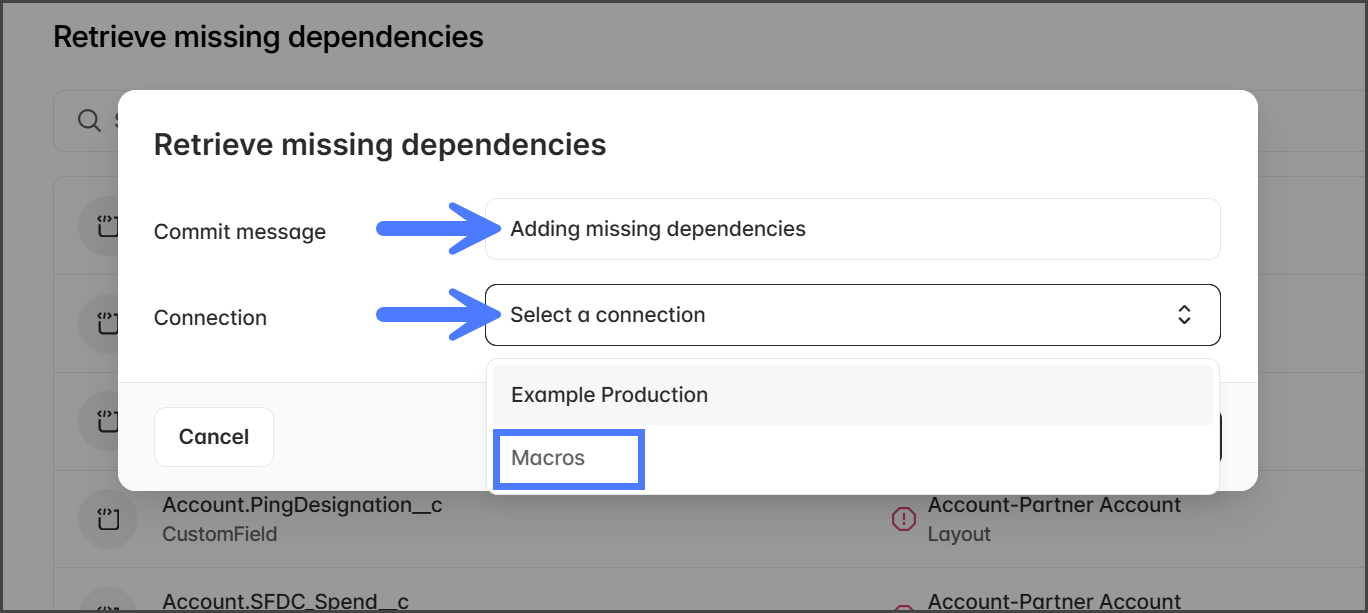
4. Enter a **Commit Message** for the changes to the branch.
5. Click the **Connection** dropdown menu.
6. Select the Salesforce org to retrieve the dependent components from.
7. Click **Run**.
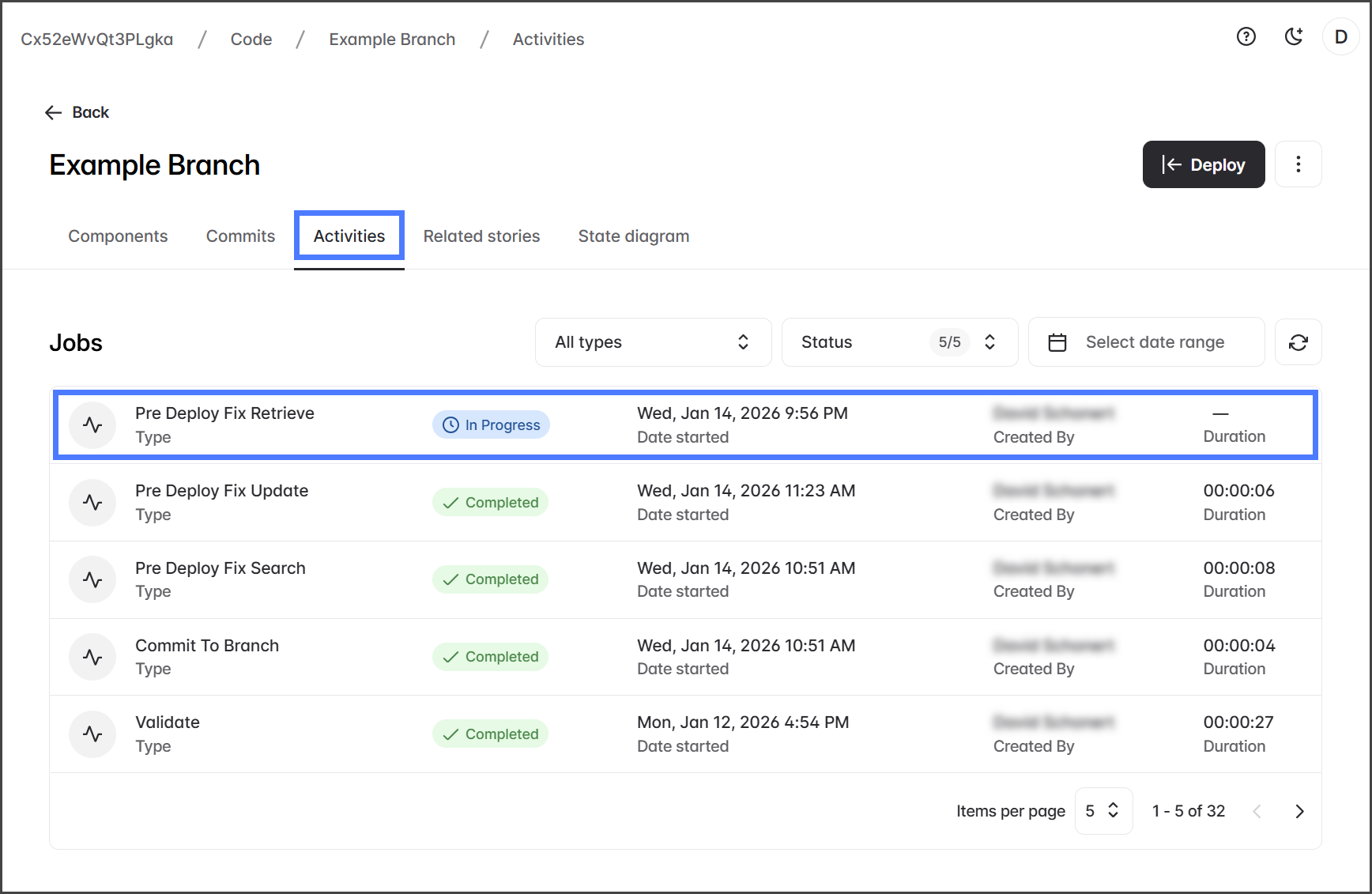
8. After starting the Retrieve Missing Dependencies job, it will be displayed on the **Activities** tab as a **Pre Deploy Fix Update** job.
{% endstep %}
{% step %}
### Remove Missing Components
The references to those components are removed from your branch, preventing deployment errors.
{% hint style="info" %}
If you have already Retrieved dependency components, don't select them to remove. If you are unsure, you can rerun the PreDeploy Fix job.
{% endhint %}
1. Click **Remove**.
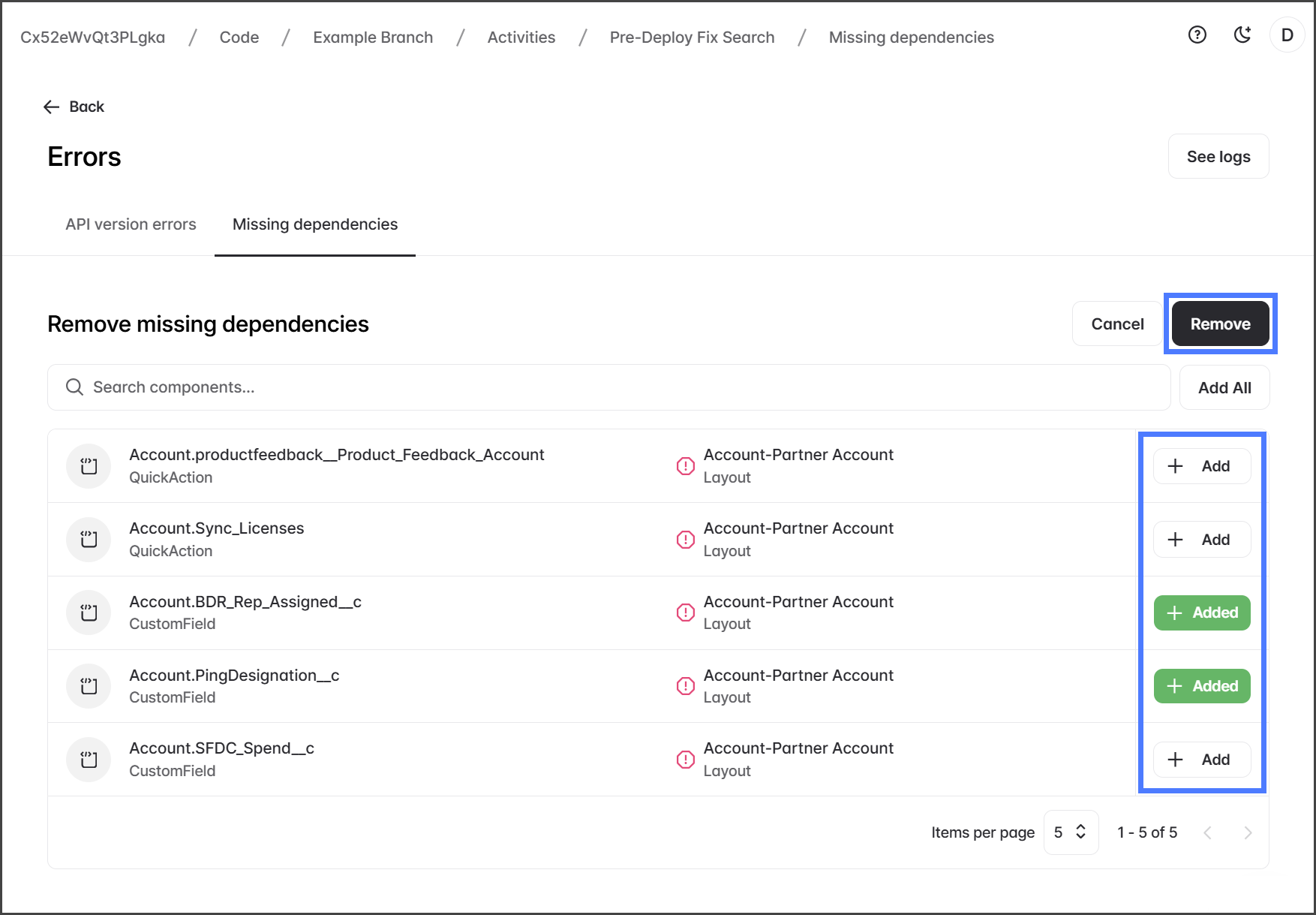
2. Click **Add** for each dependency component to retrieve.
3. Click **Remove**.
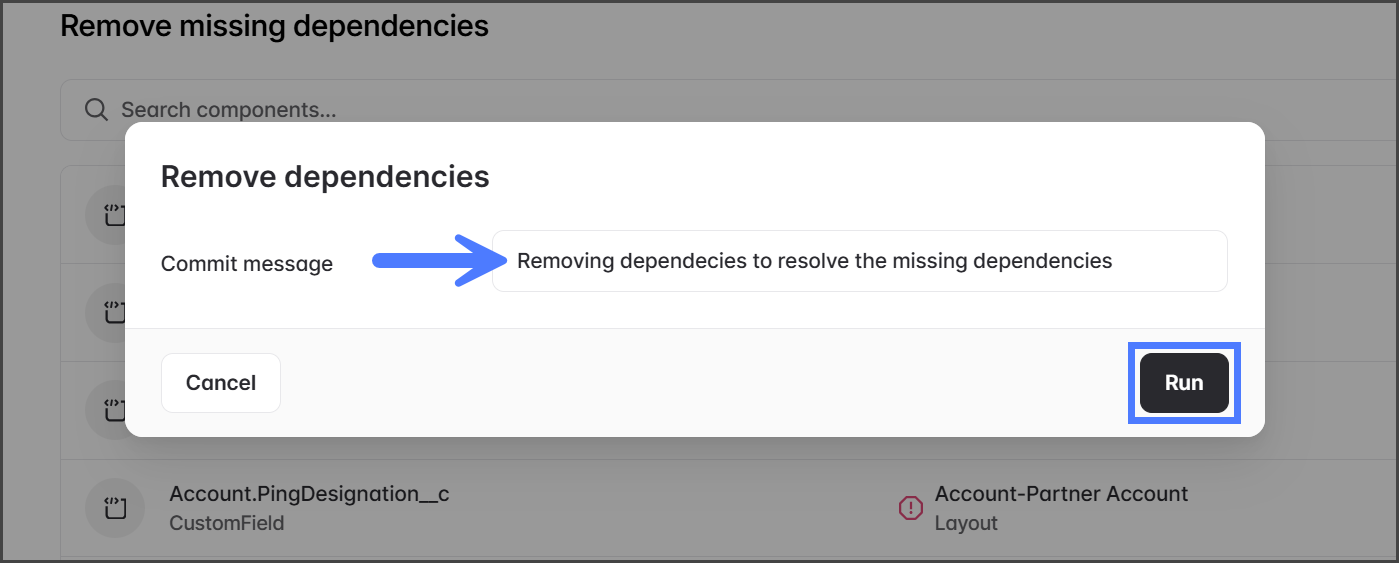
4. Enter a **Commit Message** for the changes to the branch.
5. Click **Run**.
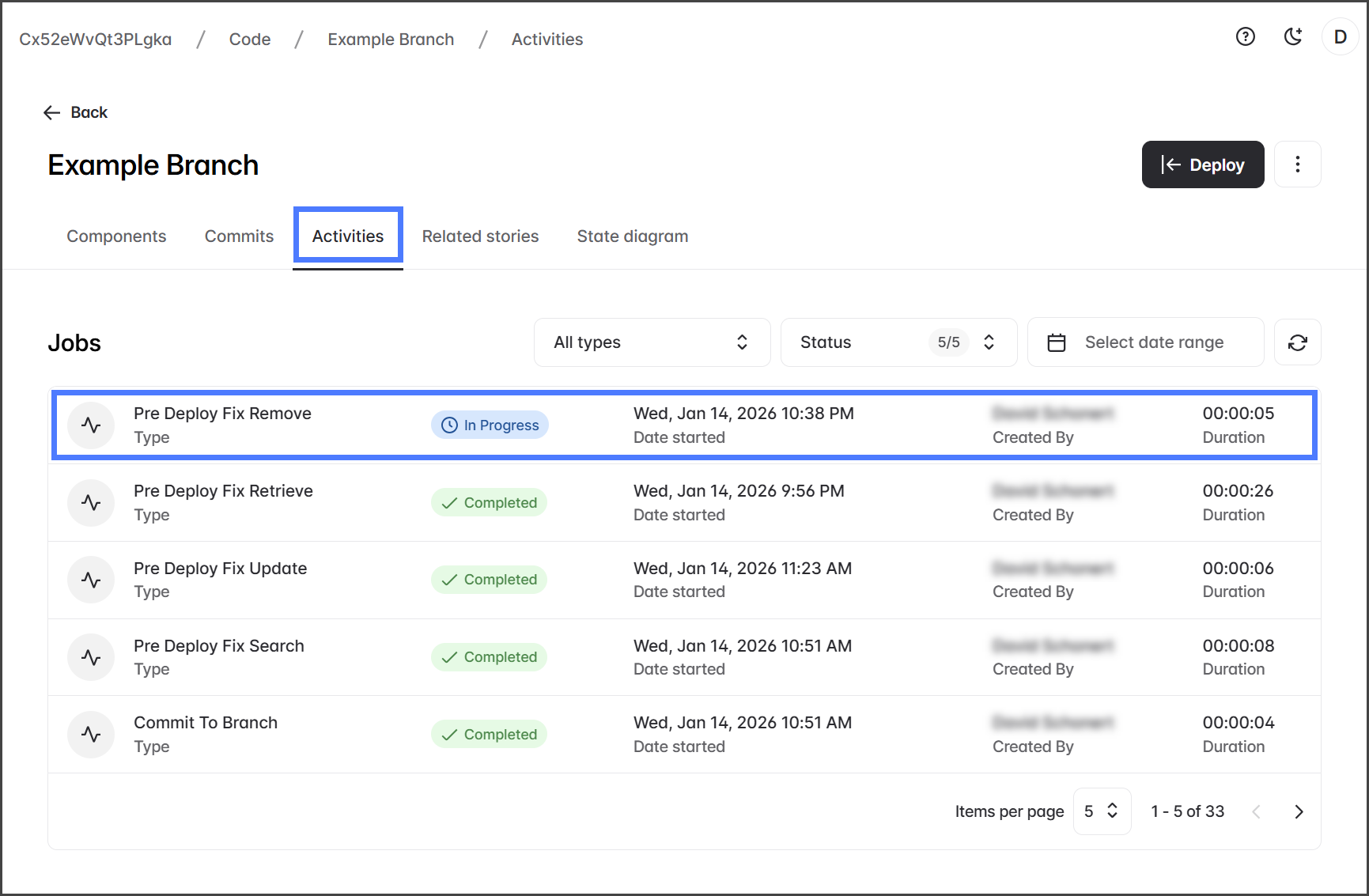
6. After starting the Remove Missing Dependencies job, it will be displayed on the **Activities** tab as a **Pre Deploy Fix Remove** job.
{% endstep %}
{% step %}
### View Results
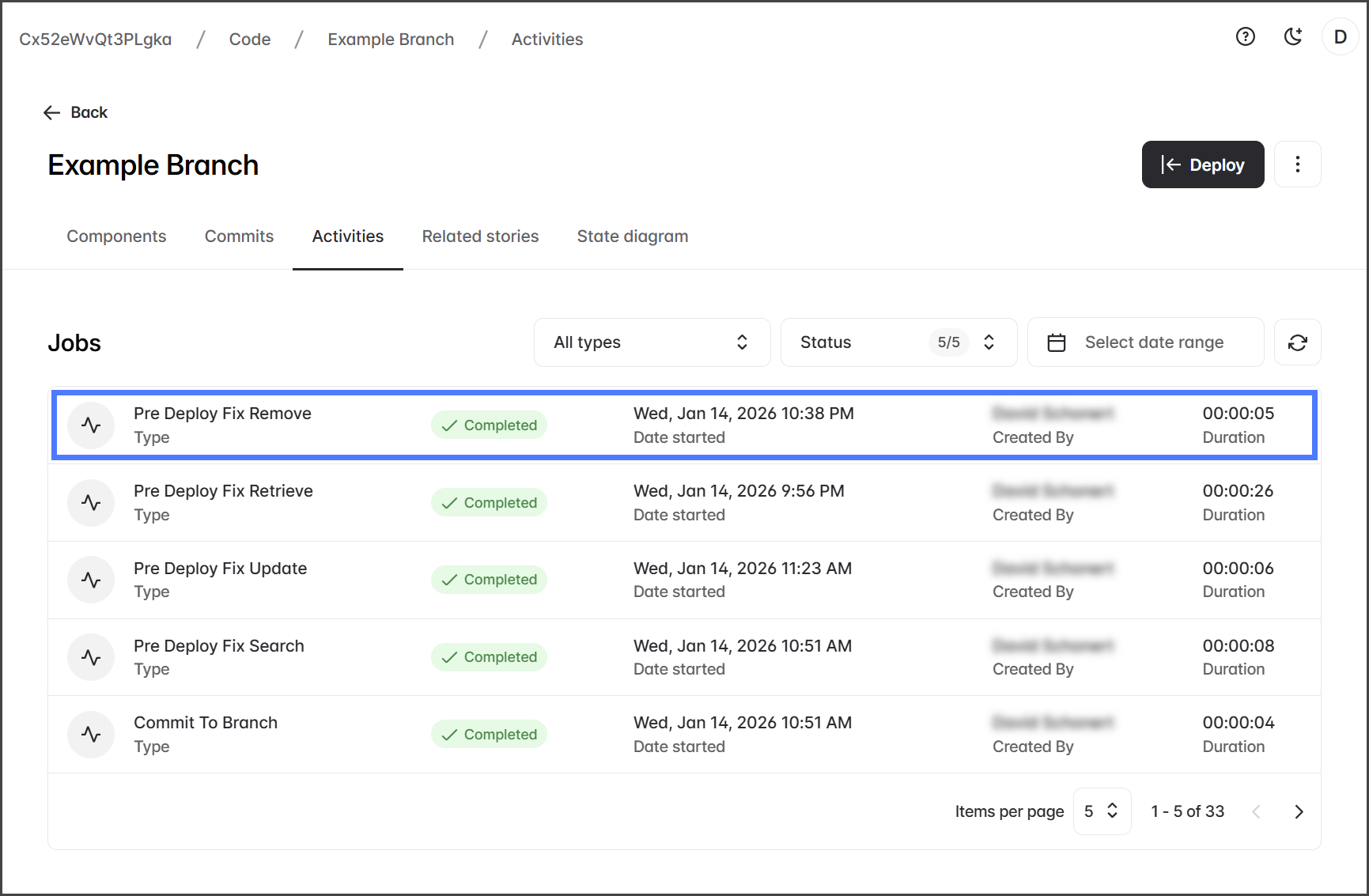
1. Click the **Pre Deploy Fix Retrieve** job for retrieving components or **Pre Deploy Fix Remove** job for removing components.
2. View the job status and log.
{% endstep %}
{% endstepper %}
---
# Agent Instructions
This documentation is published with GitBook. GitBook is the documentation platform designed so that both humans and AI agents can read, navigate, and reason over technical content effectively. Learn more at gitbook.com.
## Querying This Documentation
If you need additional information that is not directly available in this page, you can query the documentation by asking a question.
Perform an HTTP GET request on the following URL with the `ask` and `goal` query parameters:
```
GET https://docs.flosum.com/devops/code/branch-actions/using-branch-predeploy-fix.md?ask=&goal=
```
`ask` is the immediate question: it should be specific, self-contained, and written in natural language.
`goal` is what the user is ultimately trying to achieve, the reason they need the answer. Sharing it helps GitBook give you a better, more relevant answer. A goal is most helpful when it describes the outcome the user wants rather than restating the question. For example, with `ask=how do I create an API token`, a goal like `automate deployments from our CI pipeline` lets GitBook tailor the answer to that use case.
The response will contain a direct answer to the question and relevant excerpts and sources from the documentation.
Use this mechanism when the answer is not explicitly present in the current page, you need clarification or additional context, or you want to retrieve related documentation sections.