Editing a Connected App

Required User Credentials

Overview

A Connected App lets you link your applications to Flosum Cloud Apps using OAuth 2.0 tokens. Once connected, your applications will have to access your users, data, attributes, and other resources. You can manage the connection and authentication settings by editing a Connected App. This article describes each setting available for a Connected App.

For specific instructions on using a Connected App to connect to Flosum's Apps in Salesforce, see the following article.

Editing A Connected App

1

Access Global Settings

  1. From any Flosum Cloud App, click the App Switcher icon in the dropdown menu from the sidebar menu.

  2. Click Global Settings.

  3. The Global Settings app will open in a new tab.

Global Settings can also be accessed by directly logging in using your region's Global Settings URL. See the following article for login instructions.

2

Select a Connected App

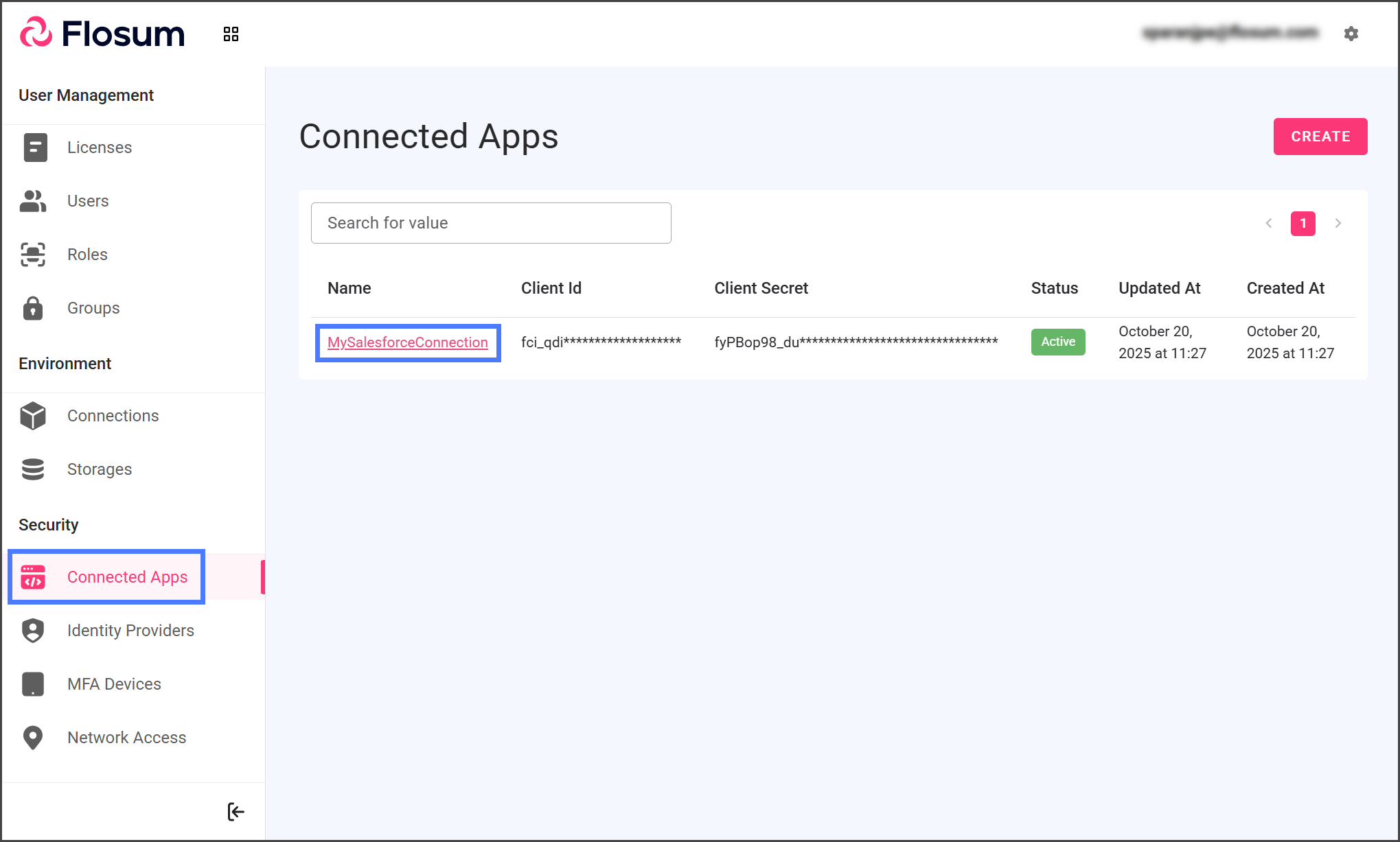
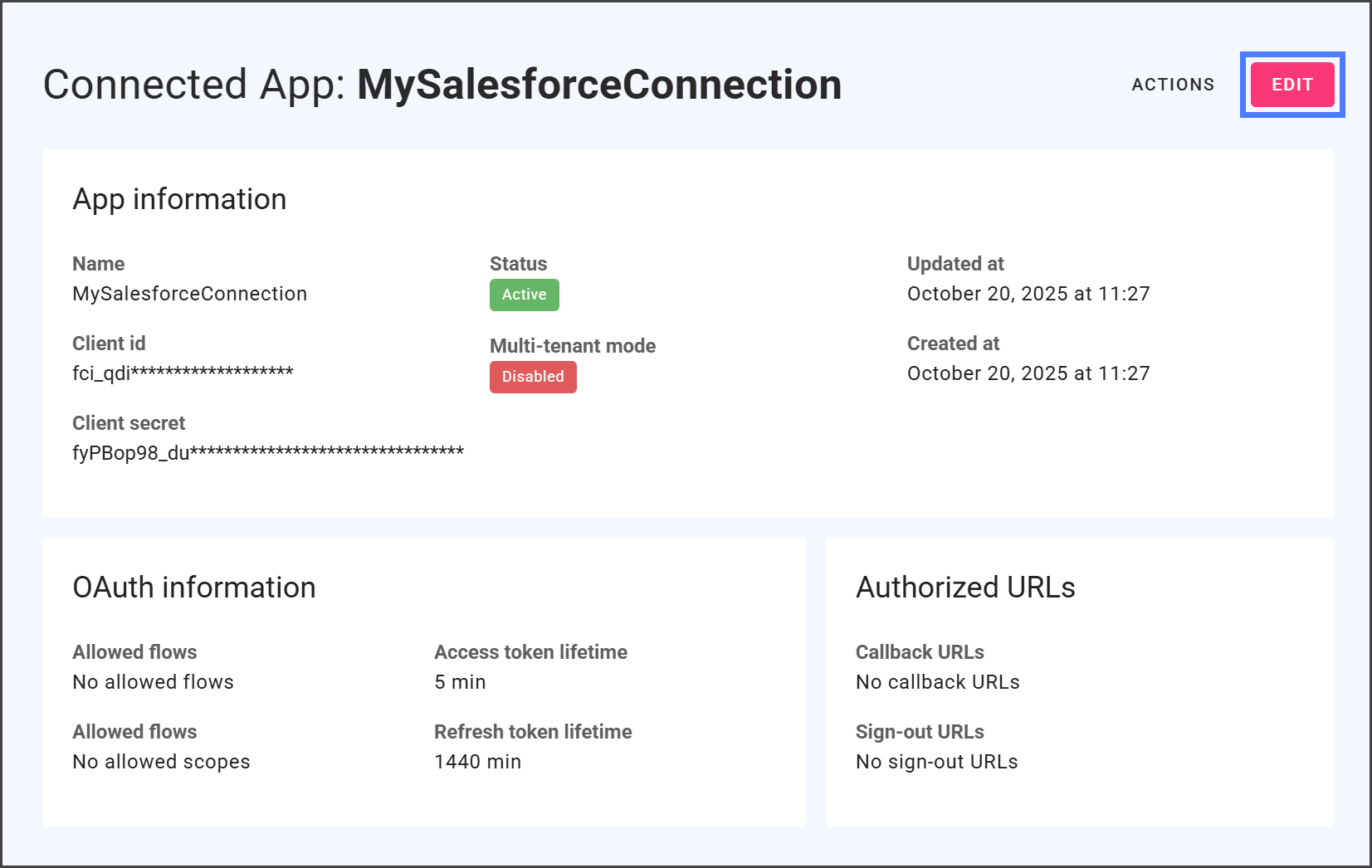
  1. Click Connected Apps from the sidebar menu.

  2. Click the Name of the Connected App to edit.

  3. Click Edit.

3

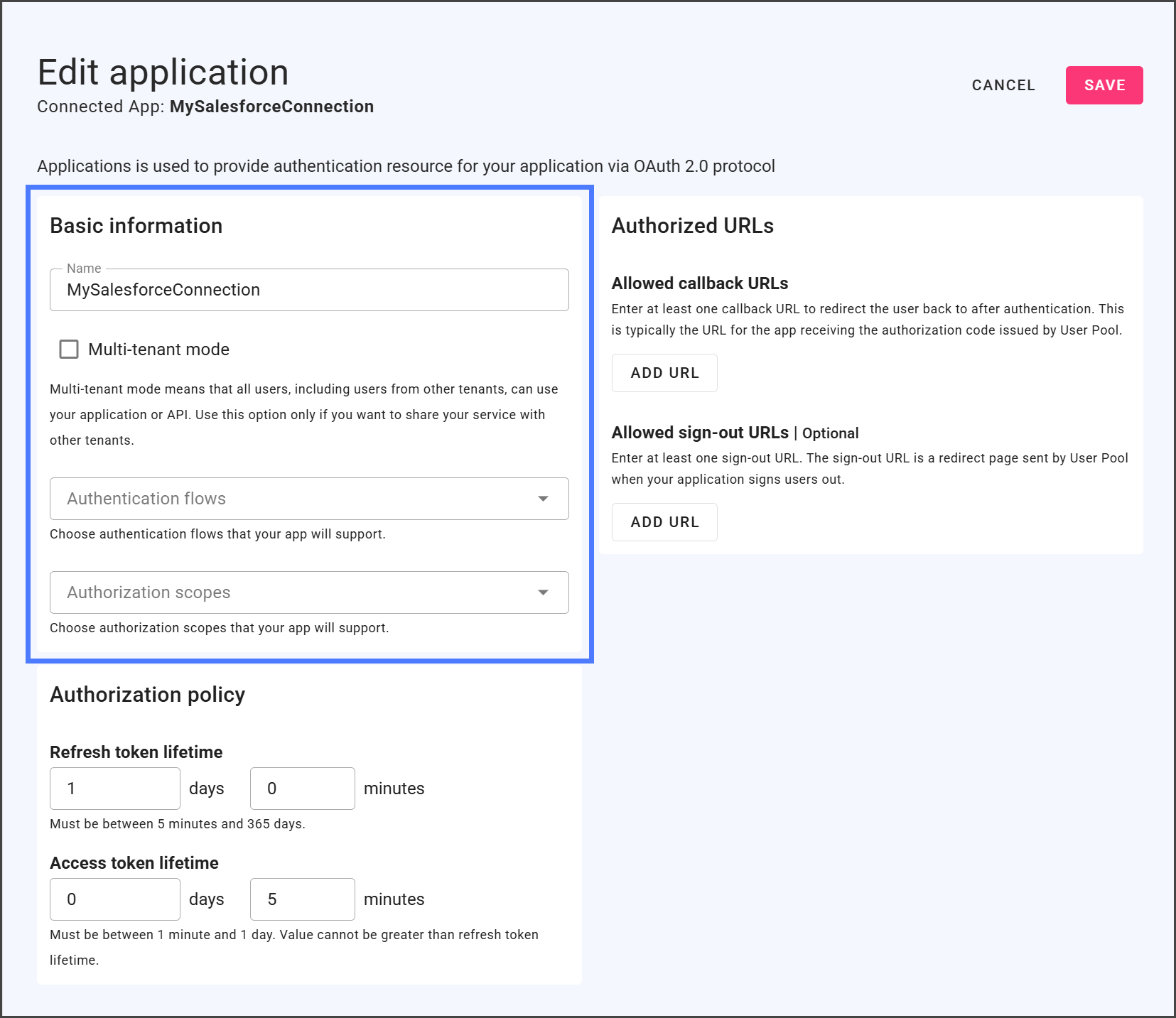
Basic Information

Setting
Description

Name

The Name field lets you modify the name of the Connected App. This name is specific to your Global Settings tenant, and changing it won't impact your app connections.

Multi-Tenant Mode

Enable the Multi-tenant mode checkbox to grant access to all users, including those from other tenants. Only enable this if you plan to share your service across multiple tenants.

Authentication Flows

The Authentication Flows dropdown lets you choose which flows your app will support. You can select one or more flows, and each is detailed below.

Authorization Code - In this flow, the client app obtains an authorization code following user authentication at the authorization server. The client app then exchanges this code for an access token, enabling access to protected resources.

Refresh Token - In this flow, upon successful user authentication and authorization, a Refresh Token is issued alongside the access token. The Refresh Token allows the client app to obtain a new access token after the current one expires, without requiring the user to reauthenticate. This simplifies the token renewal process by eliminating the need for user intervention.

Authorization Scopes

The Authorization Scopes dropdown lets you choose which scopes your app will support. You can select one or more scopes, and each is detailed below.

Offline Access - This is a special OAuth 2.0 permission that allows a client app to receive updated access tokens without requiring direct user interaction.

4

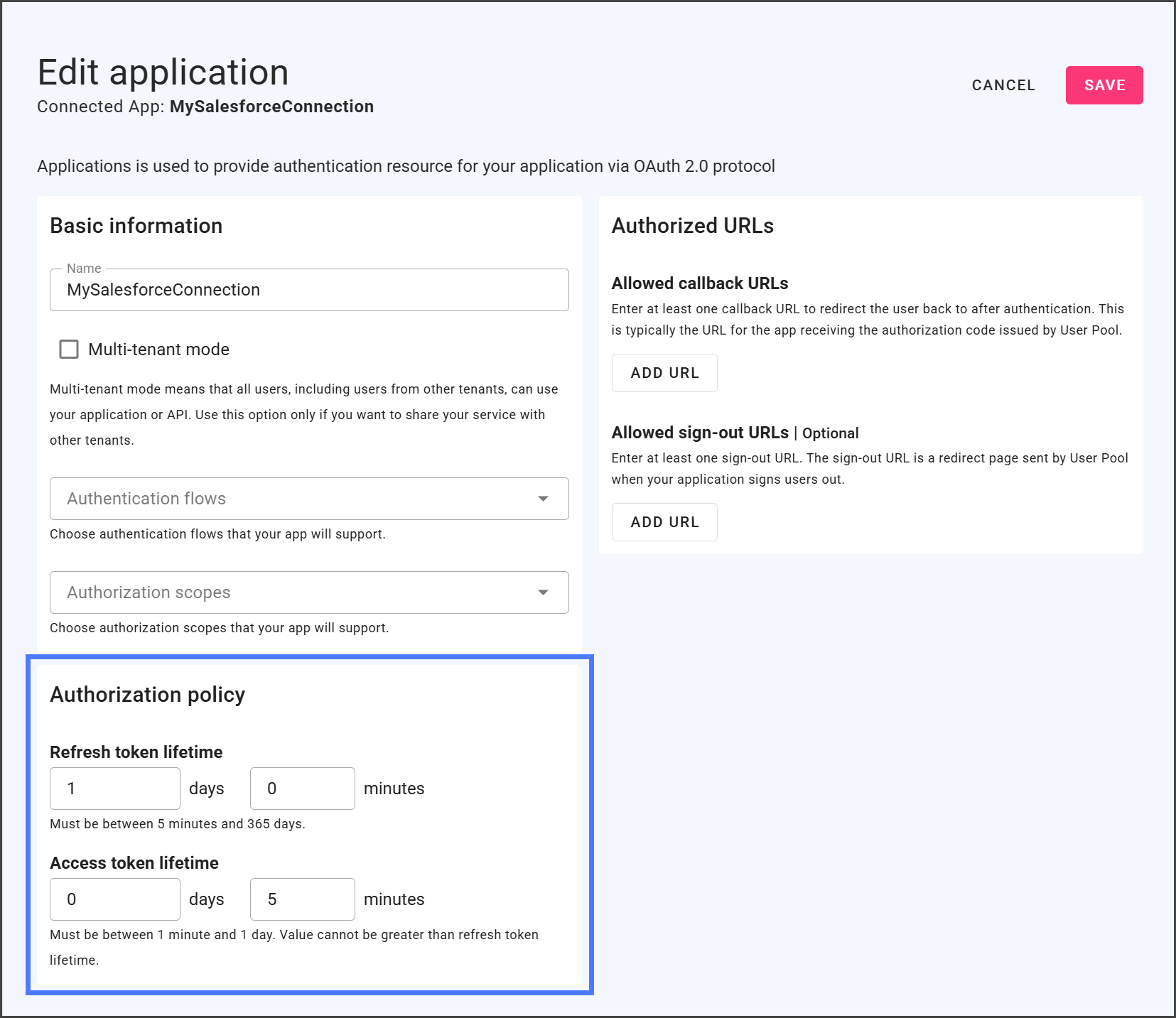
Authorization Policy

Setting
Description

Refresh Token Lifetime

A Refresh Token Lifetime determines how long a refresh token remains valid, enabling clients to acquire new access tokens without needing user re-authentication.

Access Token Lifetime

An Access Token Lifetime determines how long an access token remains valid, granting clients access to protected resources for that duration before requiring the user to re-authenticate.

5

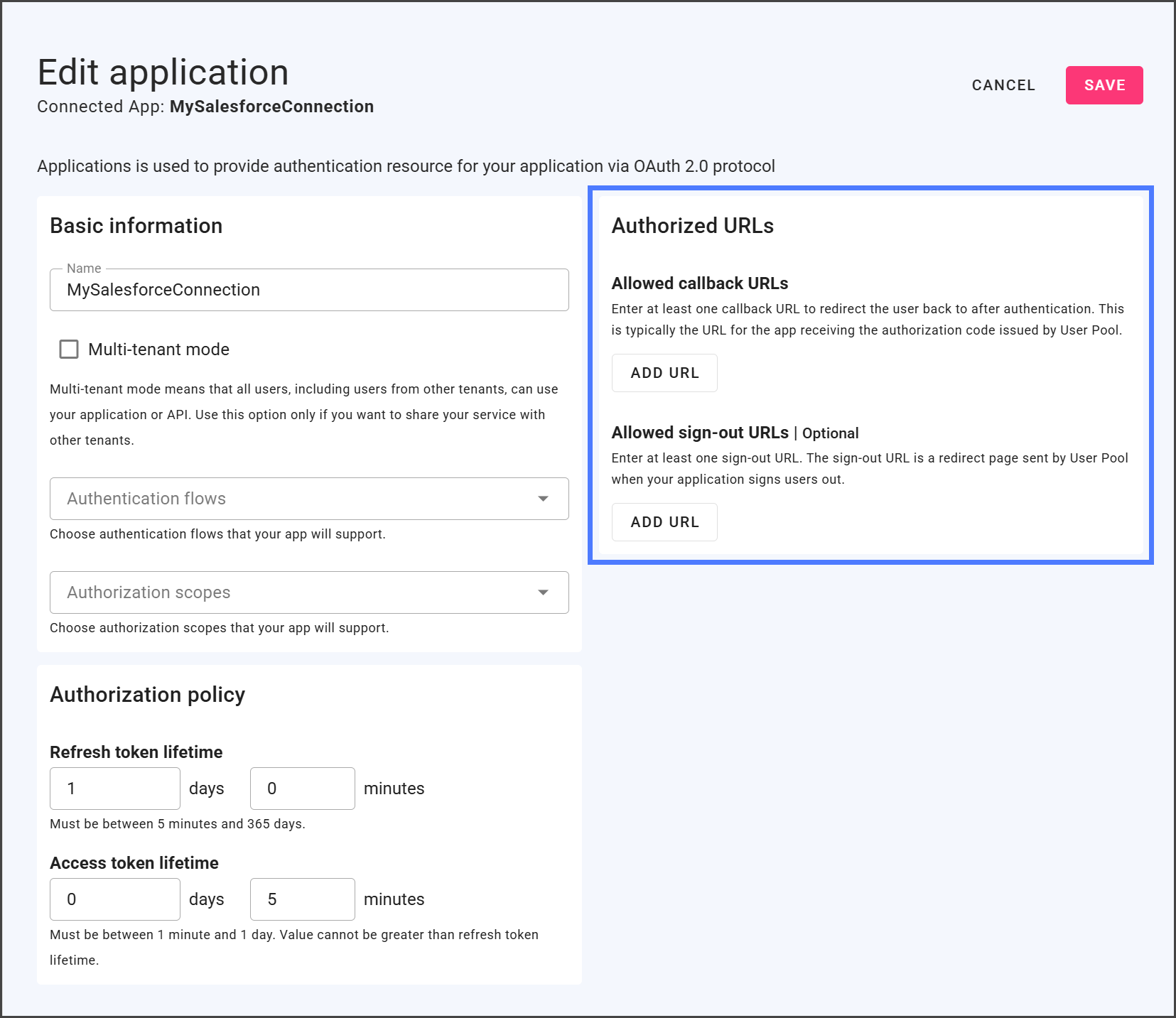
Authorized URLs

Setting
Description

Allowed Callback URLs

You can add URLs to the list of Allowed Callback URLs that the authorization server redirects the user to after successful authentication and authorization.

Example: https://backup.com/api/v1/oauth/callback

Allowed Sign-Out URLs

You can add URLs to the list of Allowed Sign-Out URLs that the user can be redirected to after successfully signing out of an app or identity provider.

Example: https://backup.com/api/v1/oauth/login

6

Save Changes

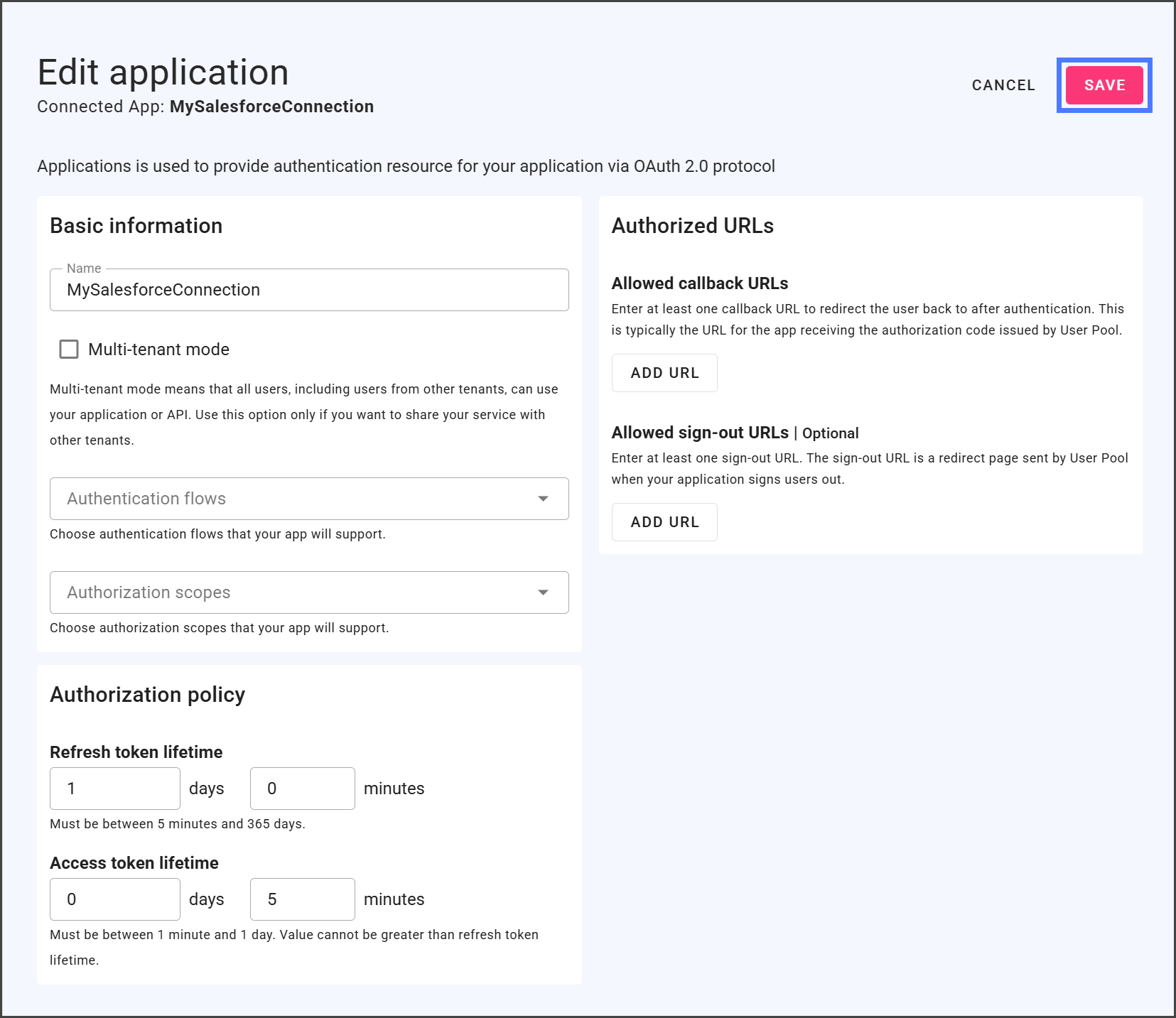
  1. Click Save.

  2. Changes to the Connected App are applied immediately.

Last updated

Was this helpful?